Page 18 © Boule Medical AB, March 2018. Article no. 1504496
2. Installation and Reagent Setup
Installation Checklist and Menu
After completing the following eight Installation Menu steps, the system will be ready for the rst
sample analysis.
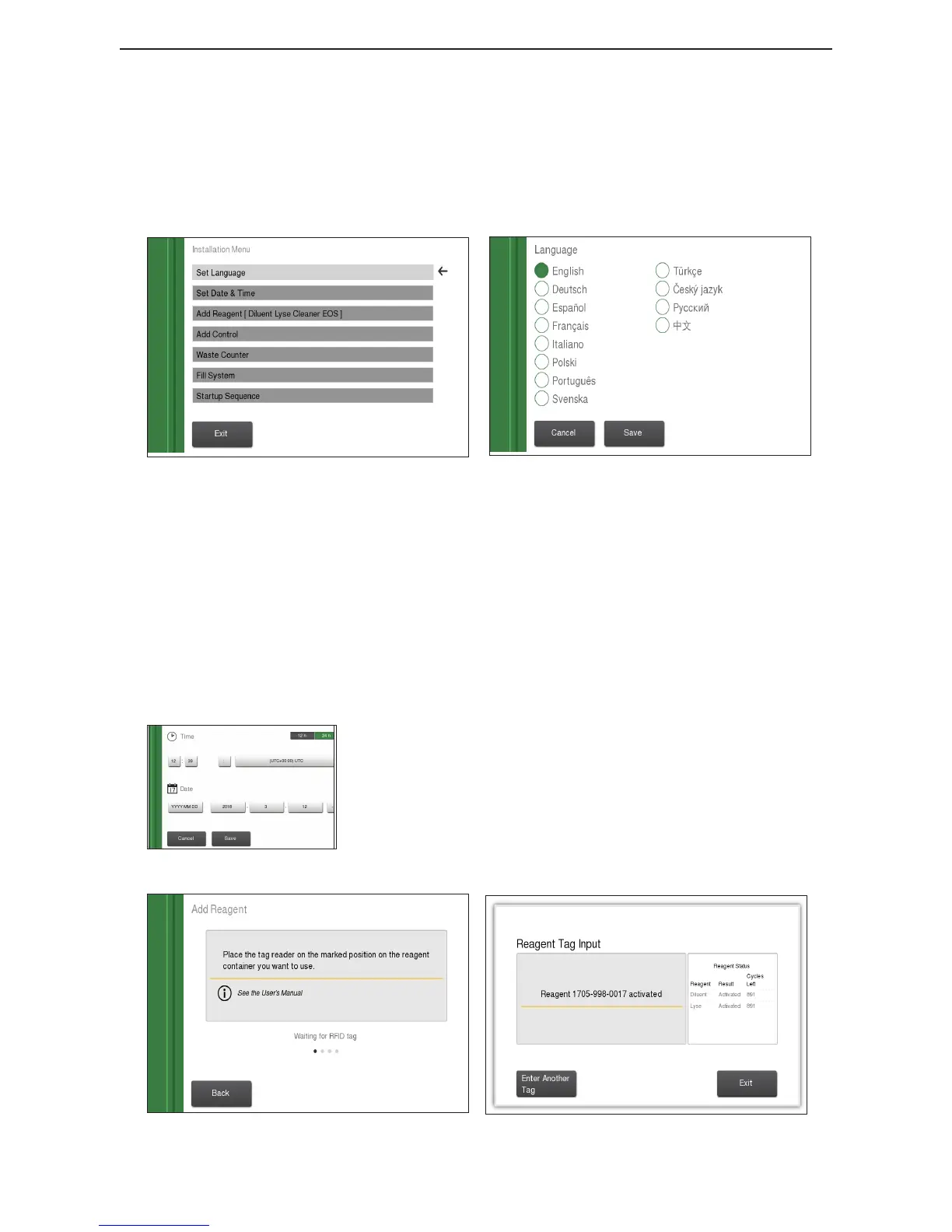
X Installation Menu
1 Set Language Choose language and press Save.
Figure 9: Installation menu
Figure 10: Language menu
2 Set Time In this menu 4 dierent options are available:
Select either 12h or 24h.
To change the time select the hour or minute box and use the
or ― signs to change.
To change the divider select the divider box and use the use
the or ― signs to change.
Select the time zone box and click in the circle next to the
correct time zone and then press Save.
3 Set Date
Figure 11: Date and Time menu
In this menu 3 dierent options are available:
To change the date format select the date format box and use
the or arrows to change.
To change the date select the year, month, or day box and
use the or arrows to change.
To change the divider select the divider box and use the use
the or ― signs to change.
Press Save and return to Installation Menu.
Figure 12: Reagent RFID entry
Figure 13: Reagent RFID entry success



 To Next Page