Page 48 © Boule Medical AB, March 2018. Article no. 1504496
6.
Calibration
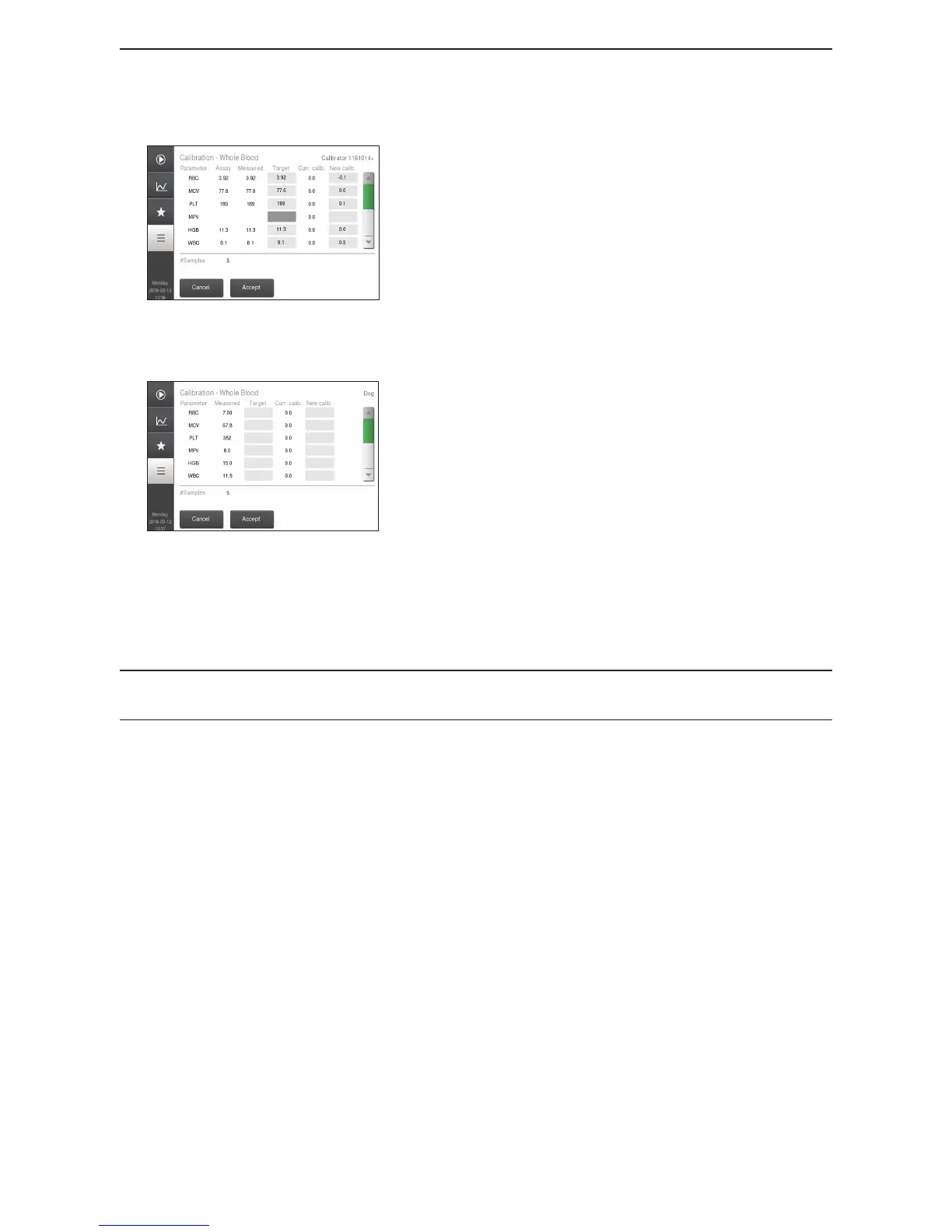
Figure 70: Set Target Values
Log in as in Method 1, enter Calibration and then
Whole Blood but then select Factors.
Enter target values under the heading Target.
Once all target values have been entered, press Accept
and the analyzer will calculate and display the new
factors.
Mark the parameters to be calibrated.
Select Save to accept and store these calibration factors.
Method 3
Figure 71: Manual Input Menu
Go to Main Menu.
Enter Authorization Code [5075].
Select Calibration and then Whole Blood.
Select Factors and enter calibration factor under New
Calib. header.
Calibration factors for each parameter can range from
−
50.0 to +50.0. (Values outside this range result in an
error message).
Once all target values have been entered press Accept.
Mark the parameters to be calibrated.
Select Save to accept and store these calibration factors.
It is recommended to analyze controls after calibration to verify that all parameters have been
calibrated correctly.
X MPA Device Calibration
To calibrate MPA, follow Method 1 except select MPA Dev ice instead of Whole Blood and use
MPA mode for analysis. (See section 3 for details on capillary analysis).



 To Next Page