Page 54 © Boule Medical AB, March 2018. Article no. 1504496
7. Menu Structure and Advanced Setup
Advanced Parameter Setup
− When using a printer that is PostScript compatible,
select PostScript Compatible.
− If using a printer other than that specied by distributor,
the printer must be HP PCL 3 and 5, Proprinter/Epson
or PostScript compatible.
− Note: for chinese, only postscript is possible and PDF
report must be selected for in ticket format.
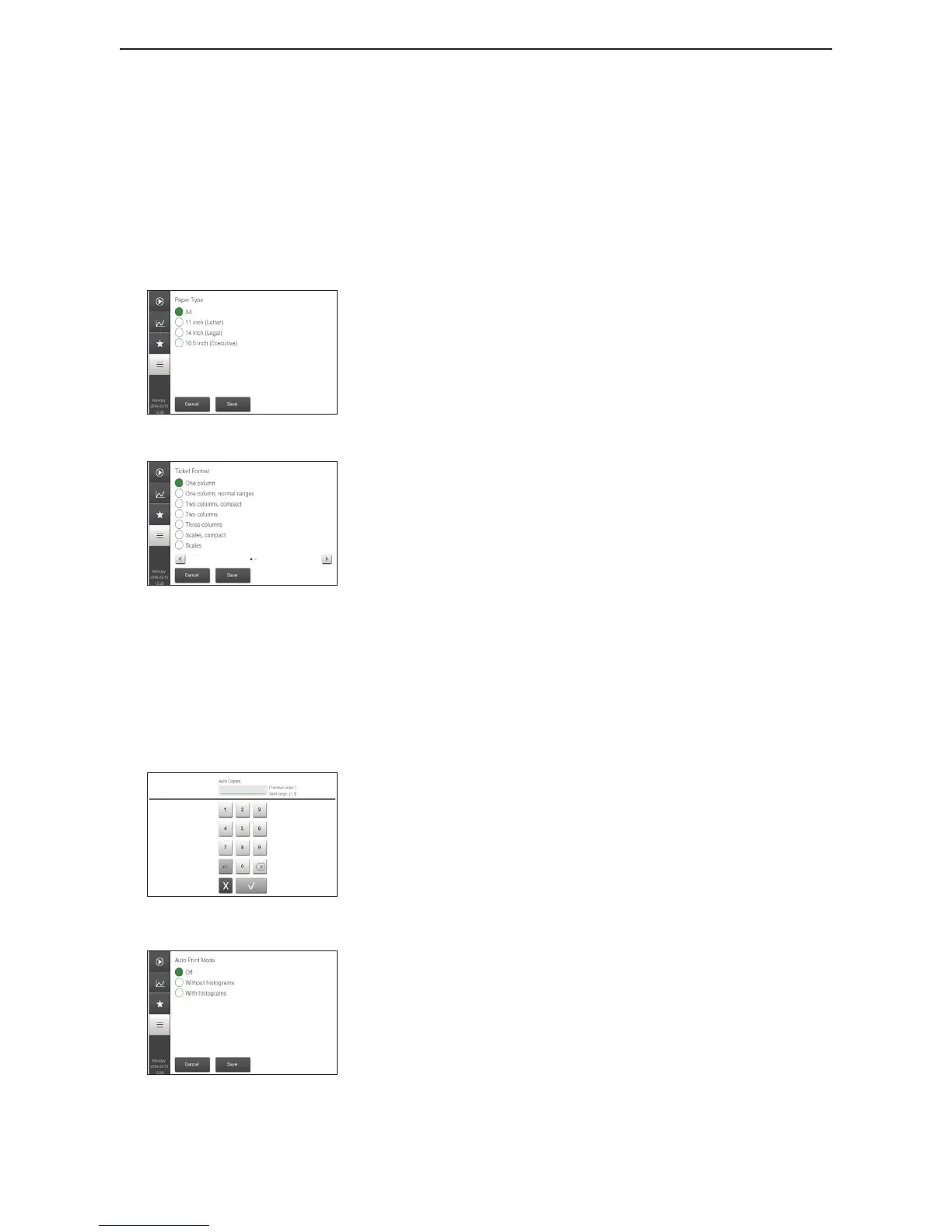
Figure 81: Paper Type
Paper Type
This function allows the user to choose the type (size) of
paper used for the printout.
Select Paper Type button, select the circle next to desired
paper size, press Accept, and then Save.
Figure 82: Ticket Format
Ticket Format
This function allows the user to change the column layout of
the printout.
Select Ticket Format button, select the circle next to
desired ticket format, press Accept, and then Save.
For ticket format PDF report, settings are changed under
PDF setup.
Symbol Set
This function allows the user to choose which symbol set to
use.
Select Symbol Set button, select the circle next to desired
symbol set, press Accept, and then Save.
Figure 83: Print Copies
Print Copies
This function allows the user to choose how many manual
or automatic copies to print with each analysis.
Select Auto Copies, select the number of copies wanted,
press to accept, and then Save.
Select Manual Copies, select the number of copies wanted,
press to accept, and then Save.
Figure 84: Printer Mode
Print Mode
This function allows the user to choose whether a printout
is manually or automatically printed, with or without
histograms, and how many analyses per page.
Select Auto Print Mode, select a circle next to each
category, press Accept, and then Save.
Select Manual Print Mode, select a circle next to each
category, press Accept, and then Save.


 To Next Page