© Boule Medical AB, March 2018. Article no. 1504496 Page 55
7. Menu Structure and Advanced Setup
Advanced Parameter Setup
One Ticket Per Page
This function allows the user to print more than one analysis
per page.
Select One Ticket Per Page, select Enabled to print one
analysis per page or Disabled to print more than one
analysis per page, press Accept, and then Save.
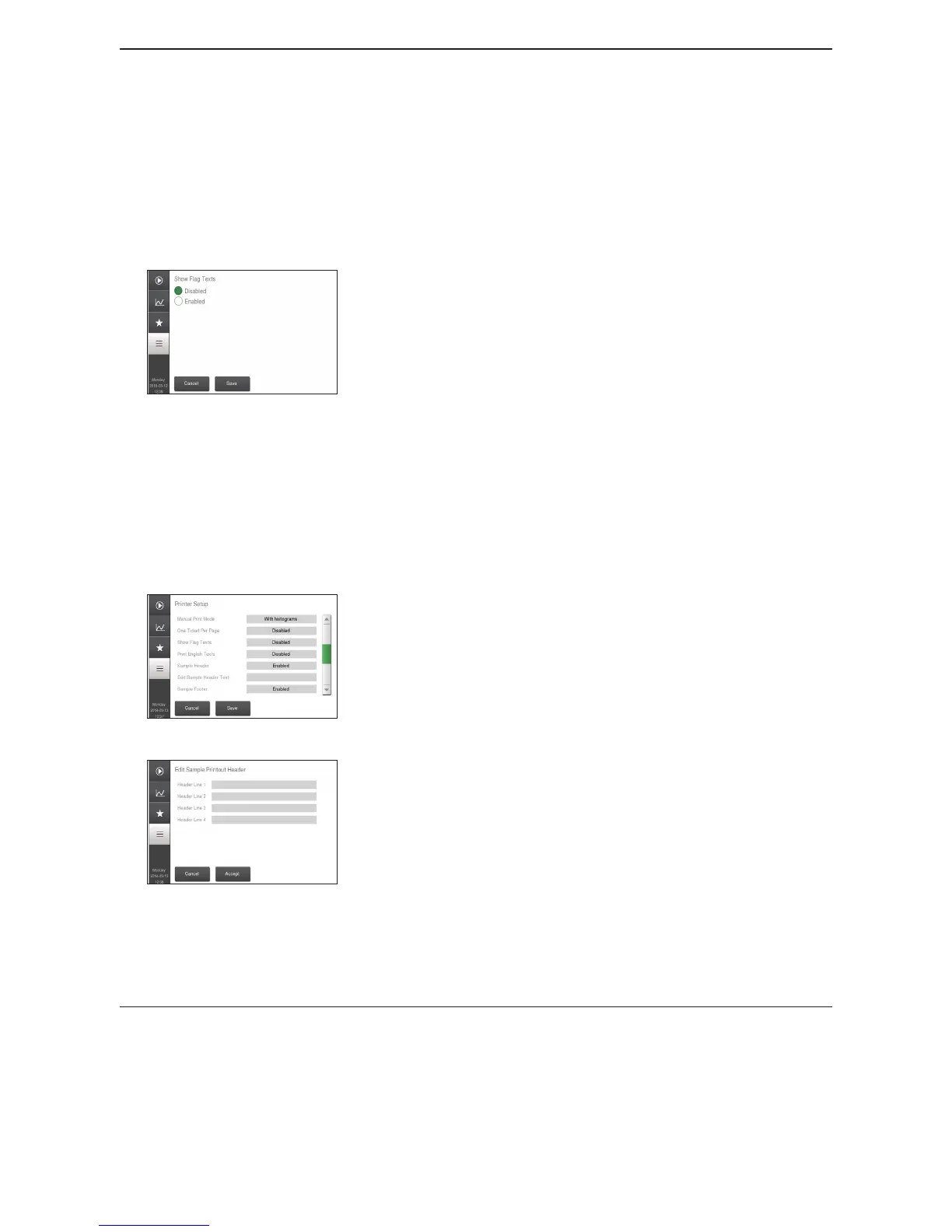
Figure 85: Show Flag Text
Flag Text Options
This function allows the user to choose whether or not ag
text is displayed on the printout.
Select Show Flag Text, select either Enabled to show
ag text on printout or Disabled to not show ag text on
printout, press Accept, and then Save.
Print English Texts
If enabled, all headers and descriptions will be printed in
English regardless of selected system language.
Select Print English Texts, select either Enable to use
English in printouts or Disable to use selected system
language.
Figure 86: Add Header Text
Figure 87: Edit Header Text
Text Options (Advanced User)
This function allows the user to choose whether or not
header and footer text is displayed on the sample printout.
Select Sample Header, select either Enabled to show
header text on printout or Disabled to not show header text
on printout, press Accept, and then Save.
− To input text select Edit Sample Header Text. Up to
four lines of header text can be added.
− Select eld next to header and type in header text.
− To save select and then Accept.
Select Sample Footer, select either Enabled to show footer
text on printout or Disabled to not show footer text on
printout, press Accept, and then Save.
− To input text select Edit Sample Footer Text. Up to
four lines of footer text can be added.
− Select eld next to footer and type in footer text.
− To save select and then Accept.


 To Next Page