CFI EXTEL WESV 82500 - 12/2011 - V1
*%
CFI EXTEL WESV 82500 - 12/2011 - V1
*%
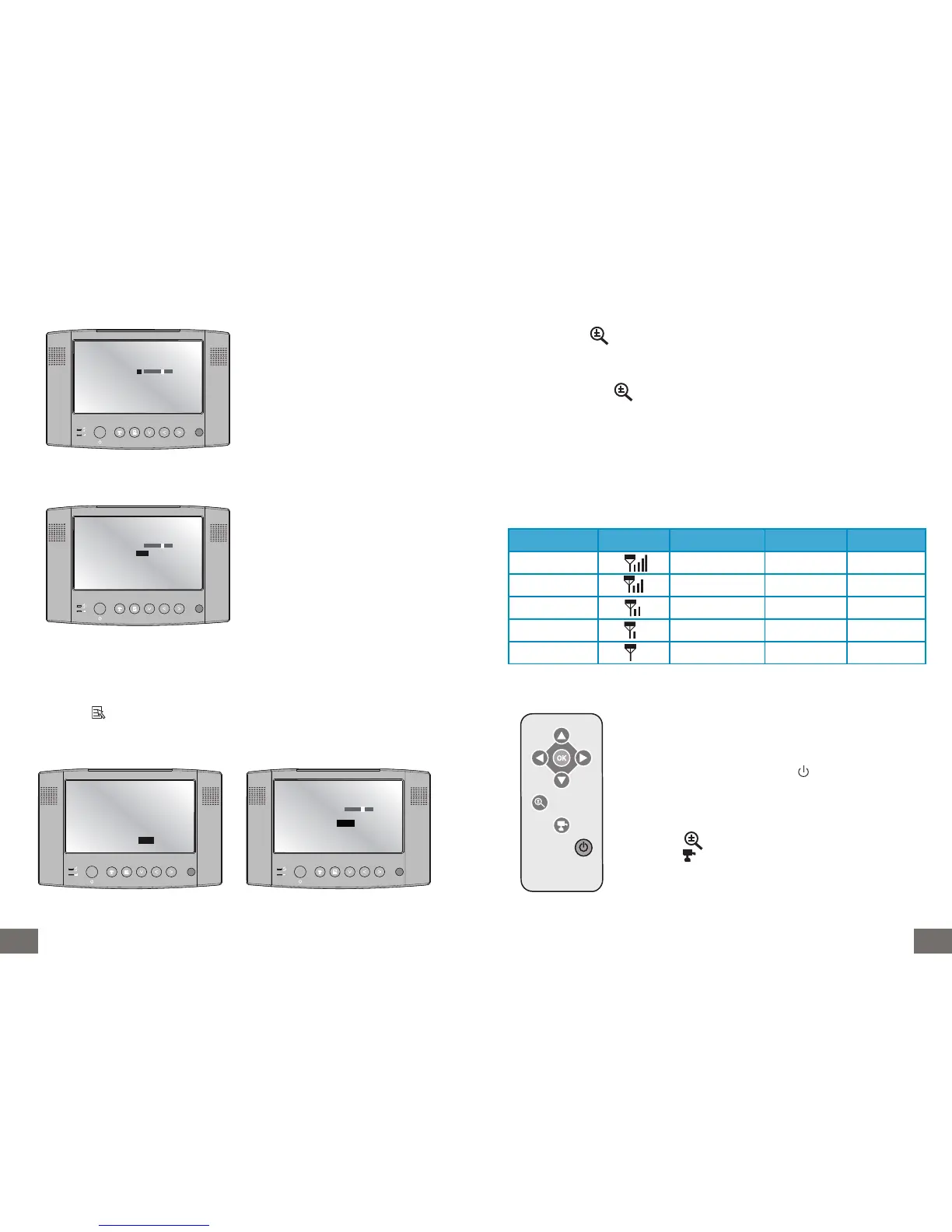
Setting brightness :
Setting the format of the video output (A/V output):
Screen saver mode :
The video changes to saver mode after 2 minutes.
Press again any button of the monitor or the remote control unit to reactivate the video.
Press the key of the monitor or the remote control unit and access the menu “System
Setup” as previously.
Press the key T to access the menu “Power Save”, set on “ON” to activate it.
A new menu appears.
Use the keys W and X of the monitor or
the remote control unit to increase or
decrease the brightness.
Still in the menu “system setup”, press
the key T to access the menu TV out:
Modify video format.
Parameterize the video format with the
keys and according to the format accep-
ted by the appliance connected to the
No 11 A/V output of the monitor.
Brightness 8
TV out PAL
Power Save OFF
0 15
Brightness 8
TV out PAL
Power Save OFF
0 15
Audio Vol 10
Scan Time 5 Sec
Pair CAM 1 2 3 4
Systern Setup
Factory Reset
CAM1 ON
CAM2 ON
CAM3 ON
CAM4 ON
Brightness 8
TV out PAL
Power Save AUTO
0 15
h. Zoom function
Press the button of the remote control unit to zoom in the video of the selected ca-
mera.
You have the possibility to move the zoomed video with the arrow buttons TSW X of the
remote control unit or the monitor.
Press again the button of the remote control unit to return to the initial video.
i. Quality of the signal
The reception quality is represented by bars at the right side of the antenna symbol on the
left upper corner of the screen. The higher the number of bars, the better signal quality.
See table below.
Level of signal Display Flow VGA FPS QVGA FPS
Very good 1062~1280Kbps 5~10Fps 15~30Fps
Good 725~1062Kbps 3~5Fps 12~20Fps
Medium 543~725Kbps 2~4Fps 8~15Fps
Low 250~543Kbps 0~1Fps 0~4Fps
Absent 0~250Kbps 0Fps 0Fps
j. Using the remote control unit
- For the first use, remove the protection tab from the battery
- Battery type: One CR2025 3V alkaline lithium battery (battery
included).
ON/OFF functions press the button to switch on or off the
monitor.
- The button (ok) enables to validate
- The arrow buttons TSW X enables in “ZOOM MODE” to aim
the camera.
- The button enables to zoom in the video.
- The button enables to change the camera displayed or to pass
to quad mode.



 To Next Page