CFI EXTEL WESV 82500 - 12/2011 - V1
*%
CFI EXTEL WESV 82500 - 12/2011 - V1
*%
VI - CONFIGURATION OF THE DISPLAY
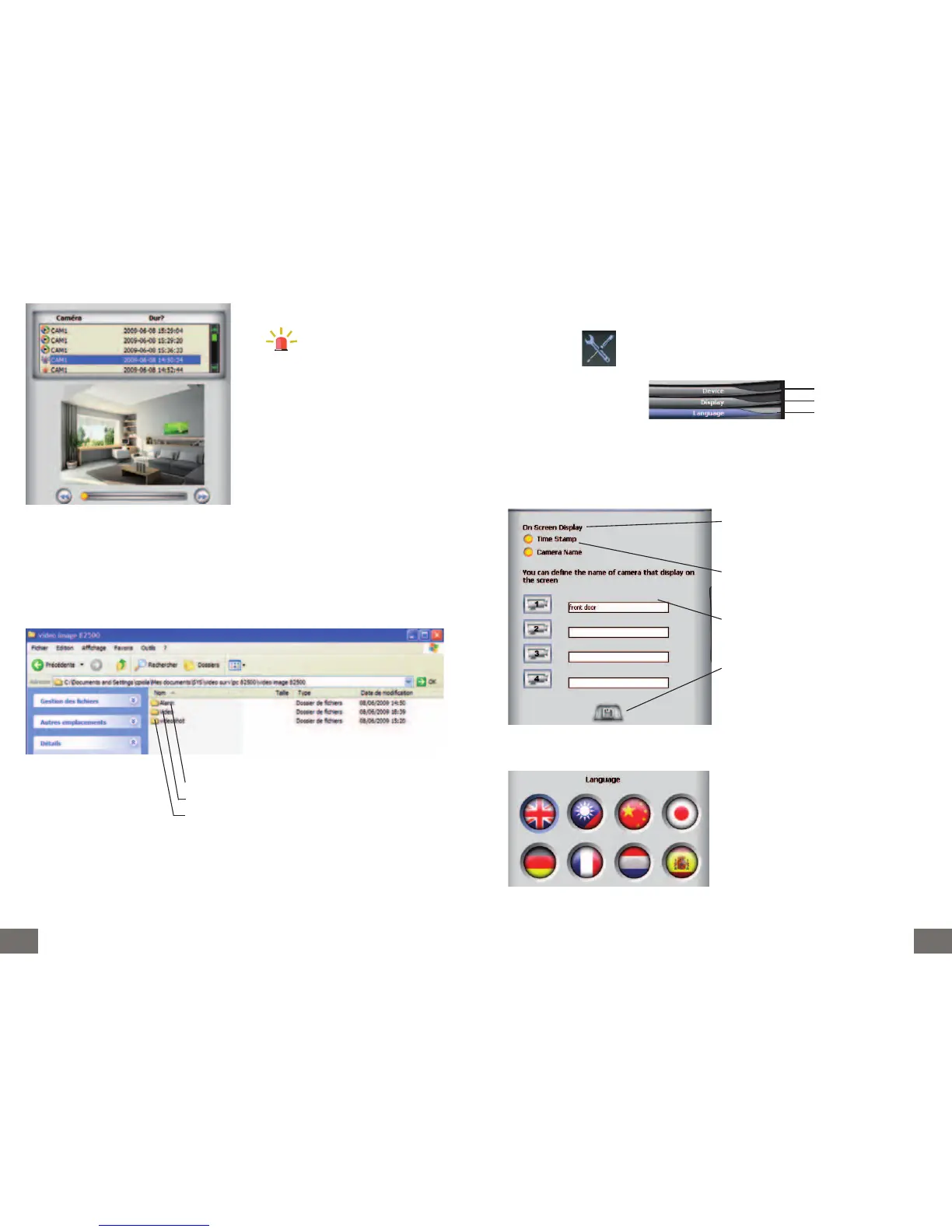
Click the icon
The following menu appears
a. Device : non used
b. Display
c. Language
Buffer duration: displays or hides the clock
and date
Name cam: displays or hides the name of
the camera
Enables naming the cameras
Important:
Click this icon to save
Selection of the language used for the
software.
Chapter
a.
Chapter b.
Chapter c.
For each function of events, the program creates and names a different recording folder.
Folder for alarm with programmed detection
Folder for programmed video capture
Video clip folder controlled by the user
indicates the date and the time
of an alarm by detection and taking
pictures.



 To Next Page