CFI EXTEL WESV 82500 - 12/2011 - V1
*%
CFI EXTEL WESV 82500 - 12/2011 - V1
*%
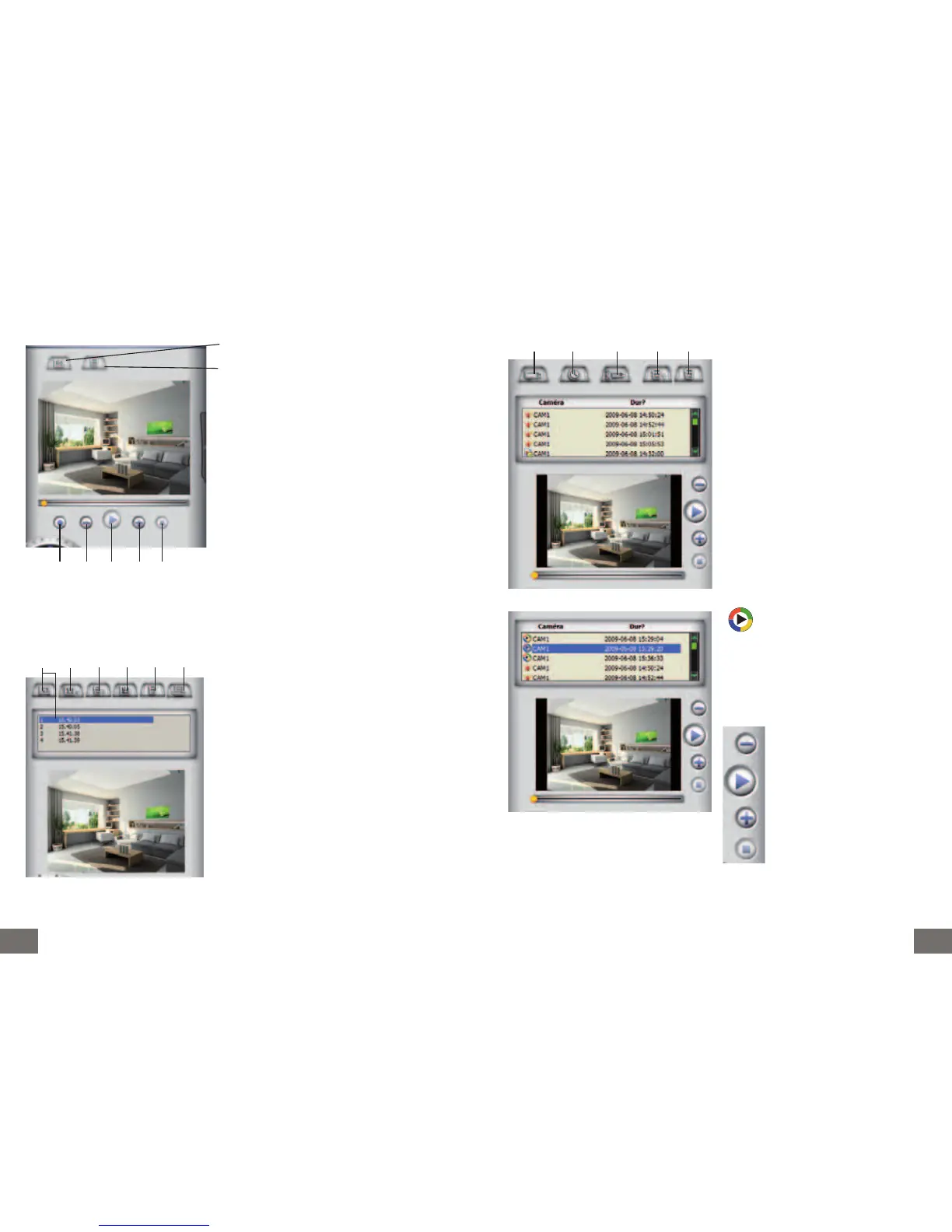
V - LIST EVENTS
indicates the date and the time of an
alarm by detection and video recording in
“avi” format.
By selecting “highlighting” the video file a
control panel appears:
1. Sorts the takes by name of camera
2. Sorts the takes by date
3. Sorts the takes by mode (type of takes)
picture or clip…
4. Deleting a take
5. Deleting all the different picture or vi-
deo takes
1 2 3 4 5
- slowing down of the video in play
mode up to 1/16
- play the recorded video
- acceleration of the video in play
mode up to x10
- stop the video during the play
mode
III - VIDEO CAPTURE
IV - TAKING PICTURES
Selection of a recording directory
Erasing the video previously recorded
1. Recording the video displayed on the screen.
Then a red dot appears on the screen
2. Slowing down of the video in play mode up
to 1/16
3. Play the recorded video
4. Acceleration of the video in play mode up to
x10
5. Stop the video during the play mode
1 2 3 4 5
1 2 3 4 5 6
1. Clicking the icon enables to take a picture
of the image displayed on the screen – the
pictures are recorded temporarily in the below
rectangle
2. Records the pictures taken into a folder you
selected
3. Erases the pictures from the most recent to
the older ones
4. Records all the pictures indicated under the
rectangle in a directory you selected
5. Erases all the pictures indicated under the
rectangle
6. Print a selected highlighted picture in the
rectangle



 To Next Page