AvediaStream e2535/e3635 and e2655/e3655 Encoders V1.1
24 Administrator’s Guide
Authentication
Admin Password
You can control access to the web management interface and admin interface by changing the
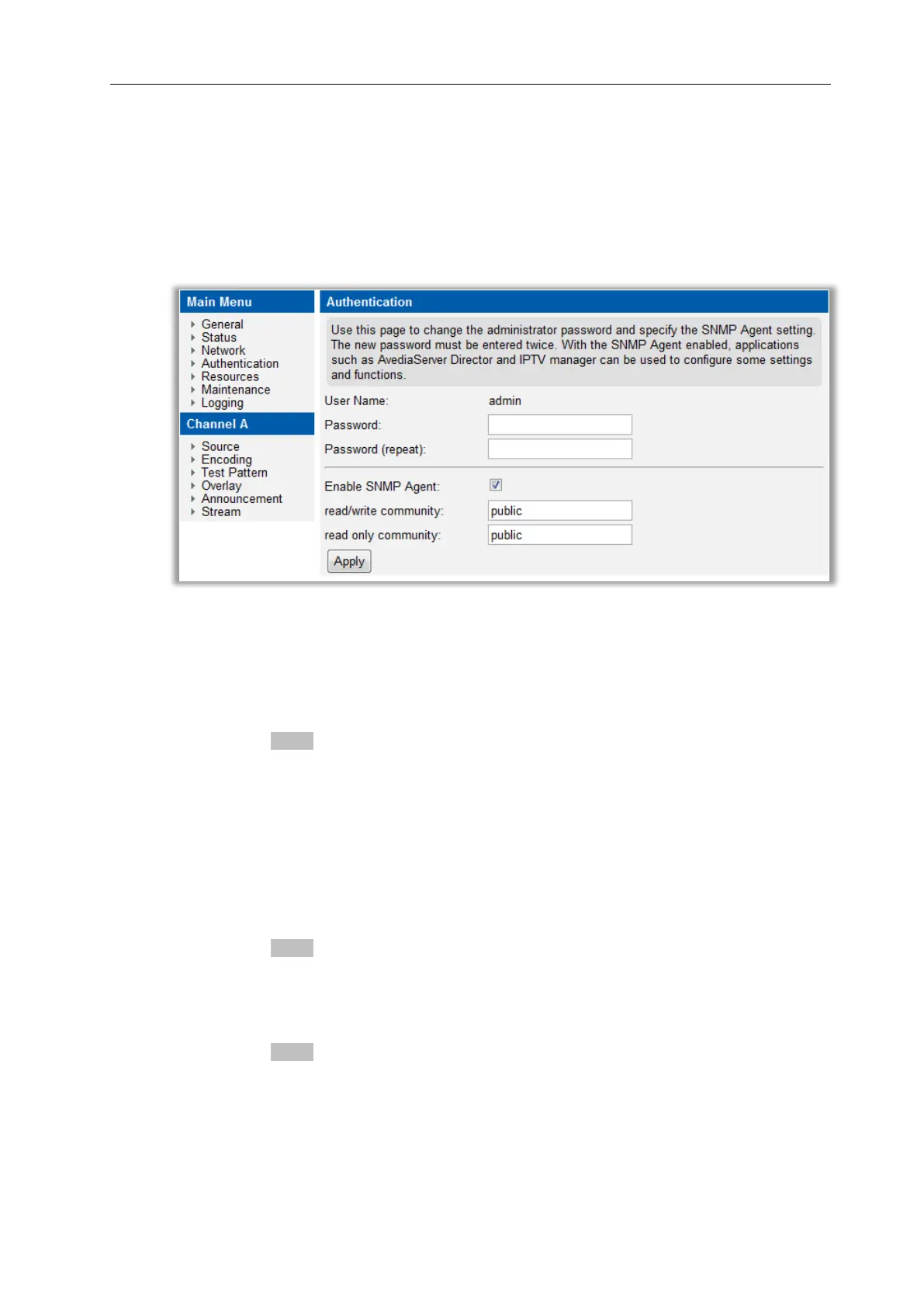
password. These options are all available from the Authentication page in the web interface
shown in Figure 11.
Figure 11 Authentication Page
To change the admin password:
1. Click Authentication.
2. Enter the required password in both fields.
3. Click the Apply button.
SNMP
With the SNMP agent enabled you can manage a subset of the encoder functions and
configurations. SNMP is used by applications such as the AvediaServer Director application
to perform the functions listed. It is also possible to completely disable the use of SNMP.
To configure SNMP community strings:
1. Click Authentication.
2. Enter the required read/write and read-only community strings in the appropriate boxes.
3. Click the Apply button.
To enable/disable SNMP control:
1. Click Authentication.
2. Check or uncheck the Enable SNMP Agent box as required (default: checked – enabled).
3. Click the Apply button.



 To Next Page