AvediaStream e2535/e3635 and e2655/e3655 Encoders V1.1
52 Administrator’s Guide
7 Status Monitoring
This section explains how to check the operating status of an AvediaStream encoder. You can
see both configured and detected information and check, for example, if the encoder is
streaming the signal applied to the input.
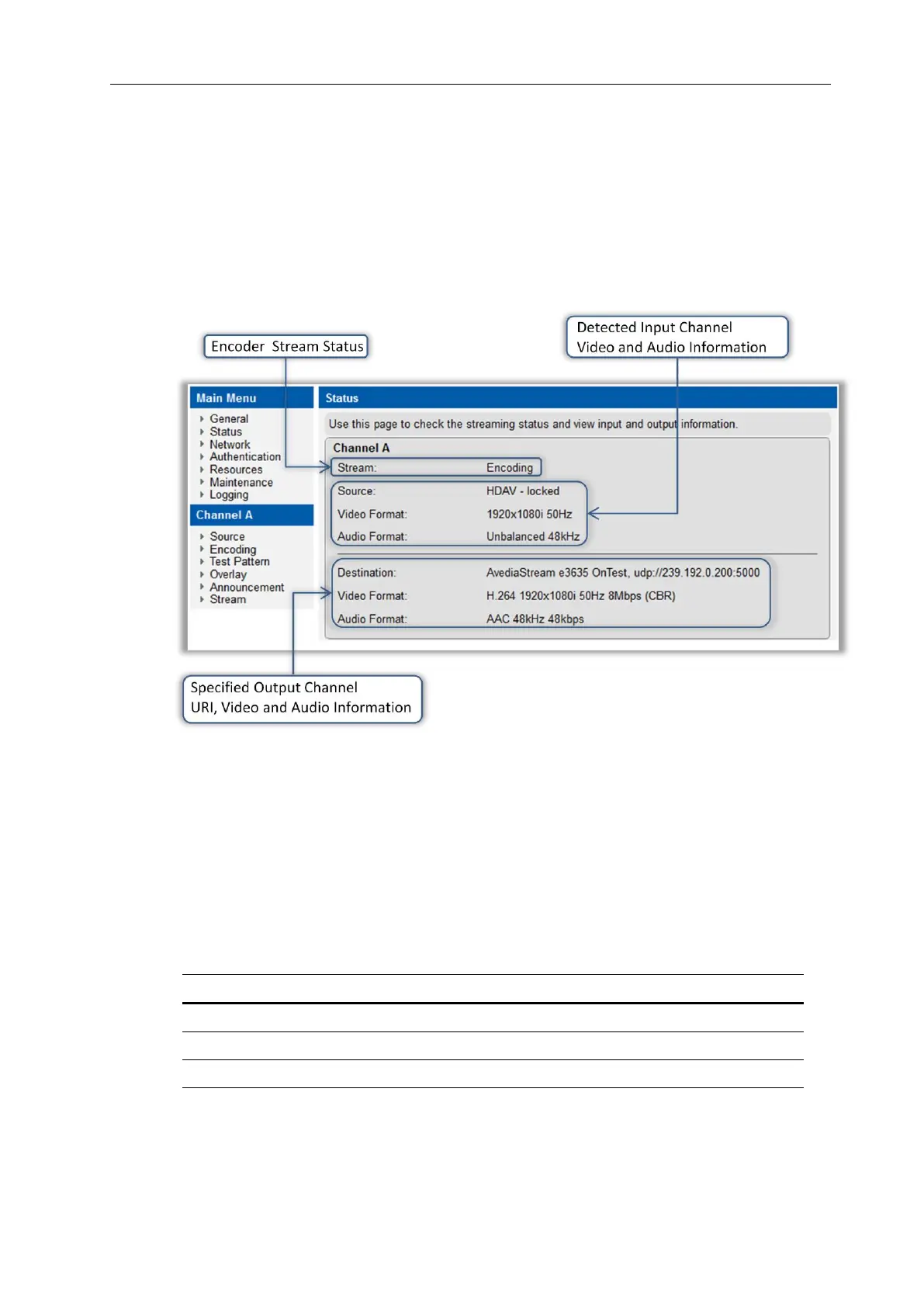
Status information is displayed on the web interface Status page shown in Figure 26:
Figure 26 AvediaStream e3635 – Status Page
Status Page Information
The AvediaStream encoder Status page displays the following information, with the output
stream status, and input stream details listed above the output stream details:
Stream:
The output streaming status is displayed with the following values:
The Encoder is beginning the encoding process
The Encoder is currently streaming
Streaming has been stopped, or has not started.
The Encoder application is not running



 To Next Page