AvediaStream e2635/e3635 and e2655/e3655 Encoders V1.1
Administrator’s Guide 49
Stream Properties
The AvediaStream encoders can send their streams to the default multicast address, or to a
specified multicast or unicast address.
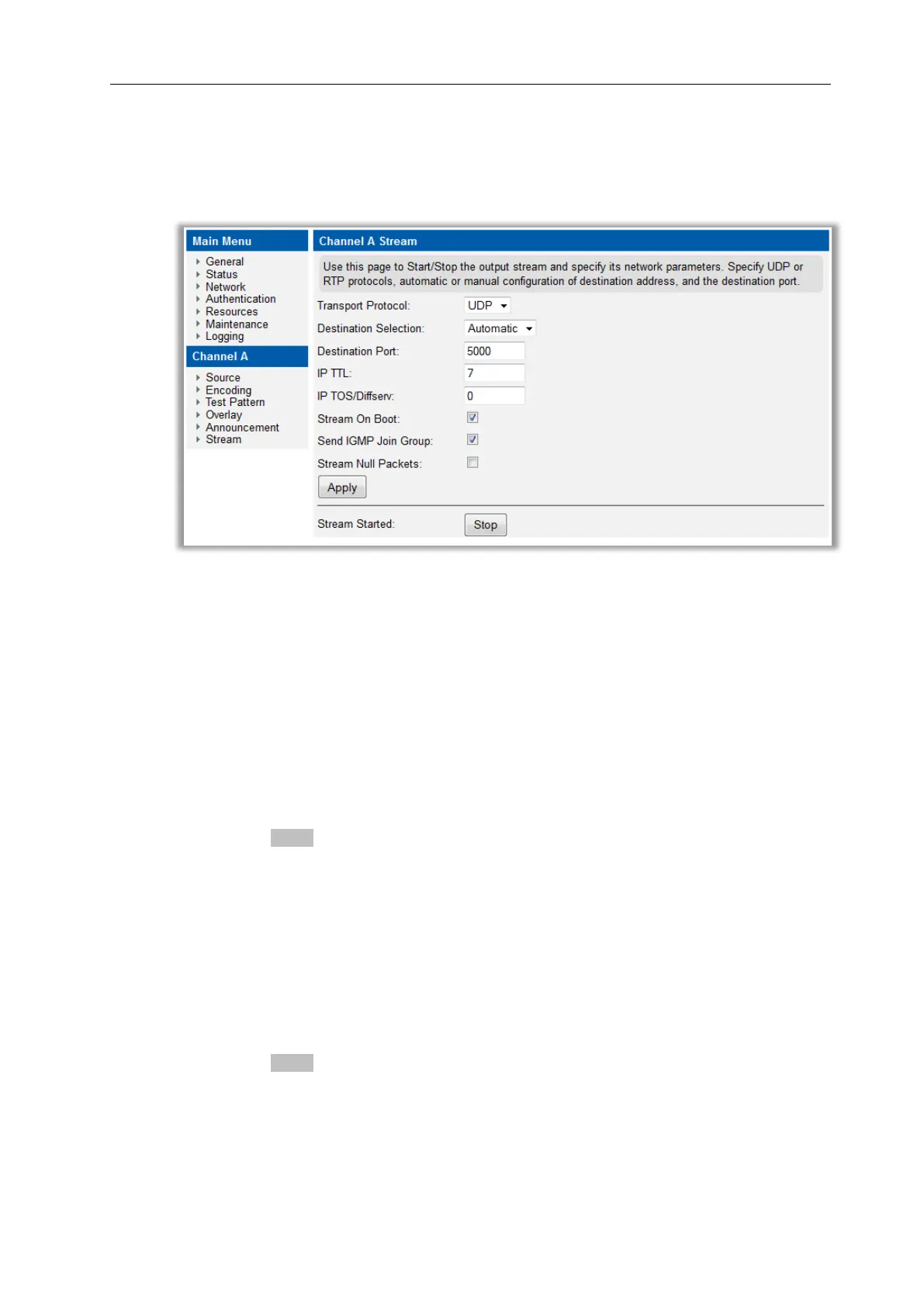
Stream Properties are configured using the web interface Stream page as shown in Figure 24.
Figure 24 AvediaStream Encoder – Stream Page
Transport Protocol
The encoder transmits its stream as an MPEG-2 transport stream carried over UDP or RTP.
The default setting is UDP. RTP can be a useful diagnostic tool as RTP packets carry a
sequence number and this can be used to check whether all packets arrive at a receiving
device.
To specify the transport protocol:
1. Click Stream.
2. Choose UDP or RTP from the Transport Protocol drop down list.
3. Click the Apply button.
Destination Address
By default the encoder sends its stream addressed to the automatically selected multicast
address 239.192.x.y, where x and y are the last two digits of the device’s own IP address.
However, the destination address can be changed to a single manually configured multicast or
unicast address if required as shown in Figure 25.
To specify automatic address selection:
1. Click Stream.
2. Choose Automatic from the Destination Address Selection drop down list.
3. Click the Apply button.
To specify the destination address manually:
1. Click Stream.
2. Choose Manual from the Destination Address Selection drop down list.
3. Enter the multicast or unicast address in the Destination Address field.



 To Next Page