AvediaStream e2635/e3635 and e2655/e3655 Encoders V1.1
Administrator’s Guide 25
Maintenance
This section describes various maintenance tasks. It covers:
● Restoring the encoder to factory default settings
● Upgrading the encoder’s firmware
● Storing/restoring configuration settings
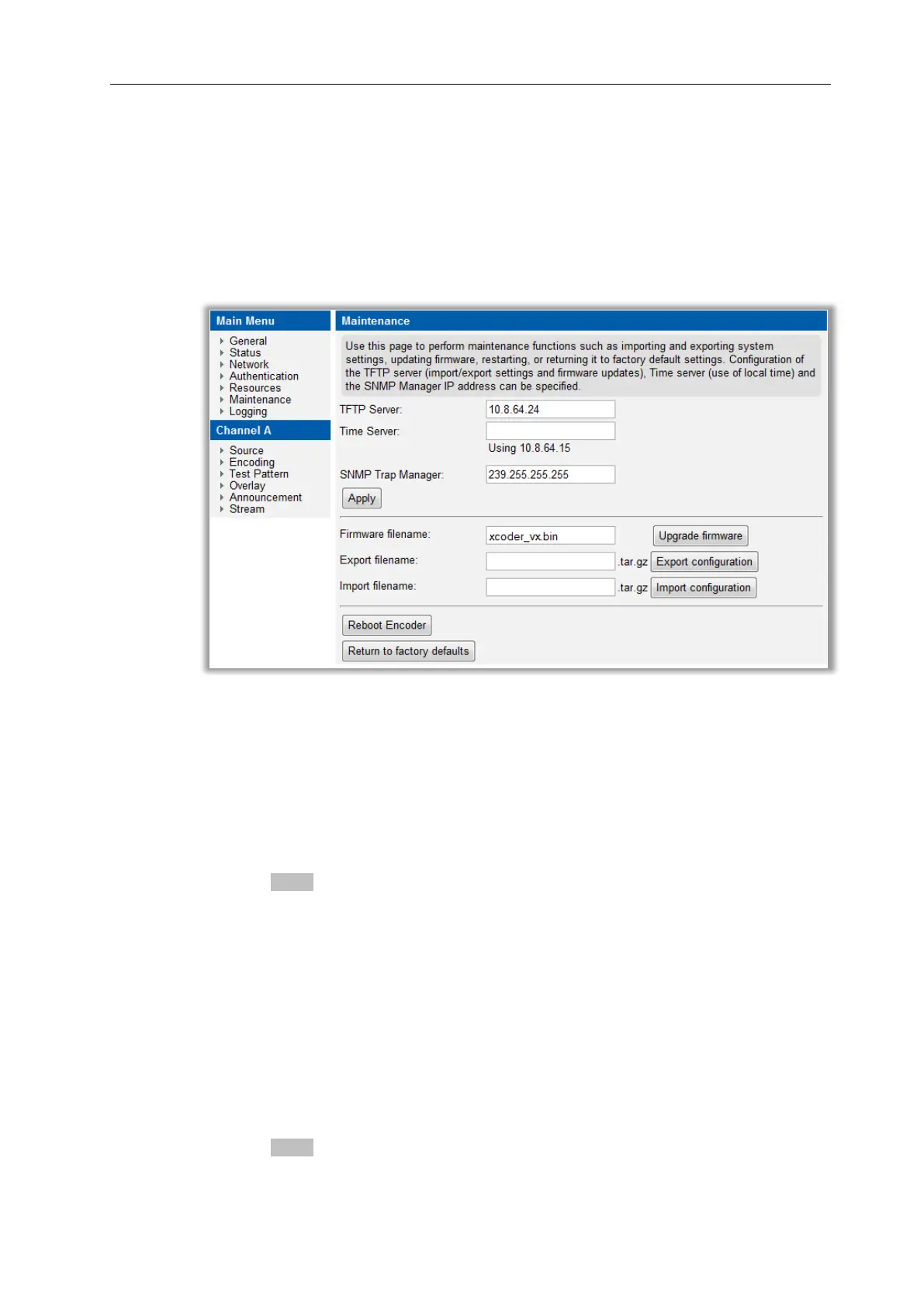
● Maintenance tasks are managed from the Maintenance page in the web interface which is
shown in Figure 12.
Figure 12 Maintenance Page
TFTP server
The encoder uses TFTP to download new firmware releases and configuration files. For this to
operate correctly, the encoder must be configured to communicate with the TFTP server.
To specify the TFTP server IP address:
1. Click Maintenance.
2. Enter the IP address of the TFTP server in the TFTP Server field (default:194.168.0.28).
3. Click the Apply button.
Specifying the SNMP Trap Manager IP Address
SNMP traps are mainly used as device discovery messages; they enable Exterity’s
management applications to discover devices on the network. These traps are always
broadcast to 255.255.255.255. They are also transmitted to an additional configurable
destination. By default, this is the multicast address 239.255.255.255, but this can be
reconfigured to any broadcast, multicast or unicast destination as required.
To set the SNMP trap manager address:
1. Click Maintenance to display the page as shown in Figure 12.
2. Enter the required IP address in the SNMP Trap Manager field.
3. Click the Apply button.



 To Next Page