AvediaStream e2635/e3635 and e2655/e3655 Encoders V1.1
Administrator’s Guide 55
APPENDIX A Serial Interface Connection
The serial admin interface provides the ability to manage a small subset of device functionality
e.g. to configure an IP address.
Cabling
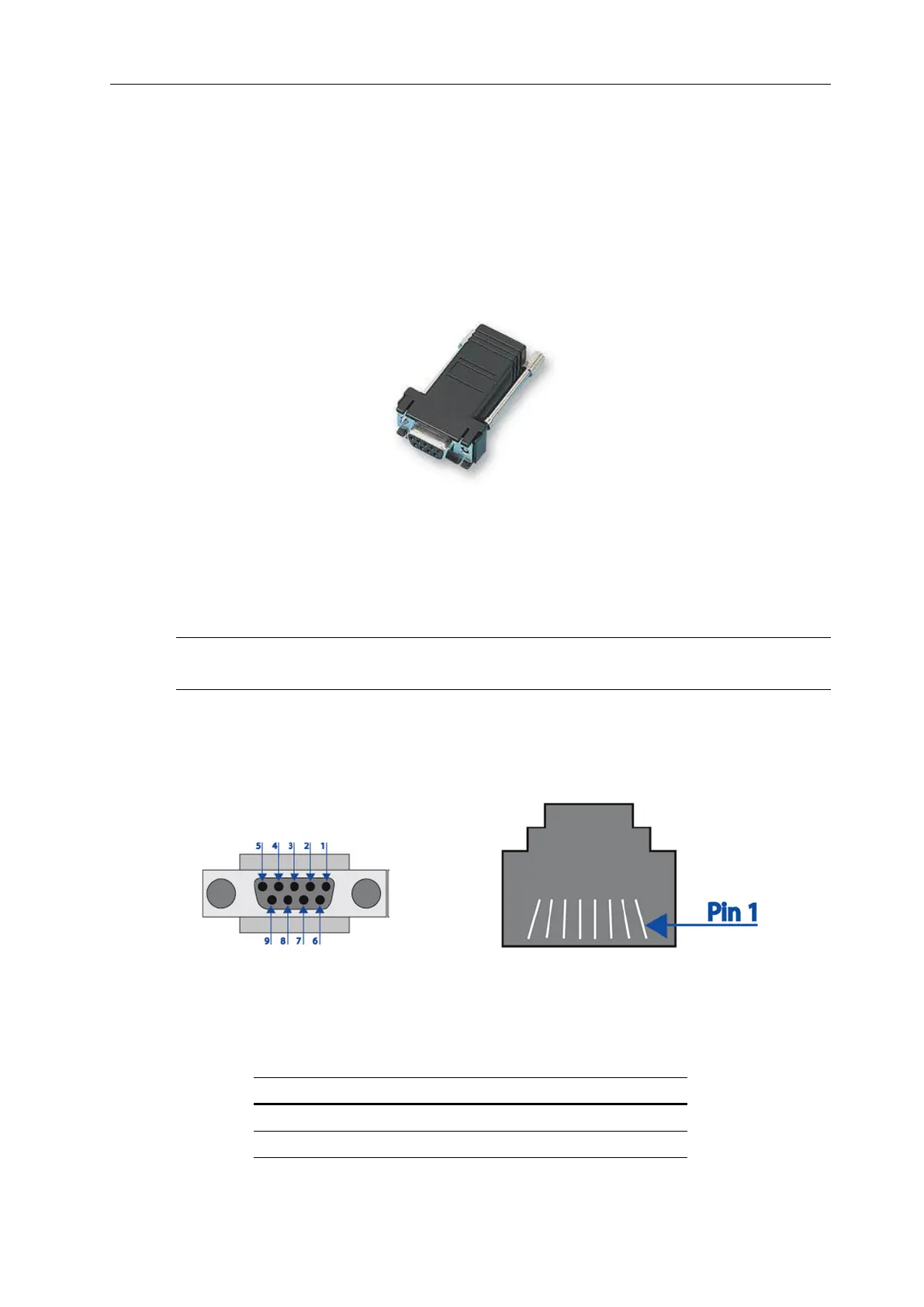
To connect to the serial interface use the DB-9 – RJ45 adaptor supplied by Exterity (shown in
Figure 28.
Figure 28 DB-9 to RJ45 serial adaptor
The female DB-9 connector should be plugged into the serial port on a PC. A straight-through
network cable should be used between the RJ45 socket on the adaptor and the admin port on
the Exterity device.
Note: Although the cable fits, the admin port should not be connected to the Ethernet port on
a PC.
Adaptor Wiring
If you do not have an adaptor you can make one using the details shown in Figure 29 and
Table 5.
Figure 29 DB-9 and RJ45 Connectors
Table 5 Serial Pin Out



 To Next Page