AvediaStream e2535/e3635 and e2655/e3655 Encoders V1.1
38 Administrator’s Guide
Encoding
Encoding configuration is common to the e2635/55 and e3635/55 encoders. The output video
stream can be encoded to either MPEG-2 or H.264 (MPEG-4 Part 10) standard. Scaling
capabilities of the e2635/55 and e3635/55 enable the input signal to be output in a variety of
resolutions and frame rates with stream bit rates ranging between 128kbps and 20Mbps using
either constant or variable bit rate encoding.
You can also choose MPEG-1 Layer 2 (MP2) or AAC (Advanced Audio Coding) audio
encoding.
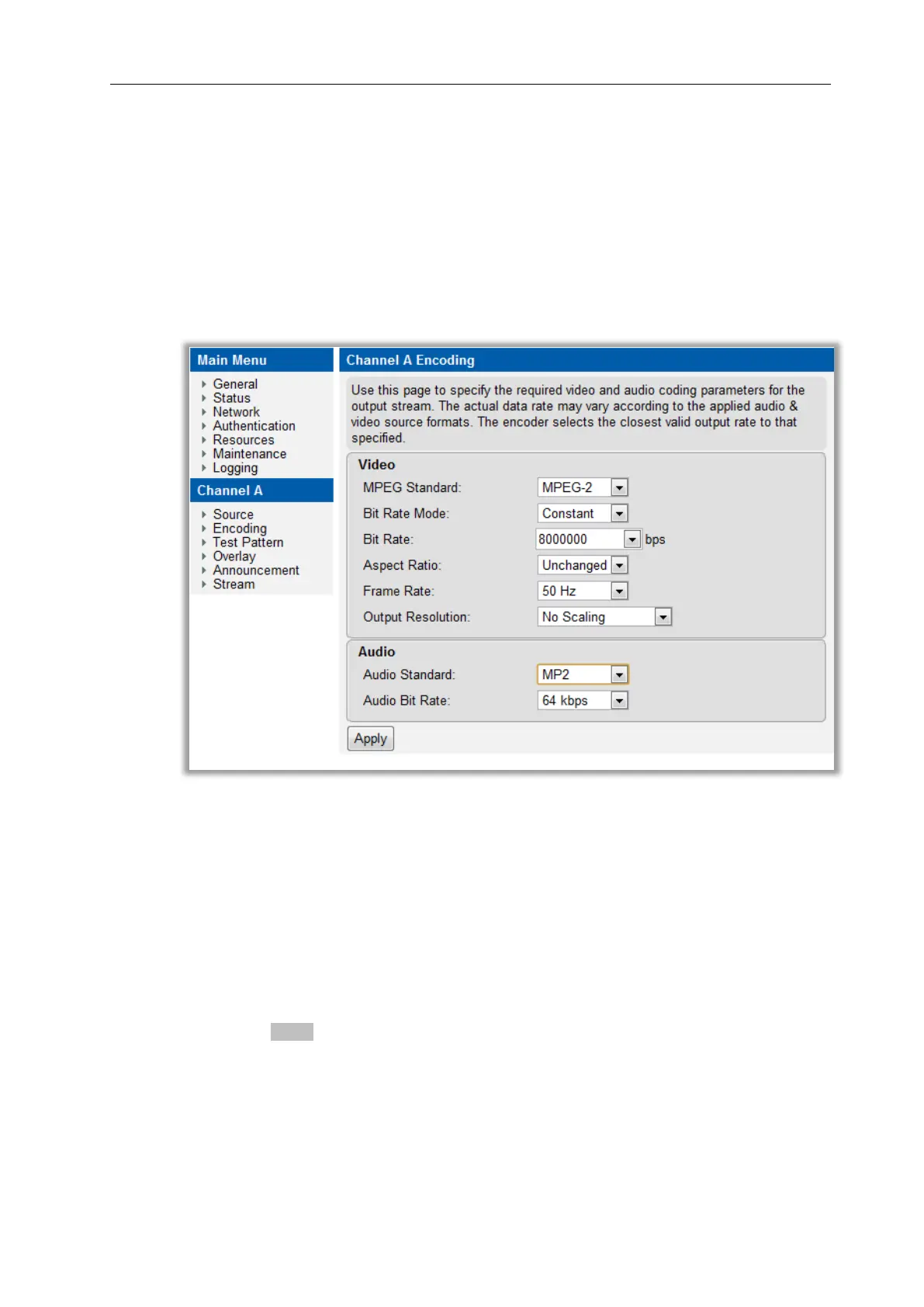
The Encoding parameters are configured from the Encoding page on the web interface as
shown in Figure 18.
Figure 18 AvediaStream e3635 Encoding Page – Default Settings
MPEG Standard
The H.264 CODEC can provide good video quality at substantially lower bit rates than
previous standards such as MPEG-2 and MPEG-4 Part 2. Select the appropriate standard for
your display devices. The default is H.264.
To configure the MPEG standard:
1. Click Encoding.
2. Click the MPEG Standard drop down list to select MPEG-2 or H.264.
3. Click the Apply button.
Bit Rate Mode
The encoders can be configured to transmit the transport stream with Constant bit rate (CBR)
or Variable bit rate (VBR). The values range from 128 kbps 20 Mbps. The default setting is
Constant.



 To Next Page