AvediaStream e2635/e3635 and e2655/e3655 Encoders V1.1
Administrator’s Guide 53
Source:
The configured and detected input signal information is displayed in the form:
<selected input> - <status>
Refer to Encoding and Streaming on page 32 for more information about input
selection.
Video Format:
The Encoder detects and displays the resolution and frame rate of the input signal.
Audio Format:
The Encoder detects and displays the audio input and sampling rate of the input.
Destination:
The configured output stream details are displayed in the form:
<Configured channel number>:<Configured channel name>:<Configured channel URI>
Refer to Channel Announcements on page 47 for more information.
Video Format:
The Encoder displays the video encoding standard (CODEC), resolution, frame rate,
and streamed bit rate of the output stream.
Audio Format:
The Encoder displays the audio encoding standard (CODEC), bit depth, and streamed
bit rate of the output stream.
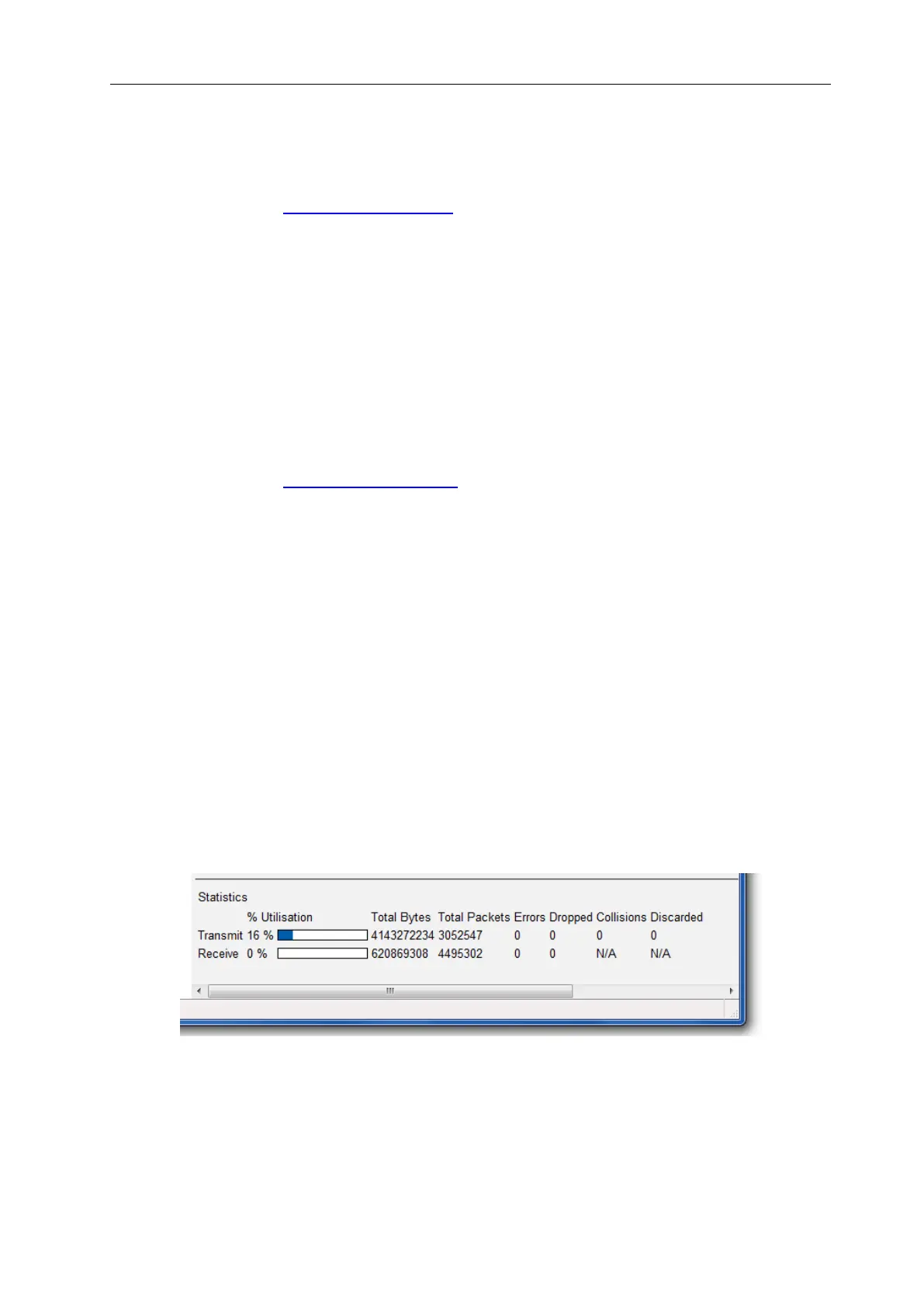
Network Statistics
Viewing the network port utilisation is an easy way to check if the encoder is transmitting data
at the rate expected by the streaming settings.
To view network port utilisation, go to the Network page on the web interface. The Ethernet
interface statistics are shown at the bottom of the page. The transmit utilisation should
approximately match the rate specified on the Stream page. You would normally expect to see
very little traffic on the receive side.
Figure 27 Network Statistics



 To Next Page