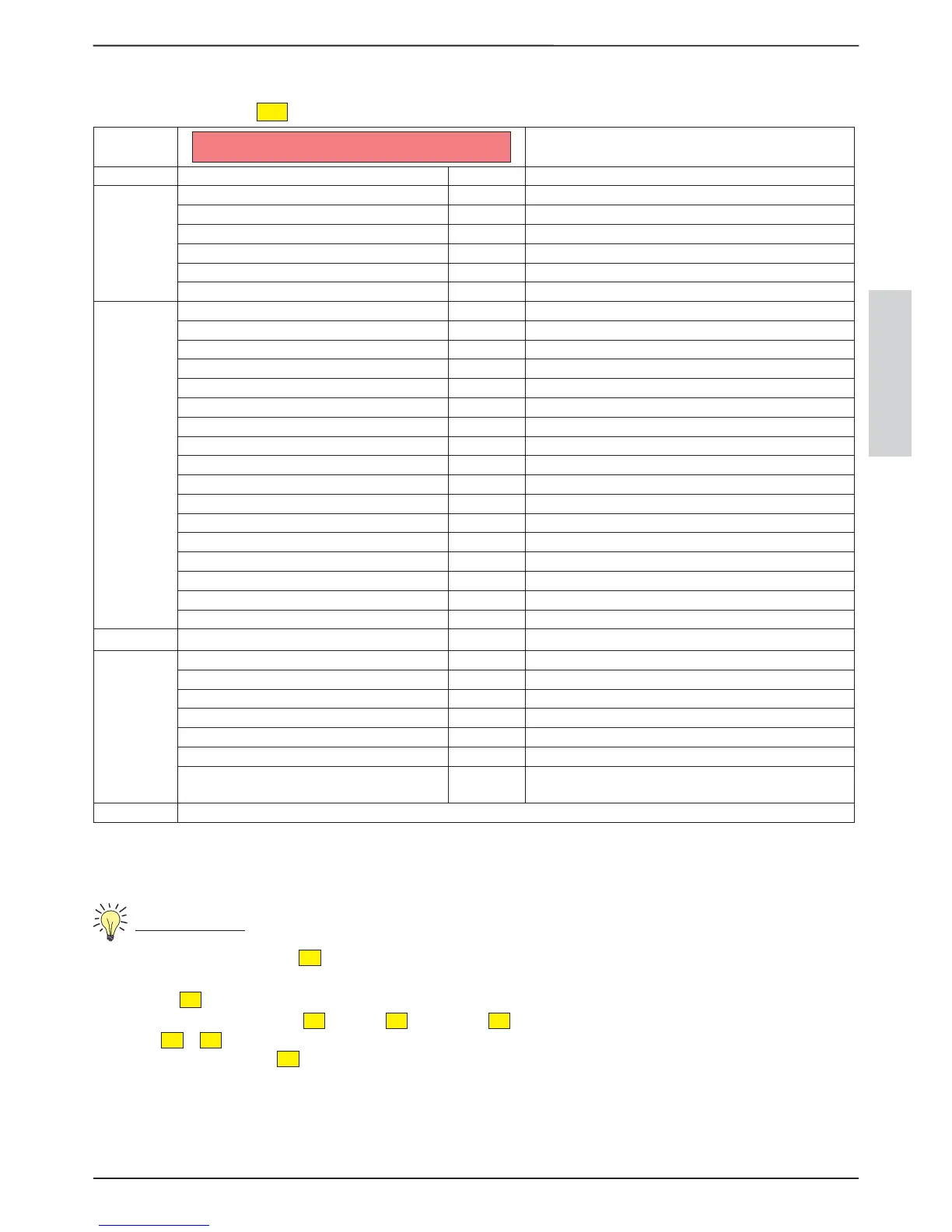
SETTINGS MENU
17
ENGLISH
SETTINGS MENU12.
To enter the menu, press the
P5
key for three seconds.
MENU
D1
FUNCTION
SCROLLING TEXT VALUE
SET
CLOCK
DAY MON...SUN Setting the day of the week
HOURS 00...24: Adjustment of the hour
MINUTES :00...59 Adjustment of the minutes
DAY 1...31 Adjustment of the day
MONTH 1...12 Adjustment of the month
YEAR 00...99 Adjustment of the year
SET
CHRONO
ENABLE CHRONO OFF Activation/deactivation of the weekly programmer
START PRG1 OFF 00:00 Time 1
st
ignition
STOP PRG1 OFF 00:00 Time 1
st
switch-o
MONDAY PRG1 OFF ...SUNDAY PRG1 OFF ON/OFF Ignition/switch-o consents for various days
SET PRG1 07 35 Setting room temperature for the 1
st
time span
START PRG2 00:10 OFF 00:00 Time 2
nd
ignition
STOP PRG2 00:10 OFF 00:00 Time 2
nd
switch-o
MONDAY PRG2 OFF ...SUNDAY PRG2 OFF ON/OFF Ignition/switch-o consents for various days
SET PRG2 07 35 Setting room temperature for the 2
nd
time span
START PRG3 00:10 OFF 00:00 Time 3
rd
ignition
STOP PRG3 00:10 OFF 00:00 Time 3
rd
switch-o
MONDAY PRG3 OFF ...SUNDAY PRG3 OFF ON/OFF Ignition/switch-o consents for various days
SET PRG3 07 35 Setting room temperature for the 3
rd
time span
START PRG4 00:10 OFF 00:00 Time 4
th
ignition
STOP PRG4 00:10 OFF 00:00 Time 4
th
switch-o
MONDAY PRG4 OFF ...SUNDAY PRG4 OFF ON/OFF Ignition/switch-o consents for various days
SET PRG4 07 35 Setting room temperature for the 4
th
time span
LANGUAGE
ITAL ENGL DEUT FRAN ESPA Selecting the language
USER
DISPLAY 1...20 Selecting display brightness
PELLETS 30...+30 Selecting the percentage of pellet feed
V1FAN 10...+10 Regulation of the front air percentage
STAND BY OFF ON Activation or deactivation of the stand-by function
KEYS LOCKED OFF ON Activation or deactivation of the keys locked function
V2 FAN 10...+10 Regulation of the ducted air percentage
ENABLE V2
ON/OFF
Allows to deactivate the ducting motor (only in envisioned
models)
TECHNICIAN The following menu is reserved for the technical after-sales sta
SET CLOCK12.1.
Clock set allows to adjust the time and date
Controls procedure
From the OFF status, press the
P5
key for 3 seconds
The stove will show SET CLOCK
Press the
P5
key, DAY will be displayed
modify the day by pressing the
P2
key or the
P3
key, press the
P5
key to continue, HOURS will be displayed, modify the value
using the
P2
or
P3
keys.
adjust the hours, press the
P5
key
for the other values continue as indicated by consulting the table below


 To Next Page