Chapter 2 • Rear Panel Connections
Extron • Matrix 100 • User’s Manual
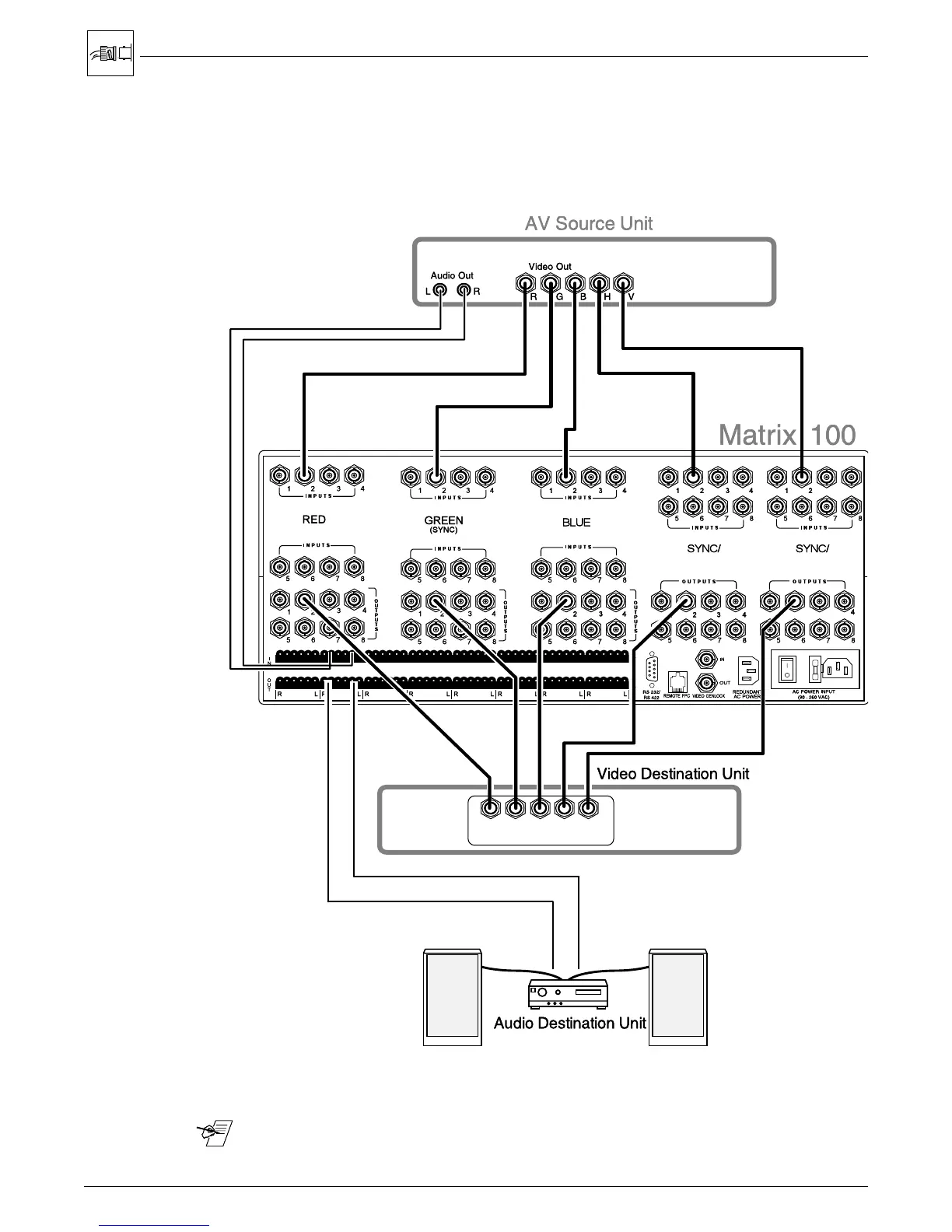
RGBHV Connections with Right & Left Audio
Figure 2-5 illustrates the Matrix 100 connections for switching RGBHV, or video
with separate sync. Choose an input number and connect each of the five
cables from the source to the appropriate input on the Matrix 100. (This example
shows Input #2.) Likewise, choose an output number and connect each of the
five cables to a destination device.
Figure 2-5. An example of RGBHV, 5-BNC, or Video with Separate (H and V) Sync
_______ Audio Connections may or may not be used. See page 2-9 for wiring.
2-5
12
3
43














 To Next Page