FX16 Master Controller Technical Bulletin 23
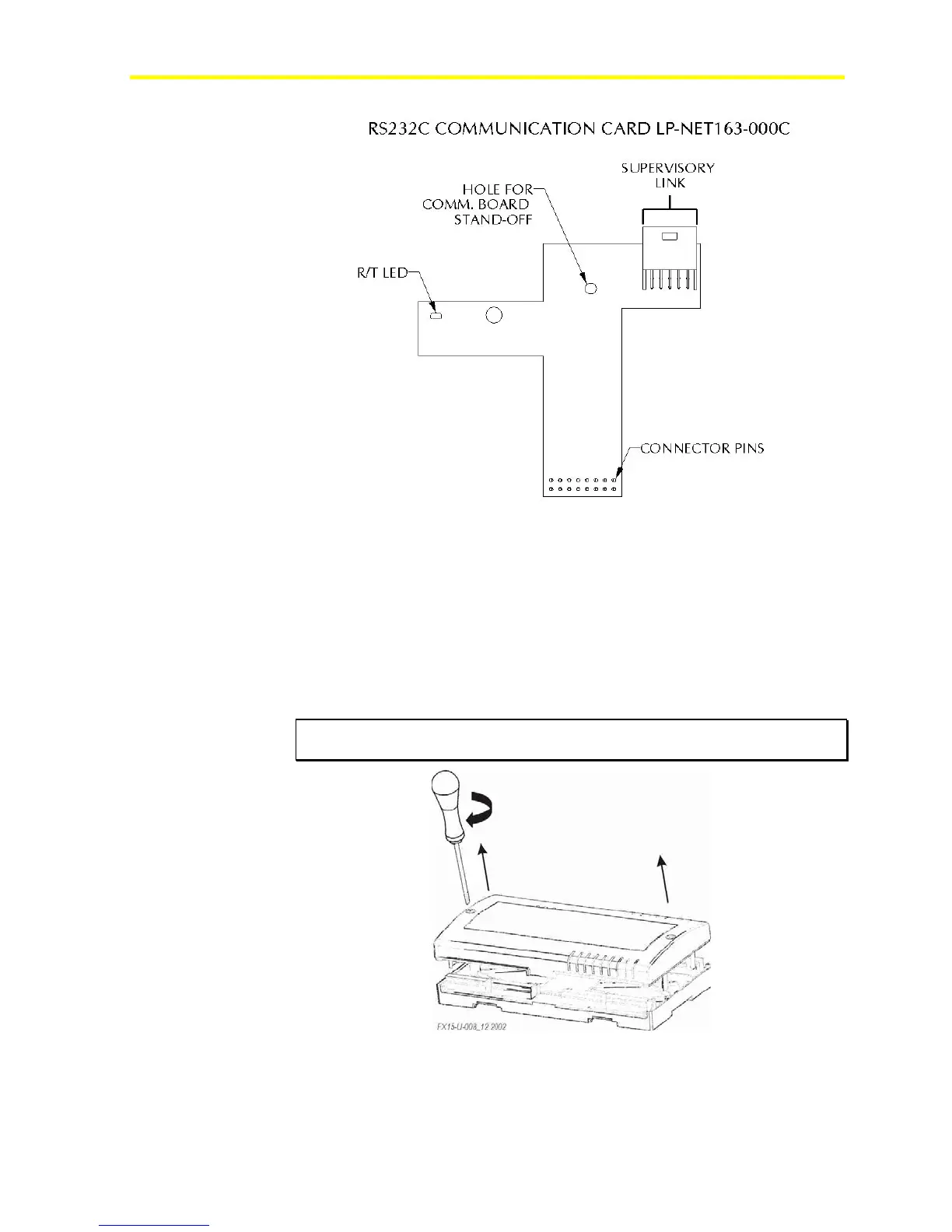
Figure 16: RS-232C Plug-in Communication Card
Installing the RS-232C Communications Card
To install the RS-232C communications card:
1. Turn off the controller (hot plug-in not allowed) and isolate all
high-voltage connections to the controller.
2. Open the controller by removing the two screws. See Figure 17.
IMPORTANT: The CMOS integrated circuits in the controller are sensitive to
static current discharges. Take suitable precautions.
Figure 17: Open the Controller
3. Fit the standoff supplied with the card into the hole in the FX16
board (located close to the Local Link Bus terminals).



 To Next Page