Printer Preferences Page 4-12
PLT-01277, Version: 1.2 June 2014
4.5 Magnetic Encoding Tab
Currently displays as one of the tabs, but is disabled.
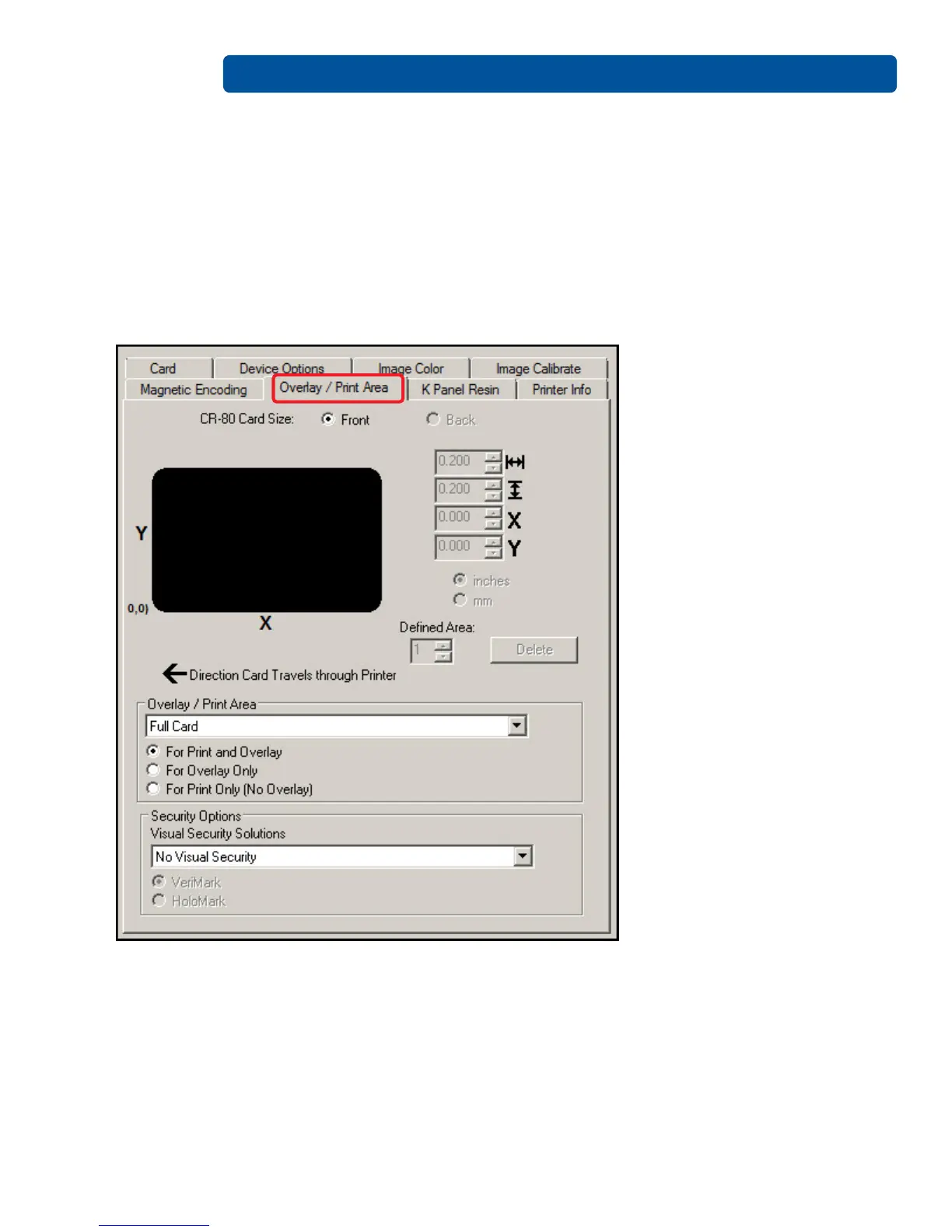
4.6 Overlay / Print Area Tab
Use the overlay / print area tab to control and customize where the overlay (O) panel and/or the print
area appear on the card. By default, this option is set to print and overlay the entire card.
The orientation of the card display area is determined by the orientation specified in your template.



 To Next Page