Printer Preferences Page 4-16
PLT-01277, Version: 1.2 June 2014
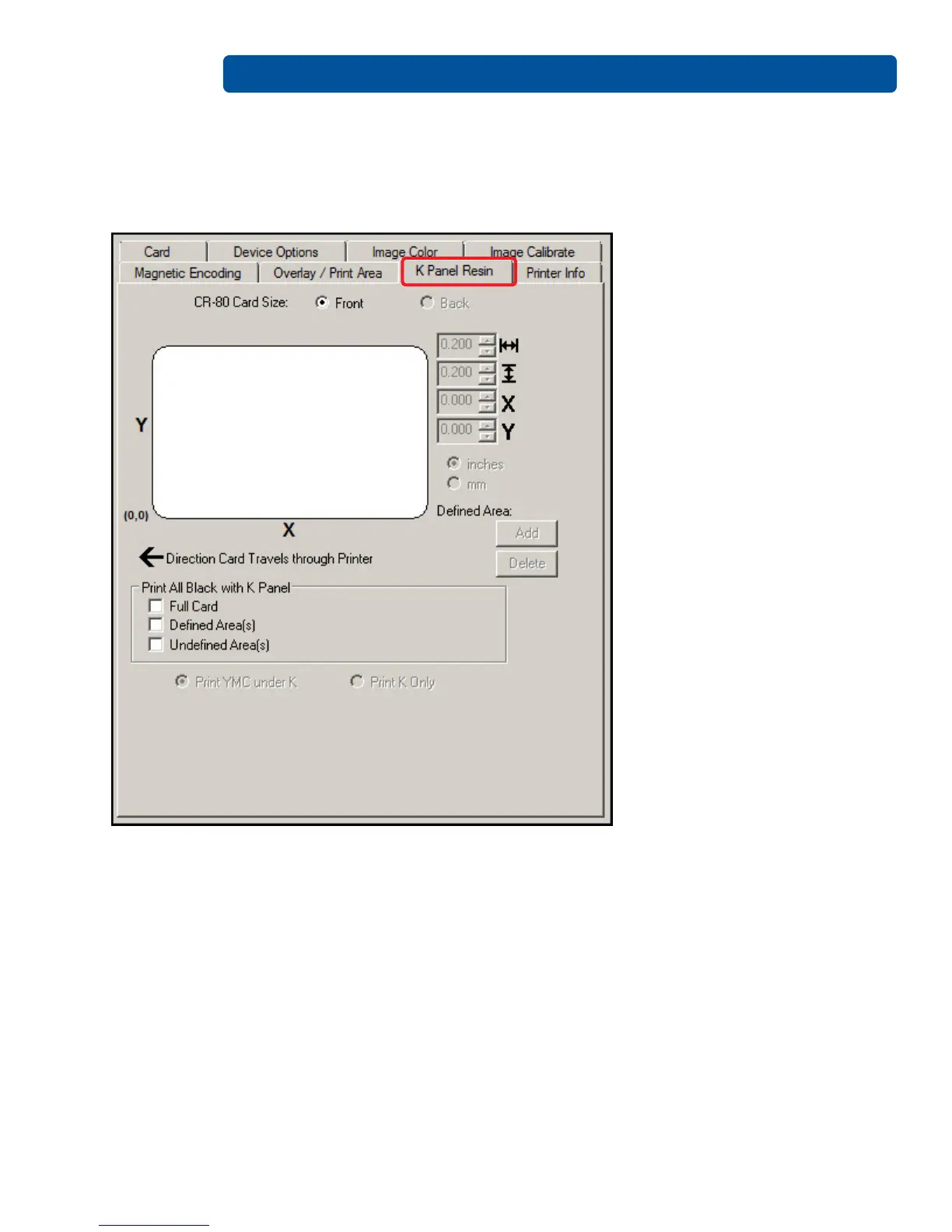
4.7 K-Panel Resin Tab
Use this tab to control where the resin black (K) Panel of a full-color ribbon is printed. If a ribbon
without a resin black panel is installed in your printer, these options are grayed out and unavailable.
The orientation of the card display area is determined by the orientation specified in your template.
The K-Panel Resin tab includes the “Print All Black With K-panel Area” and options to “Print YMC
Under K” or “Print K Only”.



 To Next Page