condition, the printer will print after triggered.
● Select Continuous Mode Close option, if you want print one time
after triggered.
Select Continuous Mode Times option, if you want print several times
after triggered.
● Set print times after triggered.
● Set the Internal Interval to use the pluses internally created to set
the distance between each print.
● Set the External Interval to use the external shaft encoder pulses to
set the distance between each print. Set the External Interval , if
external shaft encoder connected.
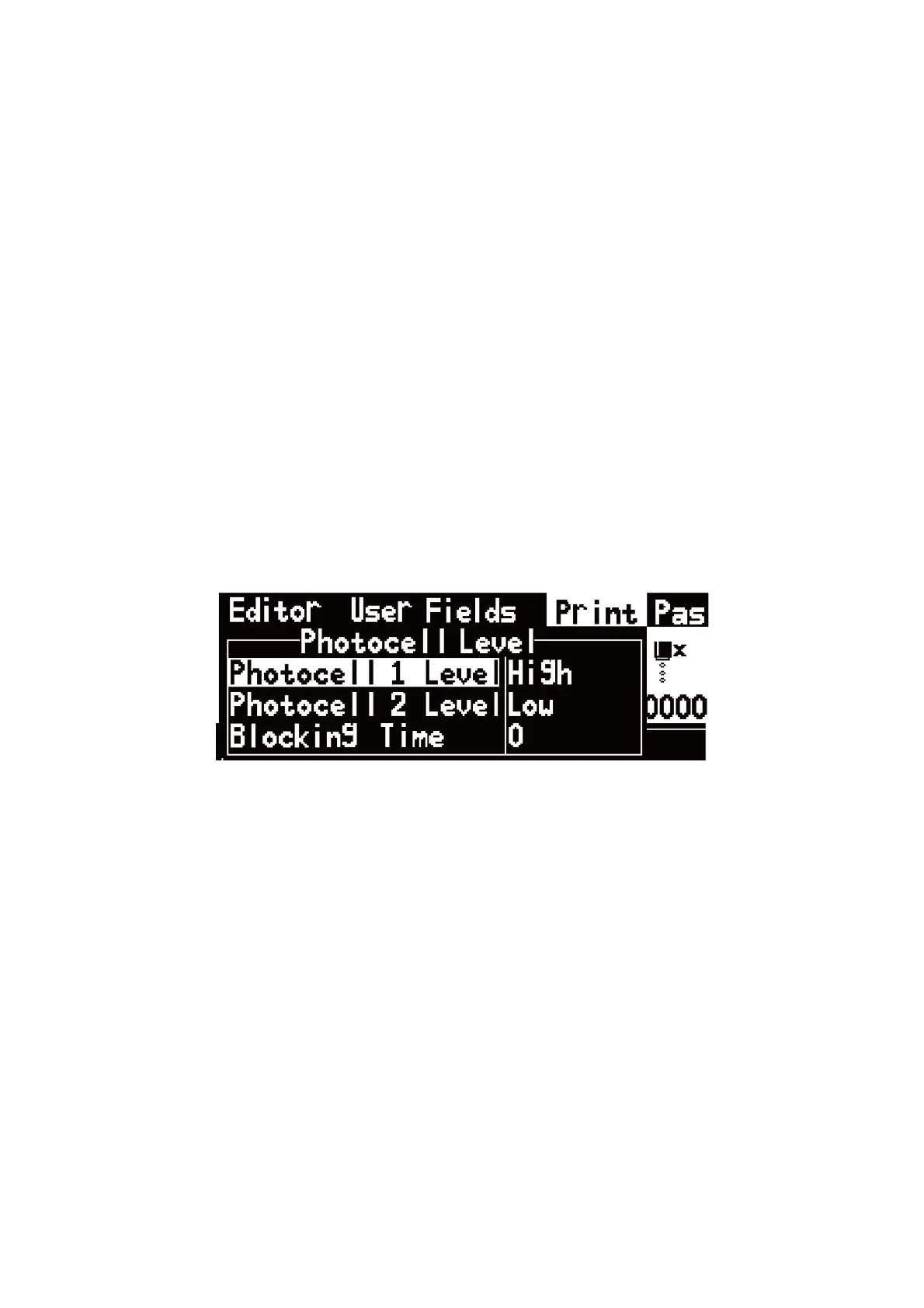
c. Photocell Level menus.
Figure2-22 . Photocell Level Signal Block menus.
● Set Photocell Levels high or low to allow the high or low activating
photocells.
● Blocking Time set to avoid twice triggered for one product.

 To Next Page
 Loading...