(1) Used to select fonts , which is equivalent to the shortcut “F1” in
message editor.
(2) Used to insert user fields into current message, which is equivalent to
the “F2” in message editor.
(3) Used to save messages, which is equivalent to the “Shift + F1 ” in
message editor.
(4) Used to save current message and exit the editor.
(5) Used to clean all the contents in the current editor.
(6) Abandon all the changes and exit the editor.
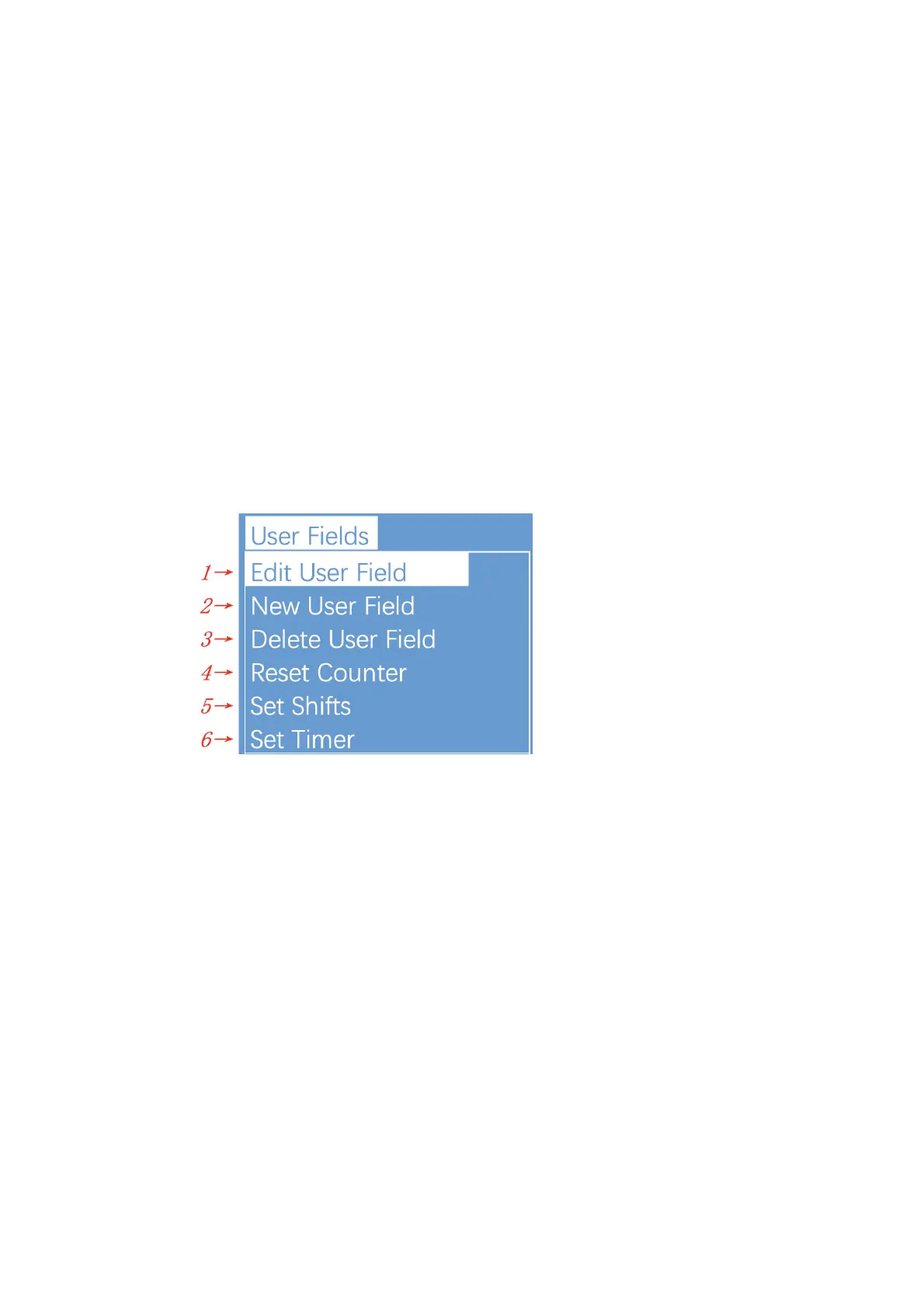
2.8.3.User Fields
(1) Used to edit the saved user fields.
(2) Used to create new user fields.
(3) Used to delete saved user fields.
(4) Used to reset the counter valve in the current message.
(5) Used to set shifts.
(6) It is used to set the date and time code. For example, if January is
printed as Jan, etc., in the time user field, the date and time code can
be referenced by referring to a specific letter, RR can refer to the year
code, and SSS can refer to the month code, TT can reference the day
code, UU can reference the hour code, VV can reference the minute
code, some models do not include this function.!


 To Next Page
 Loading...