(10) Set the Real Time Clock(RTC) in the printer to the local time and date.
(11) Pump zero adjustment.
(12) Set EHT value of each grade
(13) Select the ink type.
(14) Set character width ratio/print delay ratio/Internal Interval ratio/
External Interval ratio.
(15) Serial port configuration
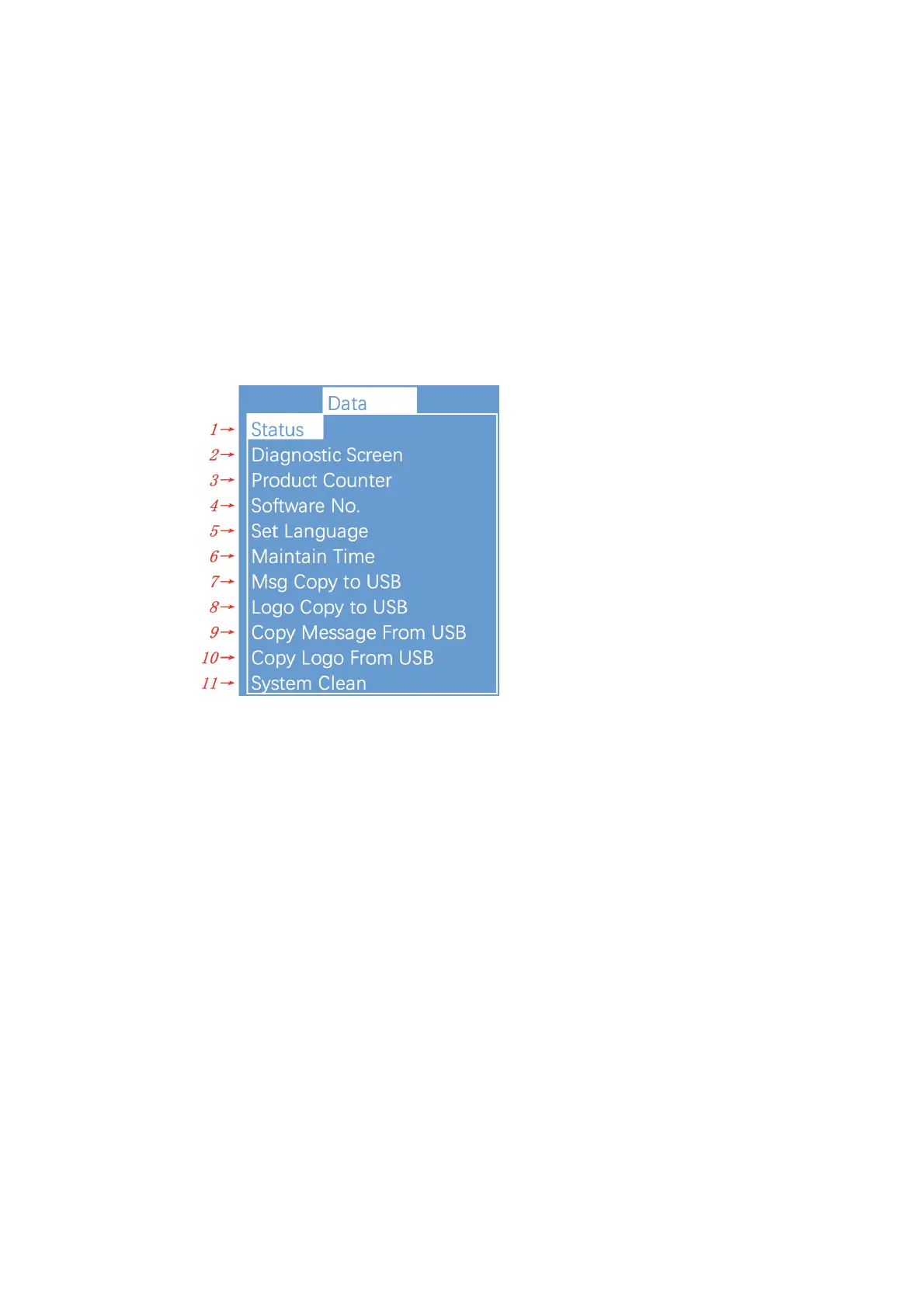
2.8.8. Date
(1) Display each of current status of the printer.
(2) All current operational monitoring data of the printer which are
conductive to diagnose malfunctions.
(3) It can be used to reset counter.
(4) Display software version.
(5) Set the type of menu language.
(6) Display printer running time and maintain time.
(7) Copy internal message to USB.
(8) Copy internal Logo to USB.
(9) Copy message from USB to Printer.
(10) Copy Logo from USB to memory. Support monochrome bitmap file
format(.bmp).
(11) For maintenance .


 To Next Page
 Loading...