3.3. Stop Jet
3.3.1. Stop Jet and Clean
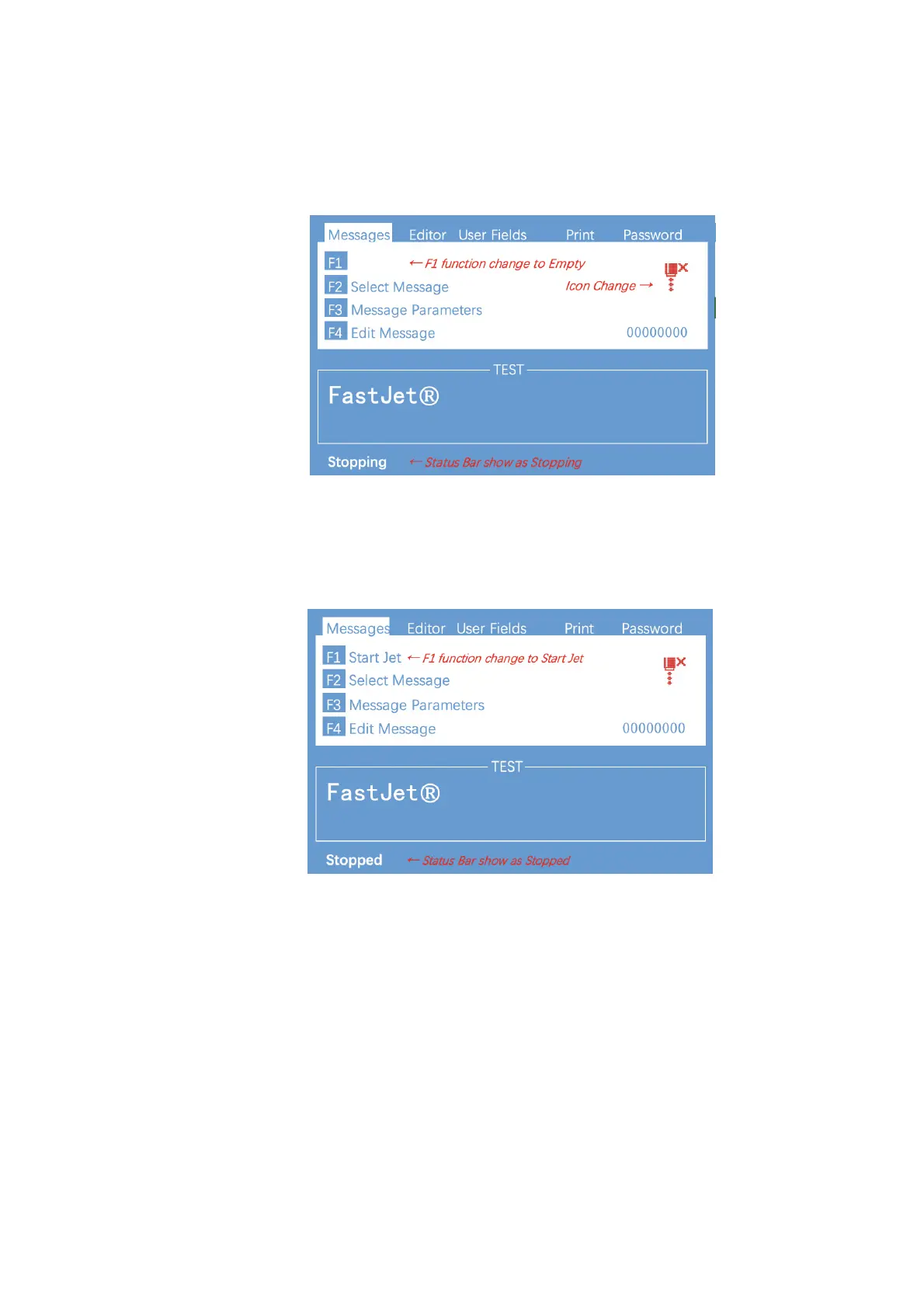
1.Press F1 button, it lasts for about 4 minutes, the screen is as follows:
2. During cleaning after shutdown, remove the Printhead cover and observe if the
printhead is dirty. If needed clean the printhead with the necessary cleaning agent.
3. Only after the interface is shown as below, the power can be turn off, Otherwise
some of the tubes will be blocked, causing permanent damage."
3.3.2. Stop&Clean (Power off during the inkjet running)
If abnormal stop is caused due to power off, inkjet must be restarted at the
earliest time after power on. It shall be normally cleaned and shut down after
planned shutdown else some ink tubes of the printer may be blocked, causing
permanent damage to the printer. "
3.3.3. Stop and Clean (long-term stop )
Due to the quick-dry property of the ink, if long-term stop are needed, it’s always
suggested to drain the ink and clean the system. For details, check the section
“4.6 Drain” and “4.7 Clean the ink system” .#


 To Next Page
 Loading...