3.7.3 Times Printing Mode
In this mode you can set the specific numbers of printing per trigger."
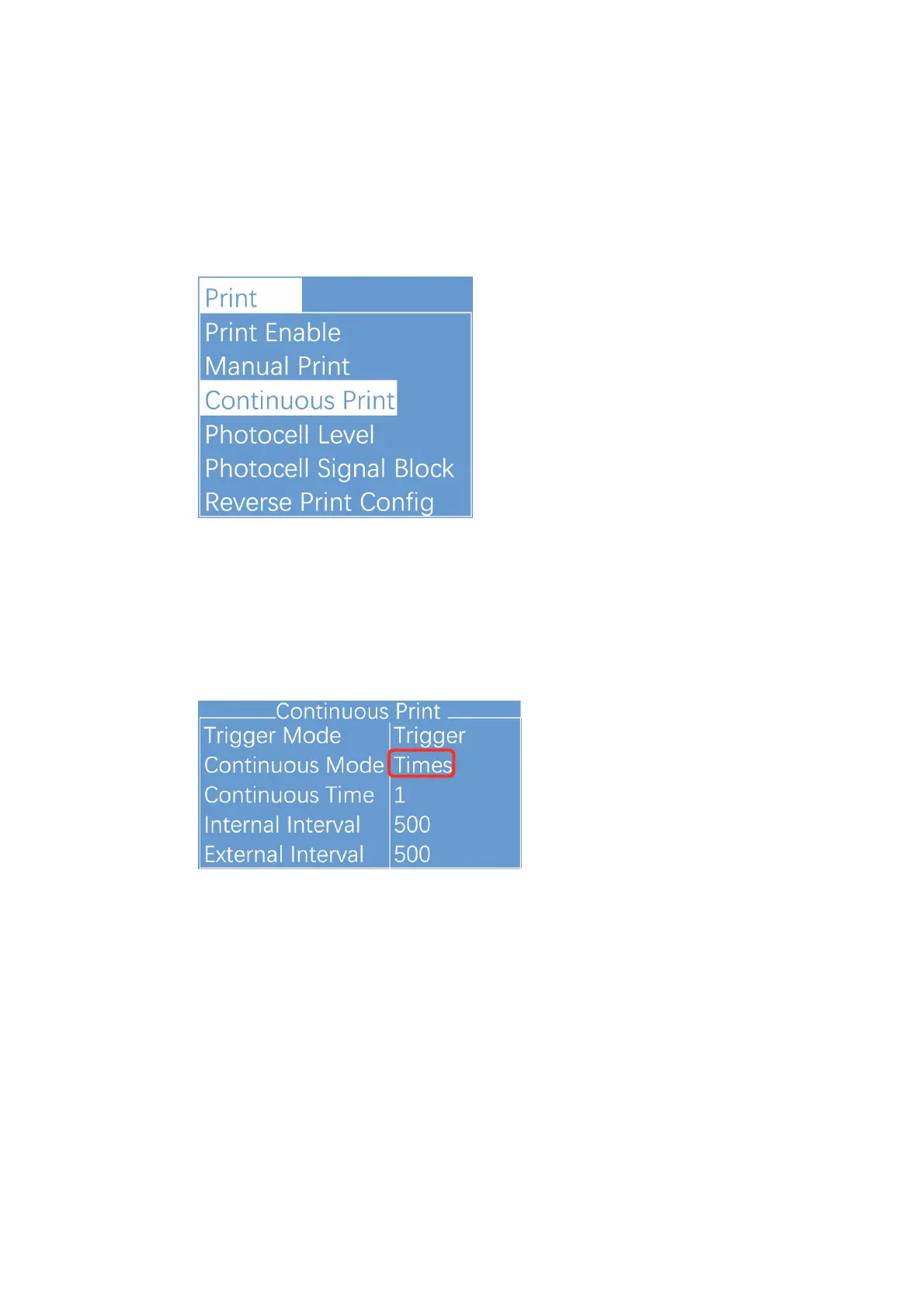
1. Select PRINT menu and press Enter to call out the following sub menus:
2. Enter Continuous Print sub menu , Switch the "Continuous Mode" to
“Times" then the printer is in the Times printing mode. Repeat times and
internal/external interval both can be set in this screen."
3. Other valid settings please refer to "2.8.4 PRINT Menu” and its Sub
Menu.!


 To Next Page
 Loading...