Machine description
4812163801.pdf 2019-04-30
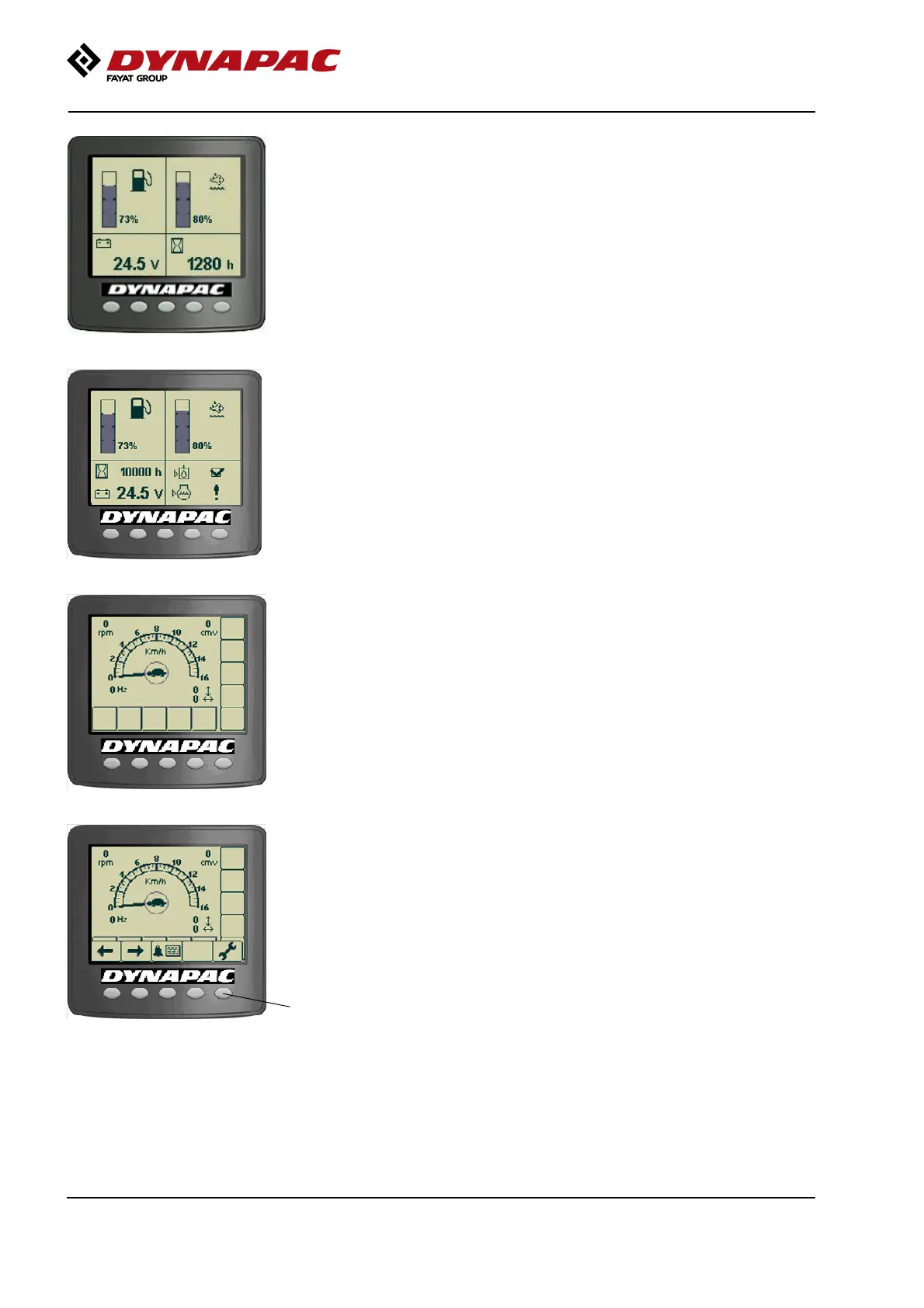
Fig. Status screen
The status image provides information on the fuel
level, urea level, machine hours and voltage level.
Fuel and urea levels are specified in per cent (%).
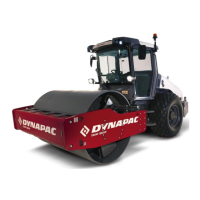
Fig. Status screen with "DailyCheck"
This screen is active until the Diesel engine is started
or an active screen choice is made via the function
buttons below the display.
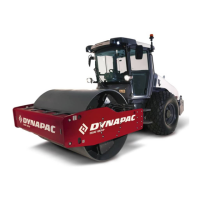
Fig. Main screen/Working screen
If the engine is started before any active screen choice
is made the display will switch over to main screen.
This screen gives an overview and is kept during work:
- The speed is shown in the middle of the display.
(km/h or mph)
- Engine speed, vibration frequency (optional), CMV
value for compaction meter (optional) and slope as a
% (optional) are shown in the corners.
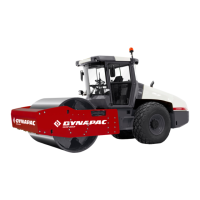
1
Fig. Main screen/Working screen with
menu selection buttons (1)
A menu field is shown by pressing one of the menu
select buttons. The field is visible for a short while, if
no selection is made the field fades out. Menu field will
appear again upon pressing either one of the selection
buttons (1).
42



 To Next Page