Machine description
4812163801.pdf2019-04-30
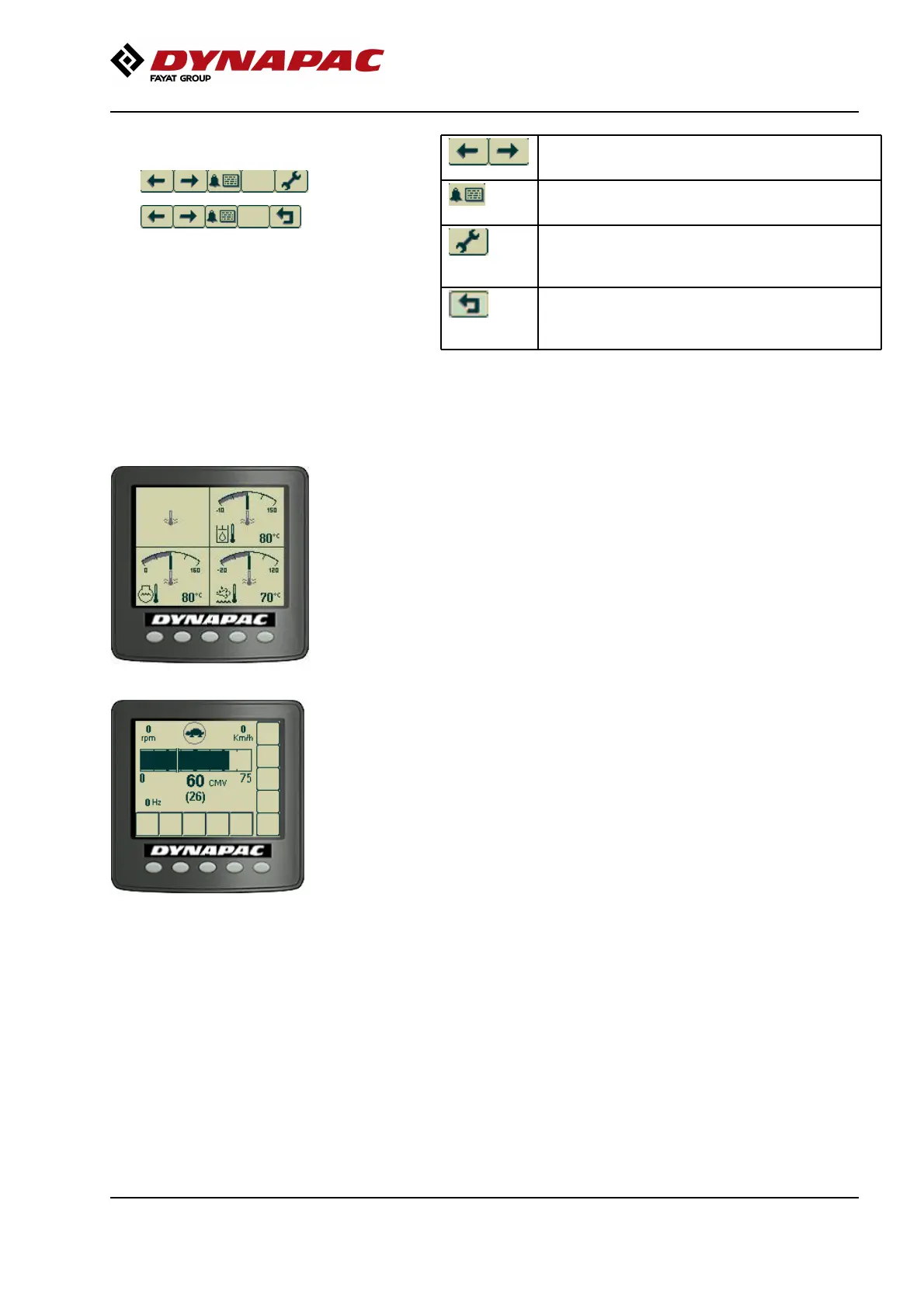
Example of menu field.
Scroll/Selection buttons to choose
between available functions.
Scroll/Selection buttons to choose
between available functions.
Alarm log button to display engine and
machine alarms.
Alarm log button to display engine and
machine alarms.
Settings/Button select menu, which opens
the main menu. Settings can be changed
in the main menu.
Settings/Button select menu, which opens
the main menu. Settings can be changed
in the main menu.
Exit/Return button returns 1 step at once.
Pressing the button (approx. 2 sec.)
displays the main menu again.
Exit/Return button returns 1 step at once.
Pressing the button (approx. 2 sec.)
displays the main menu again.
Fig. Temperature screen
The temperature image shows the current engine
temperature (lower left part of the image), hydraulic
fluid temperature (top right part of the image) and urea
temperature (lower right part of the image). The values
are shown in Celsius or Fahrenheit, depending on the
choice of unit system.
Fig. Compaction meter display (CMV
display)
A display for the compaction value (CMV value) can
also be shown when the compaction meter (Option) is
installed on the machine. Further information on this
accessory is given in the Chapter "Operation".
43



 To Next Page