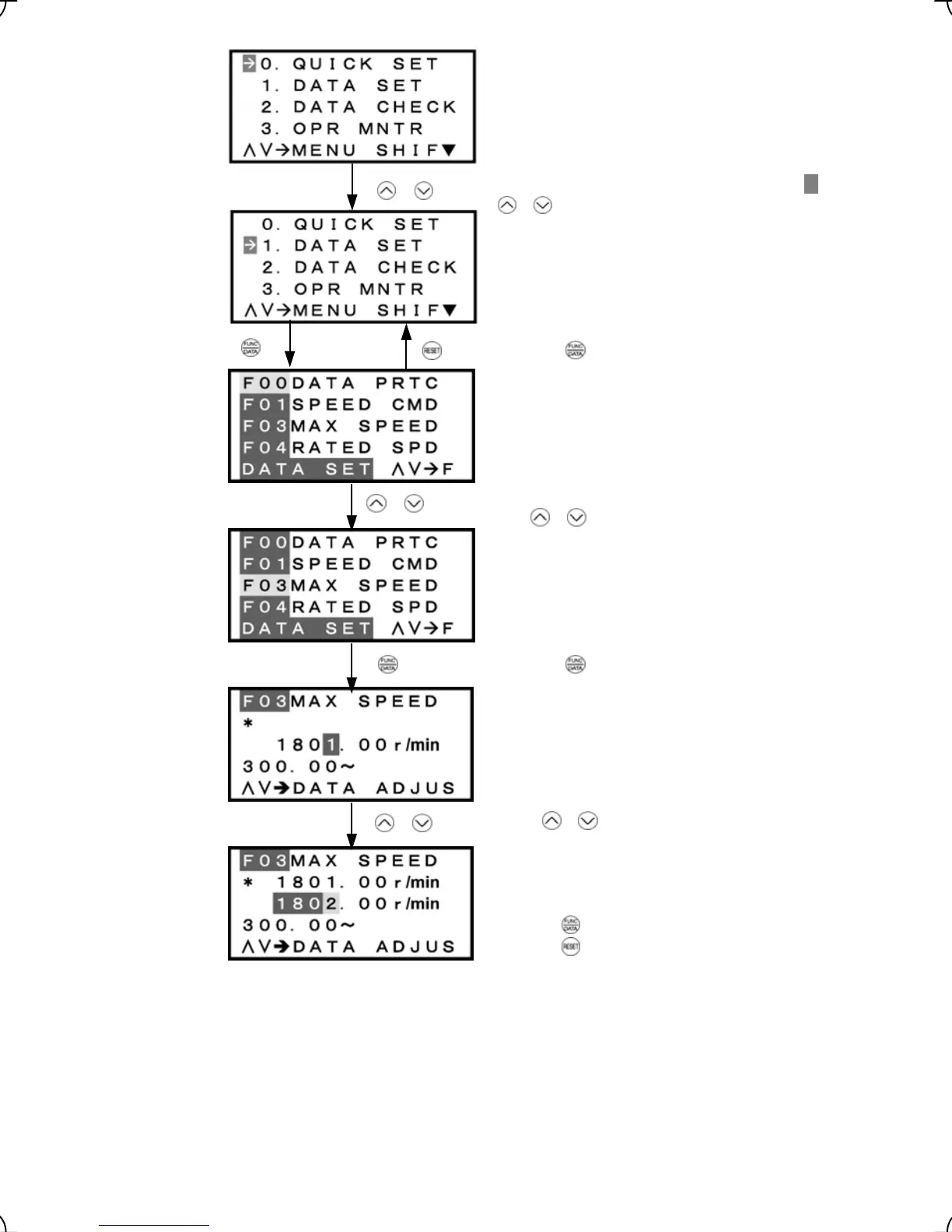
Press the
key to establish the function code data.
Press the
key to cancel the data change.
Figure 3.11 Changing Function Code Data
Select the target menu
by
moving
the
pointer
Æ
with
/
/
keys.
Press the key to establish the target menu.
Select the target function code by moving the curso
with
/
/
keys.
Press the key to establish target function code.
/
Press / keys to change function code data.
3-12



 To Next Page