Basic key operation
This section gives a description of the basic key operation, following the example of the function code data
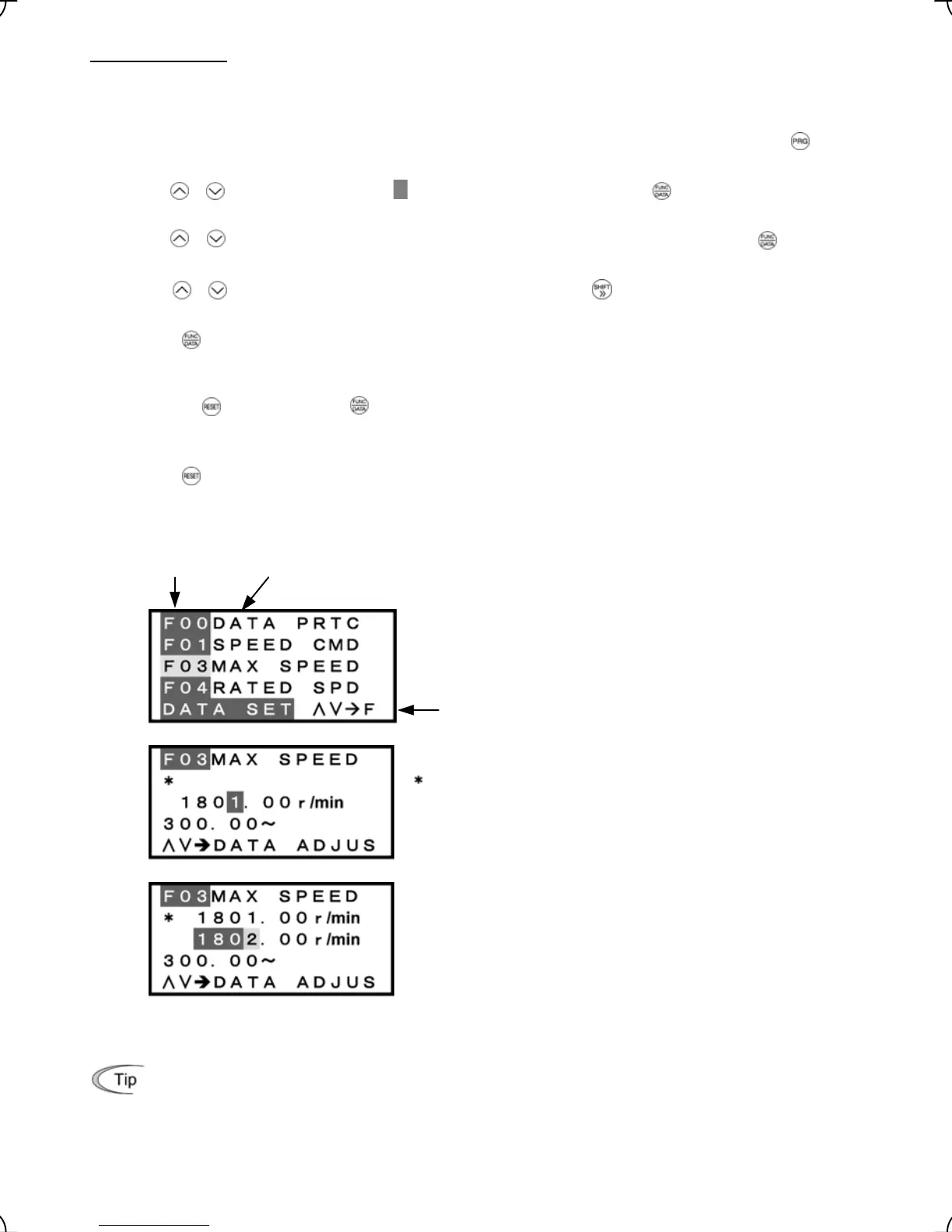
changing procedure shown in Figure 3.10.
This example changes function code F03 data (maximum speed) from 1801.00 to 1802.00 r/min.
(1) When the inverter is powered on, it automatically enters Running mode. In Running mode, press t e h
key to enter Programming mode. The menu for function selection will appe
ar.
(2) Use the / keys to move the pointer
Æ
to "1. DATA SET" and then press the key. A list of function
codes appears.
(3) Use the / keys to select the target function code group (F03 in this example) and press the key,
which displays the screen for changing the target function code data.
(4) Use the / keys to change the function code data. Pressing the key causes the blinking digit
place to shift (cursor shifting) (The blinking digit can be changed).
(5) Press the key to establish the function code data.
The data will be saved in the memory inside the inverter. The display will return to the function code list, then
move to the next function code (F04 in this example).
Pressing the
key preceding the key cancels the change made to that function code data. The data
reverts to the previous value, the screen returns to the function code list, and the function code (F03)
reappears.
(6) Press the
key to return to the menu from the function code list.
Screen
Function code
Function code name
Operation guide: The function of each key is displayed by
automatic scrolling of this line.
Function code # and name
: Function code that has been changed from factory default
Data
Allowable range
Operation guide
Data before change
Data after change
Figure 3.10 Screen for Changing Function Code Data
Additional note on function code being selected
The function code being selected blinks, indicating the movement of the cursor (F03 blinks in this
example).
3-11



 To Next Page