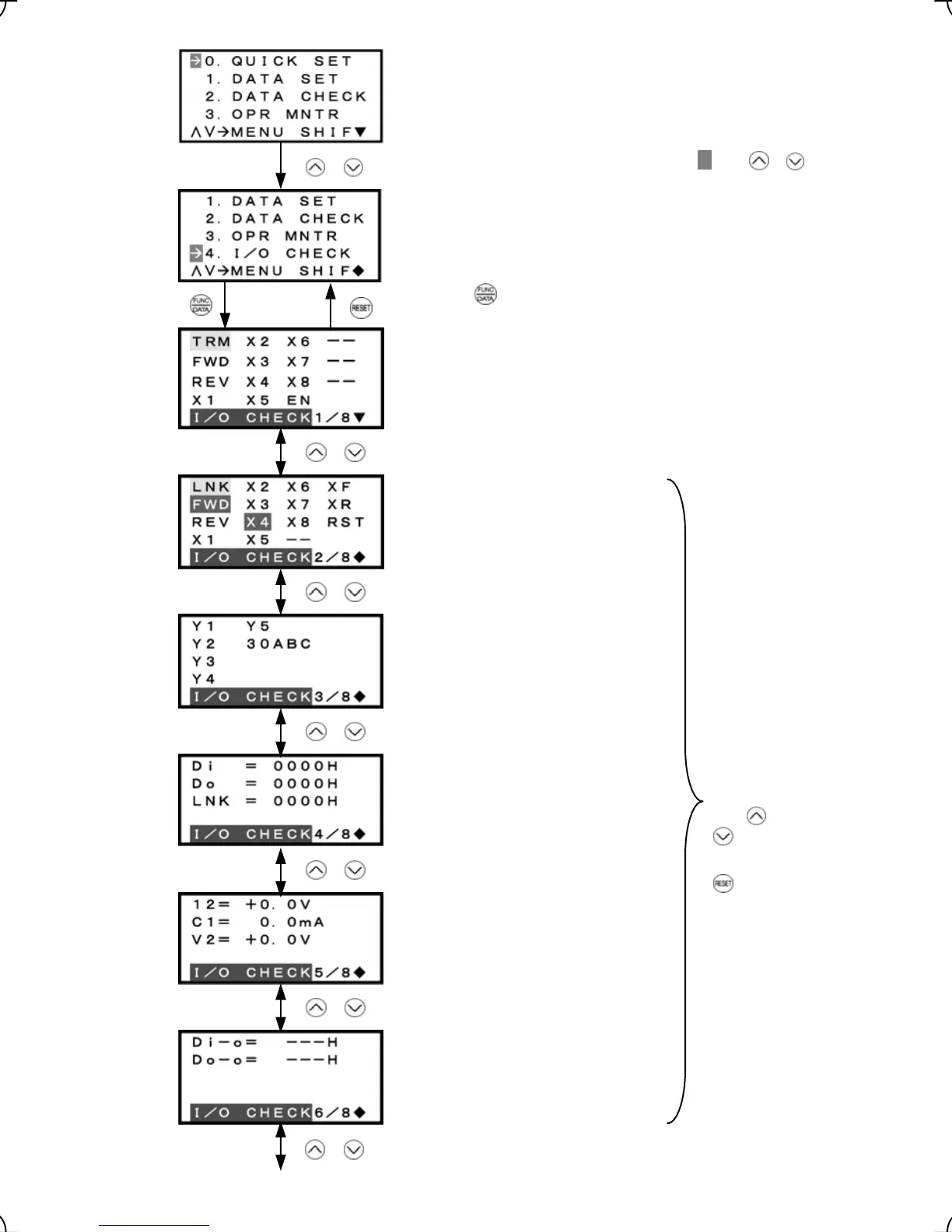
Highlighted when short-circuited; normal when open
Highlighted when 1; normal when 0
Highlighted when ON;
normal when OFF
Input signal information at the control
circuit terminals
Output signal information
Input signal information
via communications link
Input voltage at terminal [12]
Select the target menu by moving the pointer
Æ
with /
Input current at terminal [C1]
Input voltage at terminal [V2]
Not applicable
Not applicable
Figure 3.14 Screen Transition for "4. I/O CHECK"
keys.
Press the key to establish the target menu.
/
Input status at terminal
/
Input status at terminal via communications link
/
Output status at terminal
/
/
/
Analog input status
I/O status (hexadecimal)
Common
operation:
To confirm
data, call the
desired page
with
/
keys.
Press the
key to
return to
Menu.
/
3-17



 To Next Page