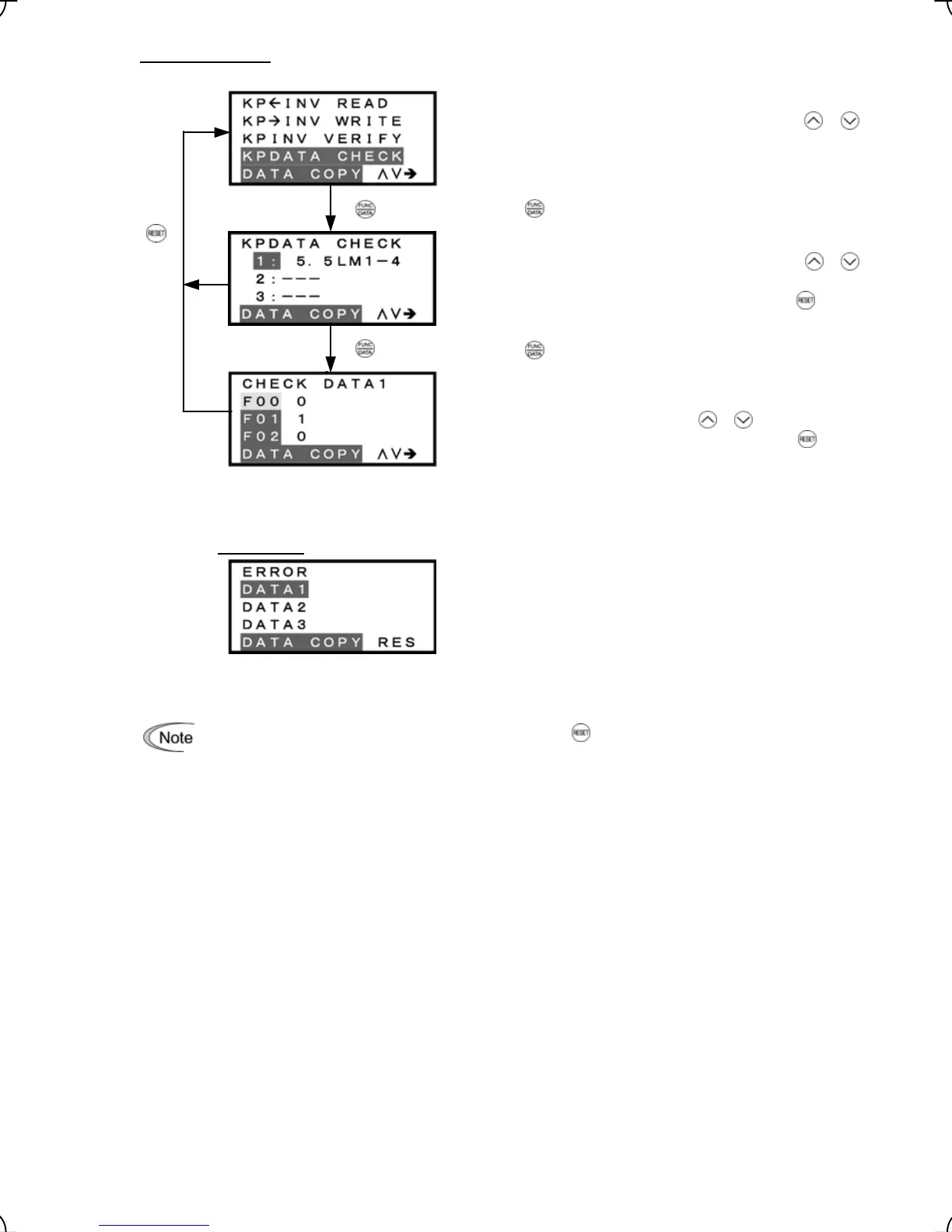
5) Check operation
List of data copy operations
Select the target operation by moving the cursor with
/
keys.
Data selection screen
Select data to be checked by moving the cursor with
/
keys.
To go back to List of data copy operations, press the
key.
"Check data" screen
This screen displays function codes and their data.
To check other function codes, press
/ keys.
To go back to List of data copy operations, press the
key.
Figure 3.22 Screen Transition for "DATA CHECK"
Error screen
If no valid data is found in the keypad, this error screen will
appear.
(Note)
Figure 3.23 Error Screen for "DATA CHECK"
If an ERROR screen appears during operation, press the key to reset the error factor. When Reset
is complete, the screen will go back to List of data copy operations.
Press the key to establish the target operation.
Press the key to establish the target data.
3-34



 To Next Page