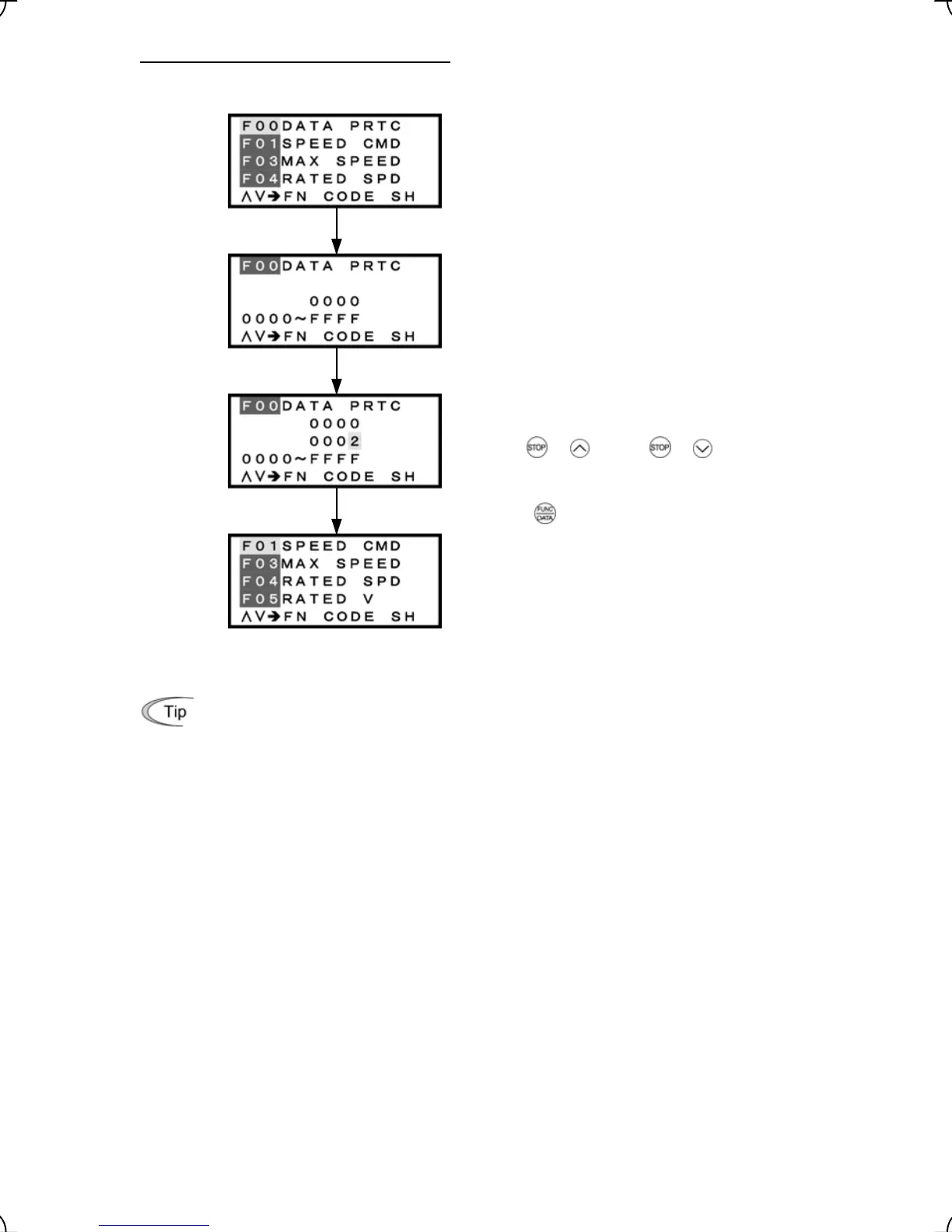
The password protection temporarily canceled
Select F00 from Menu #1 "Data Setting."
Enter the password preset with H99 to F00.
To change the data of F00 (Data Protection), simultaneous
keying of
+ keys or + keys is required.
key to establish your password entry.
Press the
The screen returns to the DATA SET one. The password
protection is temporarily canceled.
Figure 3.37 Screen Transition for the Password Protection Temporarily Canceled
With the password protection temporarily canceled, setting H99 data to a value other than 0000
enables you to register a new password.
3-46



 To Next Page