EasyManua.ls Logo

FEC HFC3000 - Page 28

FEC HFC3000
196 pages
Print Icon
To Next Page IconTo Next Page
To Previous Page IconTo Previous Page
Loading...
Chapter 3 Part Names
PAGE 3-2
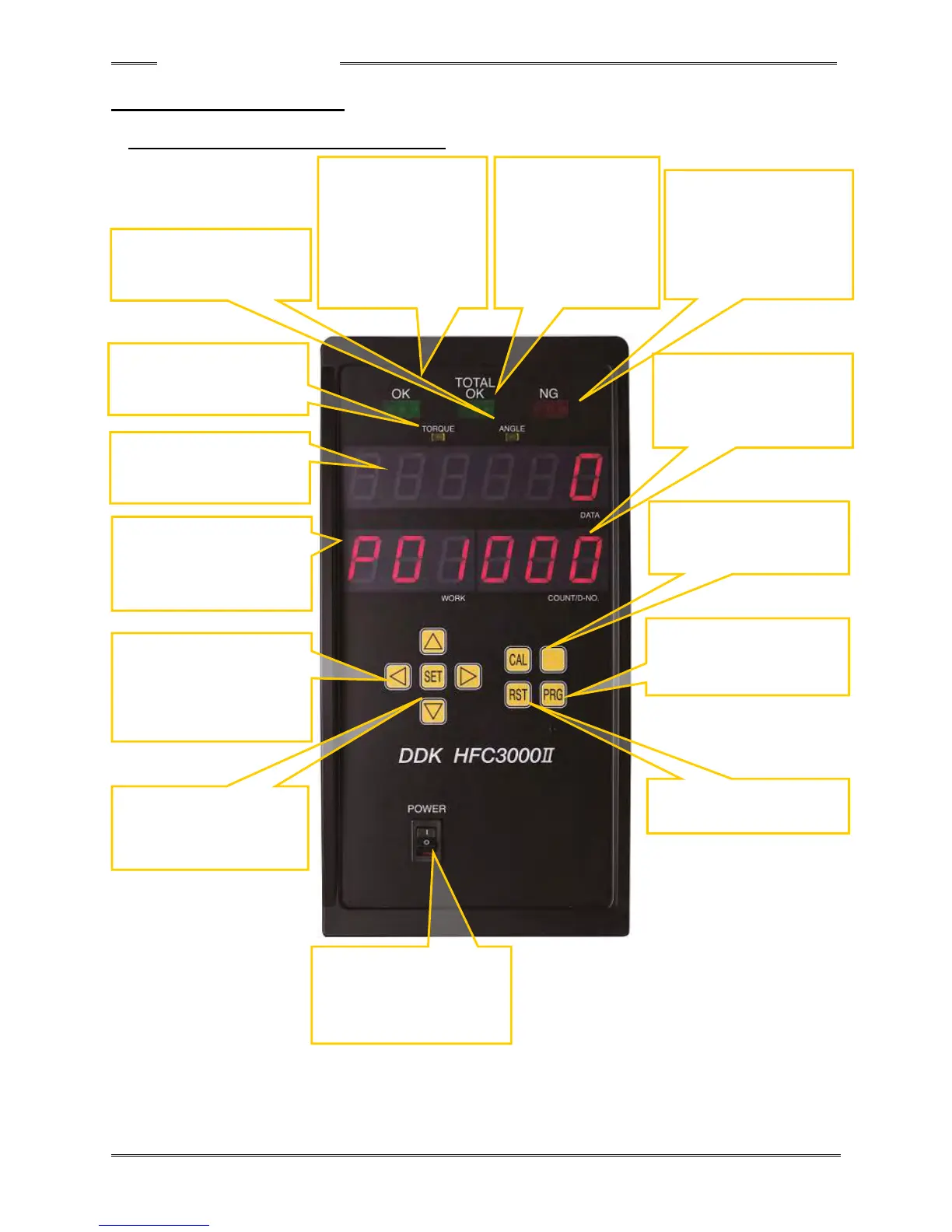
3-1 Controller controller
3-1-1 Controller controller Front Panel
POWER
Controller main power
switch
CAL
Manual calibration check
pushbutton
RST
Reset pushbutton
PRG
Program mode select
pushbutton
SET
Switch for finalizing a
change of data
◁▷▵▿
Selection switches for
WORK, parameter, and
data setting.
NG (REJECT)
Lights up when even
one of the preset
judgment criteria is not
met by the fastening
results.
ANGLE
Lit up in the fastening angle
result display mode.
TORQUE
Lit up in the fastening torque
result display mode.
6-dight 7-segment LED
Displays a set value,
fastening result, or other
data.
3-dight 7-segment LED
Displays the WORK No.
(parameter).
3-digit 7-segment LED
COUNT/D-No.
Displays the cycle count
and the data No.
TOTAL OK
Lights up when
acceptable (OK)
fastening results are
obtained for the
designated number of
times, and turns off
when the batch reset
input signal is ON.
OK (ACCEPT)
Lights up when the
fastening results are
within the standard
value ranges of all
preset judgment criteria,
and flashes while
TOTAL OK is ON.

Table of Contents

Related product manuals