40
OPERATION
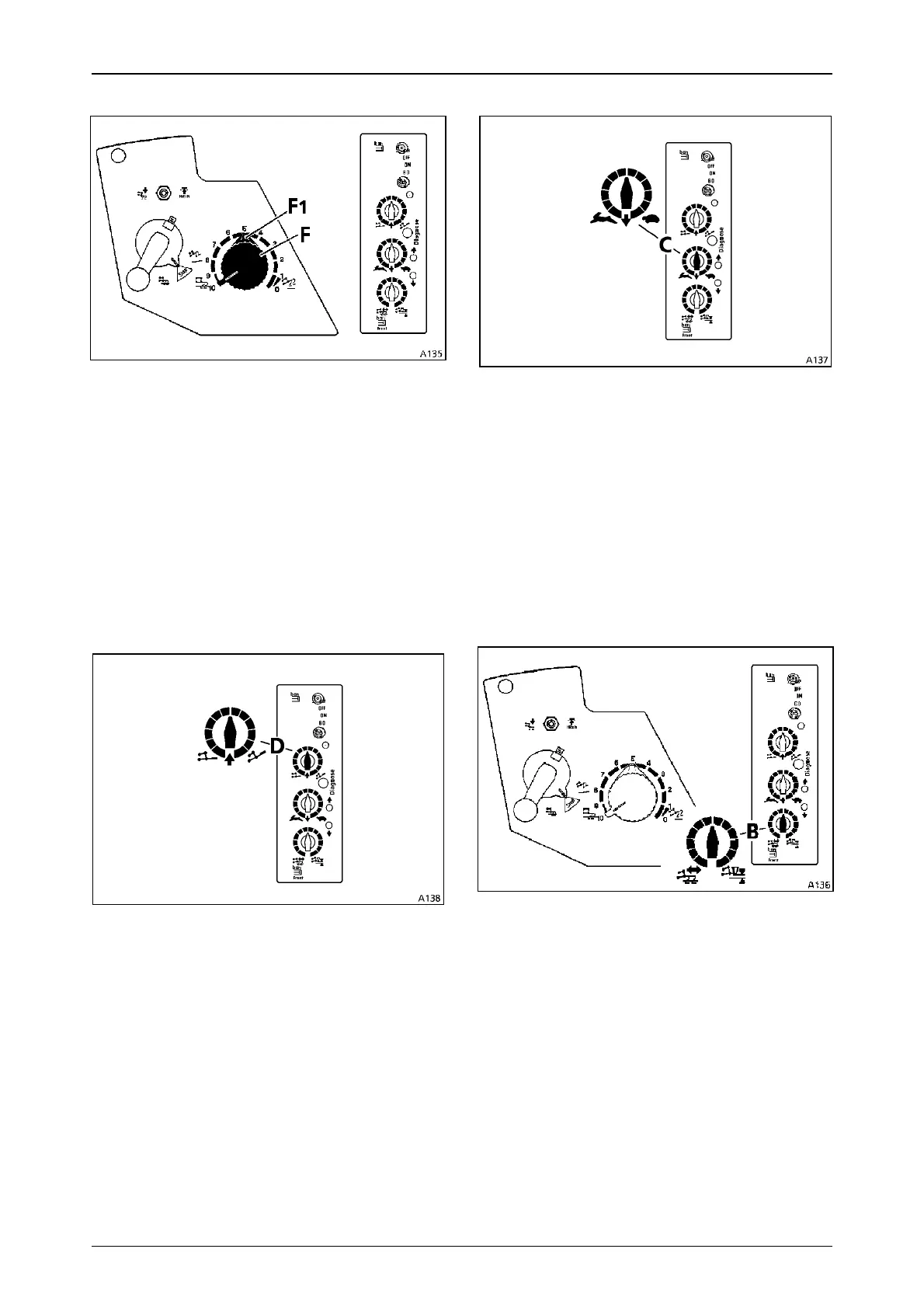
Depth control
Operation_Pic_number:1
Dial (F) for configuring the working depth.
Rotation direction for depth control
Clockwise = Lifting
Anticlockwise = Lowering
10 = Floating position
0-1 = Neutral
The setting collar (F1) under the dial is used to
set the desired working depth.
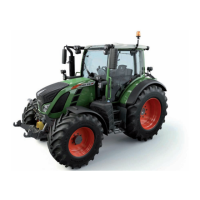
Limiting lift height
Operation_Pic_number:1
Dial (D) for setting the lift height.
Dial settings
Clockwise = Maximum lift
Anticlockwise = Minimum lift
Any lift height position between the two can be
selected.
Fig.64
Fig.65
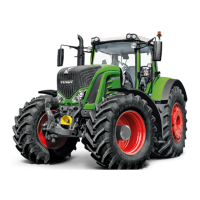
Lowering speed
Operation_Pic_number:1
Dial (C) for setting the lowering speed.
The lowering speed is electronically controlled.
Dial settings
Clockwise = "Tortoise" position: no lowering
Anticlockwise = "Hare" position: maximum
lowering speed
Any speed can be set between the two positions.
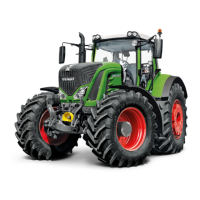
Traction/mixed control setting
Operation_Pic_number:1
Dial (B) for setting the position or traction control,
or any combination of these two variables.
Settings for dial (B)
Clockwise = Position control (fertiliser
spreader)
Anticlockwise = Traction control (plough)
Mixed control enables any combination of the
two positions.
Fig.66
Fig.67



 To Next Page