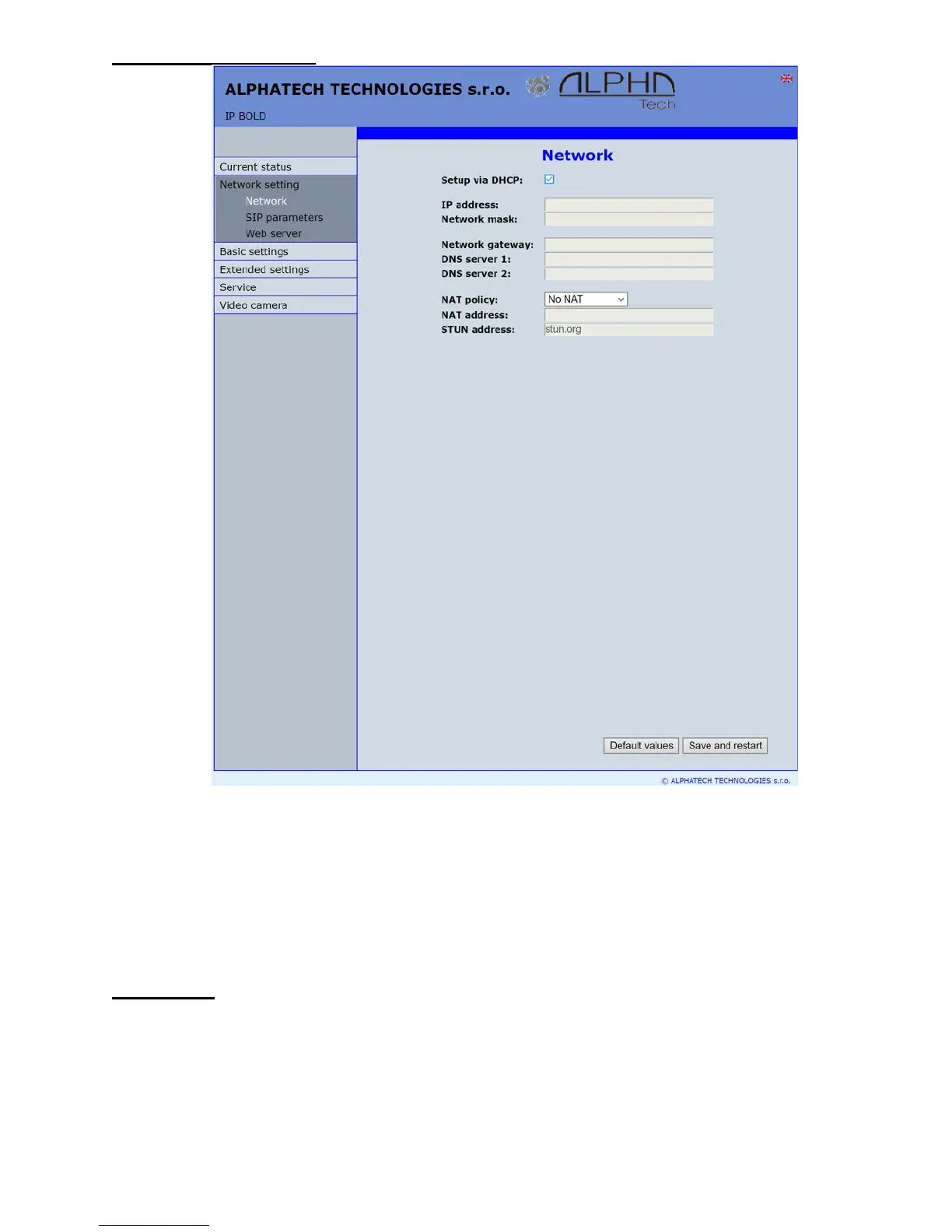
DHCP configuration:
After performing of required changes please don’t forget click on „Save and
restart“.
DHCP – by mark of this checkbox as same as saving and restart will be assigned
to door entry IP Fermax - IP adress by DHCP.
NAT policy - there is the choice of what kind of translate IP addresses used
NAT address - used for network traffic through the router (modifies transcription
of the original or destination IP address)
STUN address - the IP address of the STUN server (see. page. 6)
Important: if you use DHCP setting then DHCP assign IP address to door entry
automatically and network administrator will assure your current IP address to
be able watch video in WEB browser. Therefore this dynamically assigned IP
address might be changed due for example power failure we recommend use
dooe entry IP Fermax with fix IP adress.














 To Next Page