Page 13
SMILE Monitor
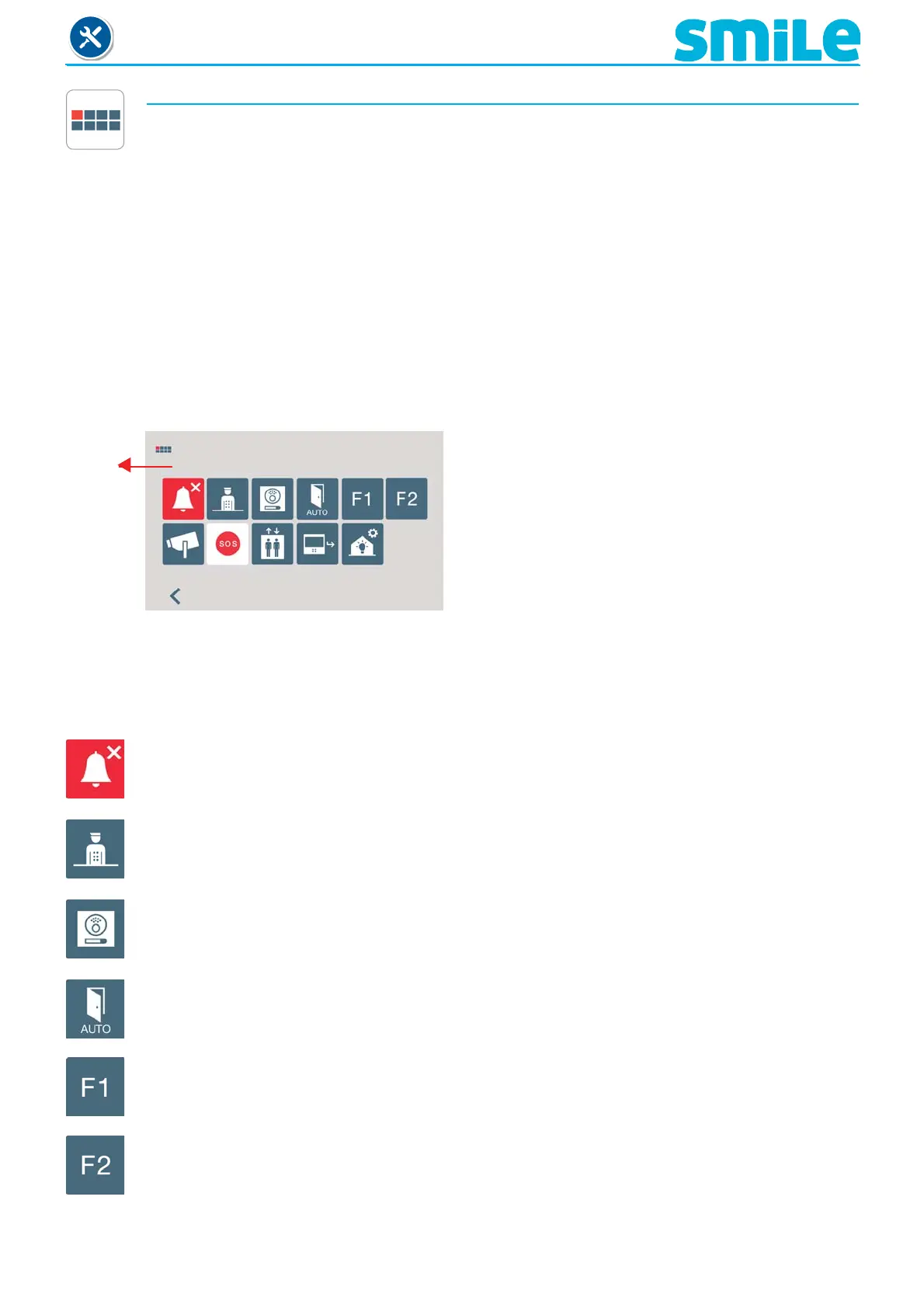
c) Confi guration of functions assigned by the menu, shortcut or wildcard button.
The installer may enable determined functions that are not enabled by default.
Within the FUNCTIONS options, these are enabled by default as a screen sample.
- X: Enabled as shortcut buttons. Maximum 4 functions
- O: Enabled as shortcut button and for the menu. Only 1 function.
- M: Enabled for the menu. All functions
ALL AVAILABLE FUNCTIONS MAY BE ENABLED IN ANY MODE.
Functions
and
default
shortcut
buttons
c1) Do not disturb mode.
c2) Call to guard unit.
c3) Auto-start.
c4) Doormatic mode.
c5) F1 function
c6) F2 function
c7) Activation of the aerial camera
c8) Panic call (Chapter 2.5 F1 function).
c9) Elevator control (activating the sensor).
c10) Call capture. (Chapter 2.7.2 / a) Access to
programming).
c11) Automation
XMXMXX
Note:
- The auto start function will appear as a shortcut button, however, this function is also available
as a wildcard; having auto-start in both is an exception made for recently manufactured
monitors.
c1) Do not disturb mode (see chapter 2.1).
c2) Call to guard unit, (see chapter 2.2).
c3) Auto-start, (see chapter 2.3).
c4) Doormatic mode (see chapter 2.4).
c5) F1 Function, (see chapter 2.5).
c6) F2 Function, (see chapter 2.6).












 To Next Page