Page 16
SMILE Monitor
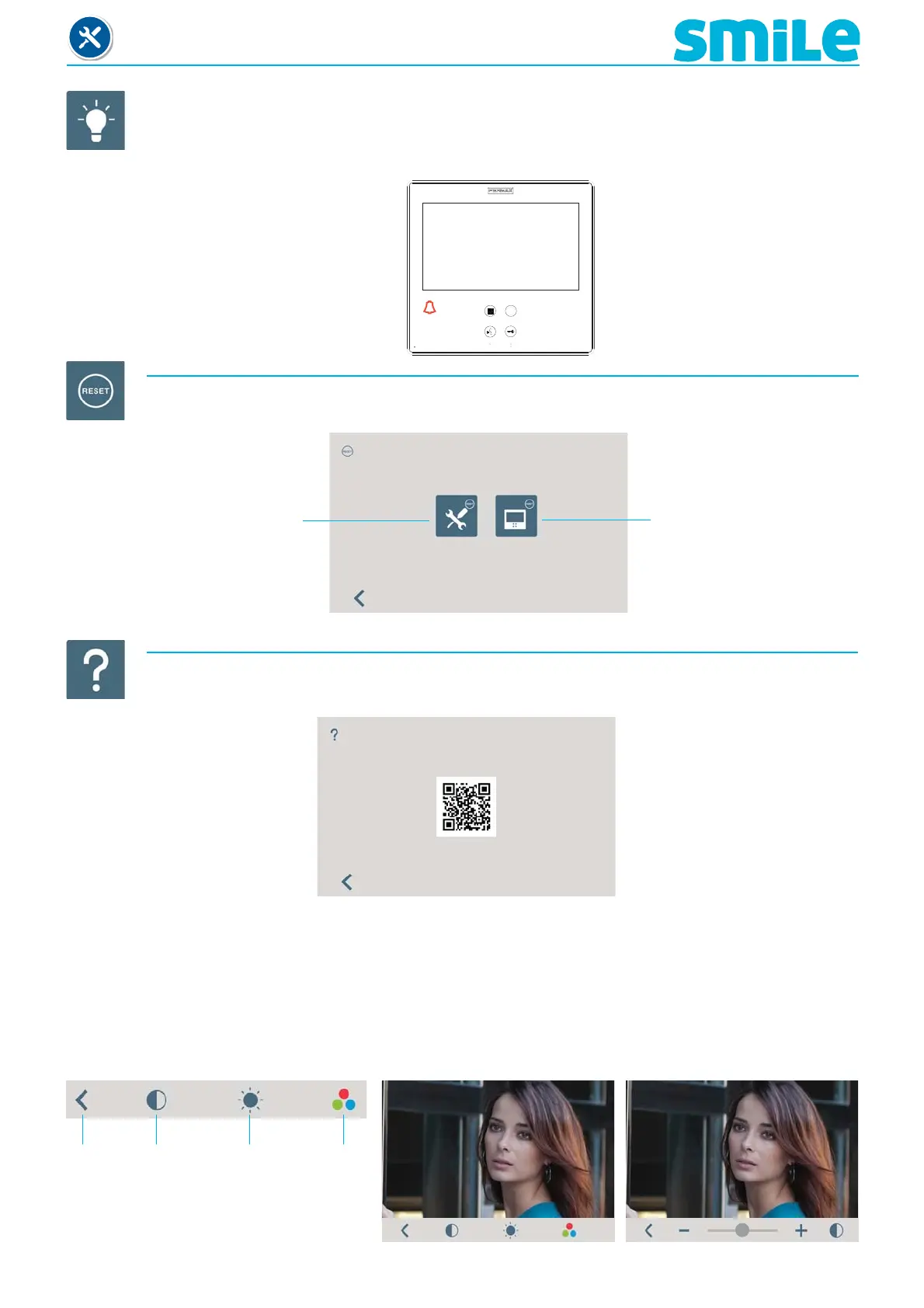
d5) Activation of auxiliary devices with do not disturb mode.
A function that allows you to listen to the call extension output tone, light and ring tone activator...
etc, even if in do not disturb mode when the monitor receives a call.
Indicator LED
Do not disturb mode
activated
f) Help
A function that allows you to access information on the Smile monitors via the QR code: manuals,
related products, catalogues, brochures...etc.
3. MONITOR SETTINGS: VIDEO AND AUDIO
3.1. VIDEO SETTINGS: Brightness - Contrast - Colour
The monitor allows you to adjust brightness, contrast and colour while you have received a call or
performed an auto-start. Short-press the MENU button and a menu appears on the screen to adjust the
audio.
Contrast
Brightness
ColourExit
d) Reset
A function that allows you to reset the monitor.
Reset to the default
confi guration
Reset to the default
confi guration, deleting the
monitor´s programmed
address












 To Next Page