-5-
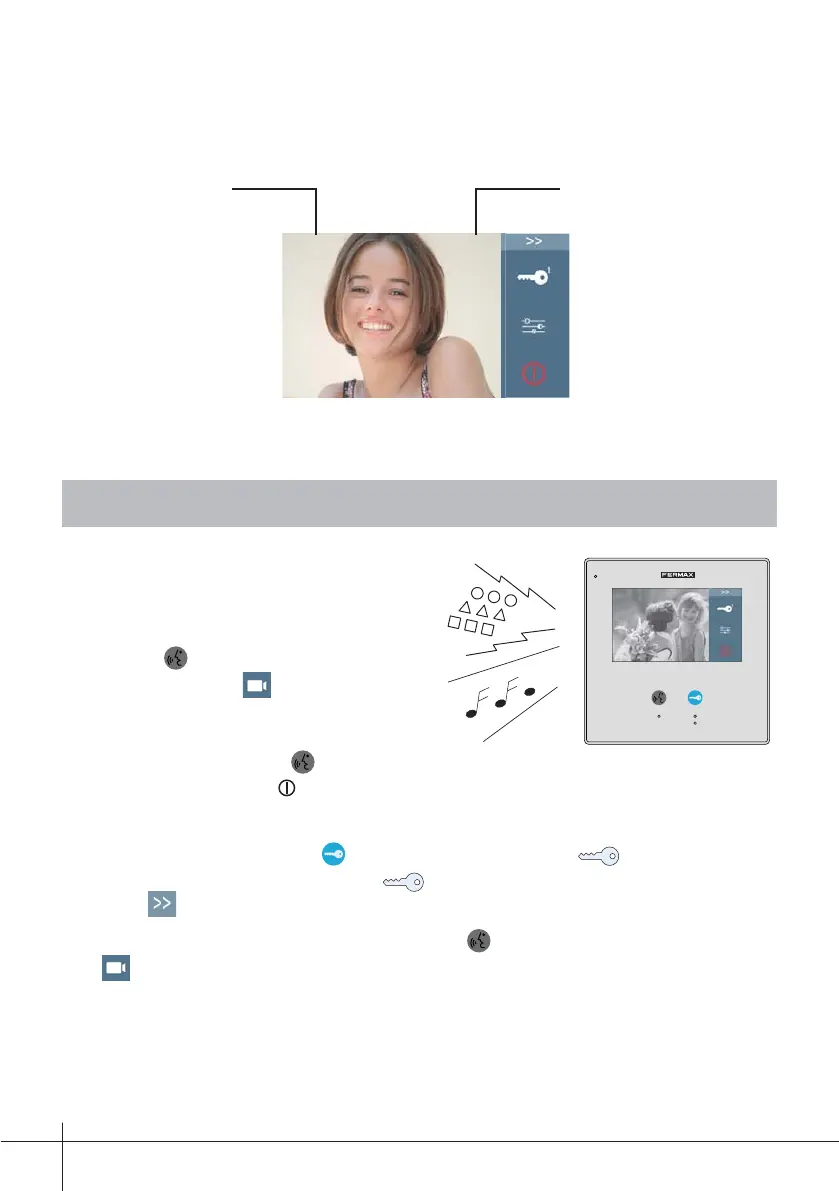
While talking with a door station
Panel Name. Displays talking or
monitoring time.
Door
00:10
Door 00:10
6. Answering a Call
1. Press CALL button on outdoor station,
the Monitor rings, at the same time, the
screen displays the visitors' image.
2. Press TALK/MON Button on
monitor or touch icon on screen, you
can communicate hands free with the
visitor for 90 seconds. After fi nishing
communication, press TALK/MON
button again or touch icon to end the communication. If nobody answers the
phone, the screen will be turned off automatically after 40 seconds.
3. During talking state, Press UNLOCK Button or touch
1
icon to open
the door for the visitor. The icon
2
release a relay in the bus. To select
press .
4. When the monitor is in standby mode, press TALK/MON Button or touch
Monitor icon on main menu, the screen can display the view of outside.
5.2 While communicating











 To Next Page