-9-
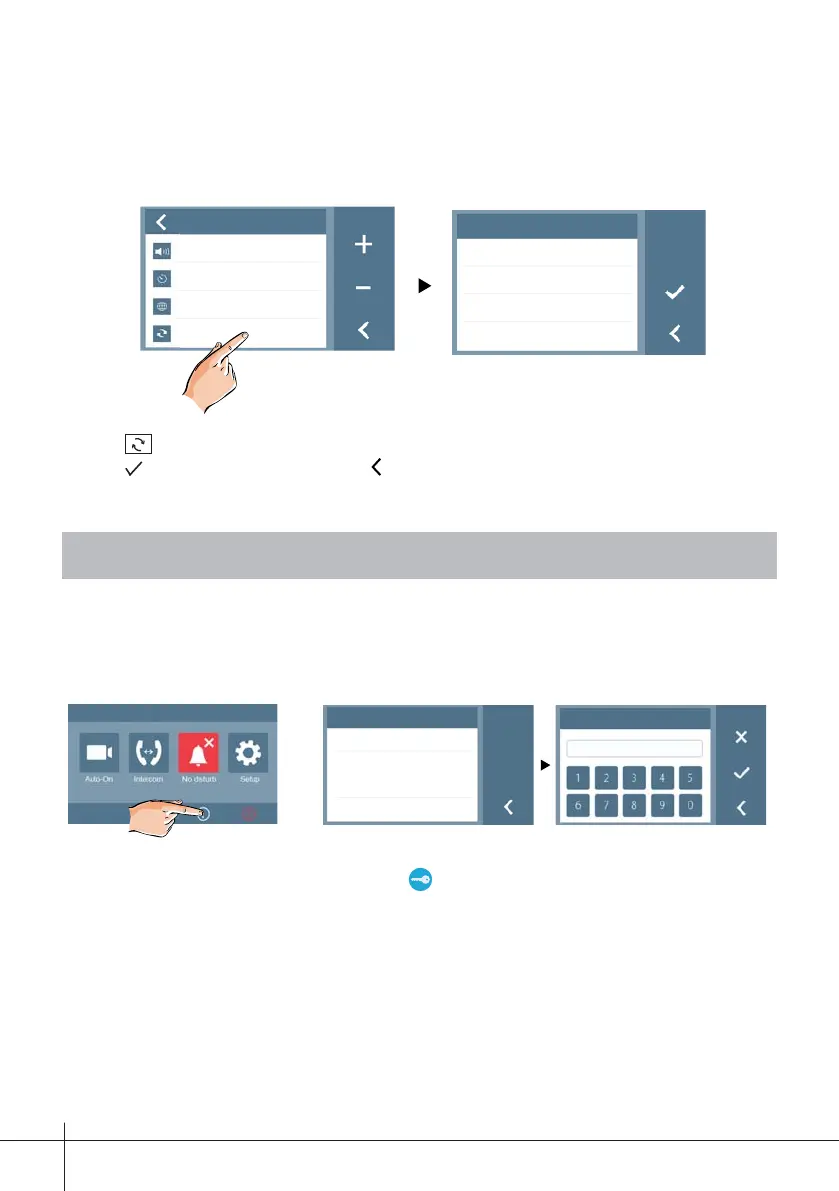
Setup
Volume 01
Auto-on Time
10min
Language
Restore
Restore
Restore To Default?
Note:
- Touch
icon, a message of “Restore To Default?” will be asked.
- Touch
icon to start the restore. Touch icon to cancel.
11. Monitor Parameter Setting
About
Addr: 00.01
Video STD:
AUTO
S/W 00.01.02
Settings
_
-
11.1 How to enter the installation setting page
1. Touch icon on main menu
page, then select "About"
item.
2. Touch
UNLOCK button
and hold for 2s.
10.4 Restore default values
You have the chance of restoring the monitor parameters to the default settings.
3.
Enter the data to confi gure
on the keypad.











 To Next Page