2. Commissioning
2-5
Festo P.BE-CTEU-EC-OP+MAINT-EN en 1208NH
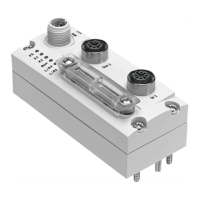
The CTEU-EC bus node is supplied ready for use with the
modular ESI file. In order for the fixed ESI file to be used, the
EEPROM must be updated ( section A.3) with the help of
the configuration and programming software.
Source
(download link)
Y o u will find the latest EtherCA T configuration files (ESI files)
for the CTEU-EC bus node on the Festo website at:
www.festo.com Suppor t por tal: enter search term,
e.g. “CTEU” Firmware and drivers
File name
Variant Description
Festo CTEU-Et herCAT Modular.xml Modular ESI file “EtherCAT Slave Information File”
for Bec khoff TwinCAT or other compatible
configuration and programming software
Festo CTEU-EtherCAT Fix.xml Fixed E SI file “EtherCAT Slave In formation File”
for Bec khoff TwinCAT or other compatible
configuration and programming software
Tab. 2/4: EtherCAT configuration files (“ESI files”) for the CTEU-EC bus node
Adding the E S I file
•
To add an ESI file to the ESI library of your configuration
program, copy the bus node-specific ES I file into the pro-
gram directory of your configuration program – e.g. for
Beckhoff TwinCA T:
C:\TwinCAT\Io\EtherCAT
Importing the ESI file
•
Then import the ESI file into your configuration program
– e.g. in Beckhoff TwinCAT System Manager:
Actions > Import XML descriptions...


 To Next Page