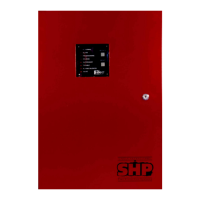
Twinflex V3 Control Panel Engineering and Commissioning Manual
35
To Configure the Alarm Confirmation Delay Time
The Alarm Confirmation delay time may be set as follows.
The factory default will show a 1 minute Alarm Confirmation delay.
1. Press and hold the button
marked ‘ACCESS’
A continuous buzzer tone will start
2. Press the button marked
‘3’
and then release them both.
The continuous buzzer tone will continue.
A number of the ‘ZONE/FAULT’ lights will switch on,
corresponding to the current Alarm Confirmation delay time, ie
lights 1,2&3 mean that an alarm confirmation delay of 3 minutes
is selected.
3. Press the button corresponding
to the Alarm Confirmation delay
to be selected, ie, 3 for an Alarm
Confirmation delay of 3 minutes.
Or,
If the setting displayed is already
as you require then press
nothing until the system times
out.
The continuous buzzer tone will change to an intermittent tone,
and the lights mentioned above will turn off. Your new setting is
now active.
The continuous buzzer tone will change to an intermittent tone,
and the lights mentioned above will turn off. The original setting
is still active.
To Configure the Operation of the Repeater Outputs
The repeater outputs may be configured as follows.
Mode Type Description
1 Fire Repeat Repeater outputs active in the fire state only -
Factory Default
2 Confirmation Repeat Repeater outputs active in the alarm confirmation state only
1. Press and hold the button
marked ‘ACCESS’
A continuous buzzer tone will start
2. Press the button marked
‘2’
and then release them both.
The continuous buzzer tone will continue.
A number of the ‘ZONE/FAULT’ lights will switch on,
corresponding to the current repeater output configuration, ie
lights 1&2 mean that mode 1 (Fire repeat) is selected.
3. Press the button corresponding
to the repeater mode required,
ie, 2 for mode 2 (Alarm
Confirmation repeat).
Or,
If the setting displayed is already
as you require then press
nothing until the system times
out.
The continuous buzzer tone will change to an intermittent tone,
and the lights mentioned above will turn off. Your new setting is
now active.
The continuous buzzer tone will change to an intermittent tone,
and the lights mentioned above will turn off. The original setting
is still active.
See the Programming summary shown previously for more concise instructions.



 To Next Page