18
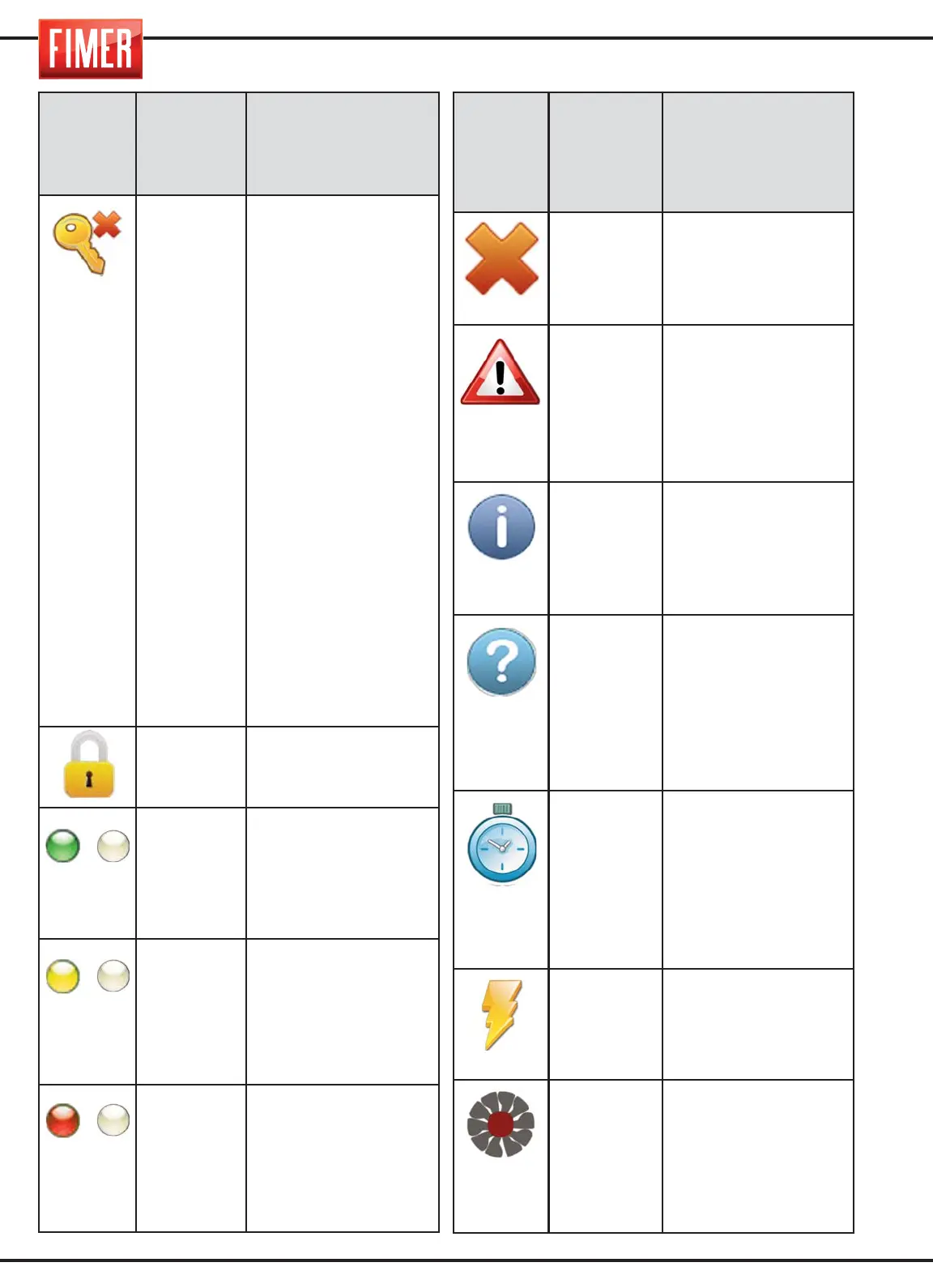
Symbol
Position
on
display
Description
F2 key
When the management
function of the keyboard
lock is activated, using swit-
ch 9 (fig.1), this indicates
the key to press for can-
celling a password that has
been previously memori-
sed by the user (hence
allowing for the insertion of
a new password); if the lock
keyboard function is acti-
ve, at the same time the
previously memorised pas-
sword is cancelled, this will
become unlocked.
WARNING: the Reset Pas-
sword function should
only be used if there is
no trace of the password
or when the password
has been lost. To use this
function contact the con-
structor technical sup-
port department directly.
(2)
This means the keyboard
lock is active.
(1)
Frequently flashes at a fre-
quency of 1Hz, meaning
the application is active;
when the machine is wel-
ding, this means that the
duty-cycle of the same is
set between [60, 100]%
(1)
Frequently flashes at a fre-
quency of 1Hz, meaning
that the application is acti-
ve; when the machine is
welding, this means that
the duty-cycle of the same
is set between [35, 60]%
(1)
Frequently flashes at a
frequency of 1Hz, mea-
ning that the application is
active; when the machine
is welding, this means that
the duty-cycle of the same
is set between [0, 35]%
/
/
/
Symbol
Position
on
display
Description
POP UP
This means the infor-
mation in the pop-mes-
sage is an error messa-
ge, which blocks the
machine functions.
POP UP
This means that the pop-
up message relates to an
operation, carried out by
the user on the machine
that requires attention
(e.g. wire needs feeding
or gas leak)
POP UP
This means that the infor-
mation in the pop-up
message is informative
(e.g. view firmware ver-
sions/SD installed on the
machine)
POP UP
This pop-up message is
advising the user that
they need to enter more
data (e.g.. enter program-
me name, enter
lock/unlock keyboard
password)
(1)
The replace LED symbol
flashes when a program-
me is being loaded; once
the programmed has loa-
ded the symbol will disap-
pear and the flashing LED
light will come back on.
(2)
With machines that are
equipped with a HF card,
this means the card will
be continually activated
for a duration of more
than 0.5 sec.
(2)
In machines with a vent
that can be activated by
the programme, this
means that the cooling
vent is switched on.


 To Next Page