14
FAULT CODES
Engine fault codes (active and stored) are generated by the engine ECU and communicated to
the control panel.
ACTIVE FAULT CODES
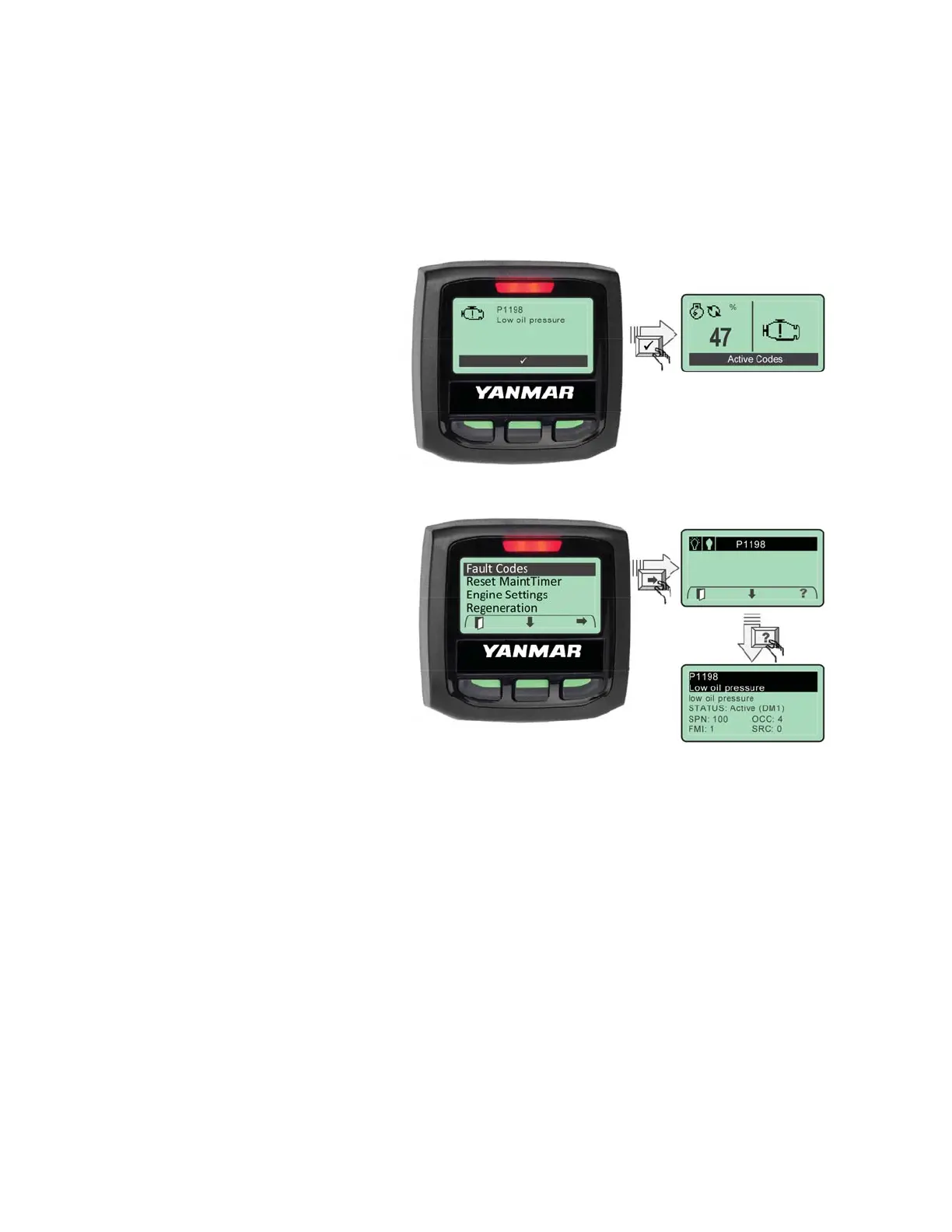
The control system reads standard
messages to indicate active fault
codes. When a fault is active the
control system activates a popup fault
display containing a check engine
icon, fault code number (if applicable),
a description of the active fault and
an “Active Codes” alarm stripe at the
bottom of the display. The control
system will activate the red LED fault
indicator above the digital display.
When an active fault is presented, the
user must acknowledge the fault by
pressing the softkey indicated. See
“Acknowledging Active Faults” section.
After acknowledging a fault condition,
the system will return to normal
display operation. The controller will
indicate that an active fault is present
by displaying a “Check Engine” icon
on the main data display. The system
will also display an “Active Codes”
alarm stripe at the bottom of the display.
ACKNOWLEDGING ACTIVE FAULTS
When the control system receives a new fault, the digital display responds by overlaying a fault
pop-up graphic onto the currently active runtime display. This alerts the operator, signaling a
response is needed by the operator. The display above (top) represents an unacknowledged
fault for an oil pressure fault condition. To acknowledge an active fault, press the “Acknowledge”
softkey (middle) button. This will remove the pop-up graphic. The control system will continue to
inform the operator that a fault is active or until the fault is corrected.
Note: If the fault condition is cleared the associated pop-up will be automatically removed.



 To Next Page