18
DISPLAY MODE SETTING
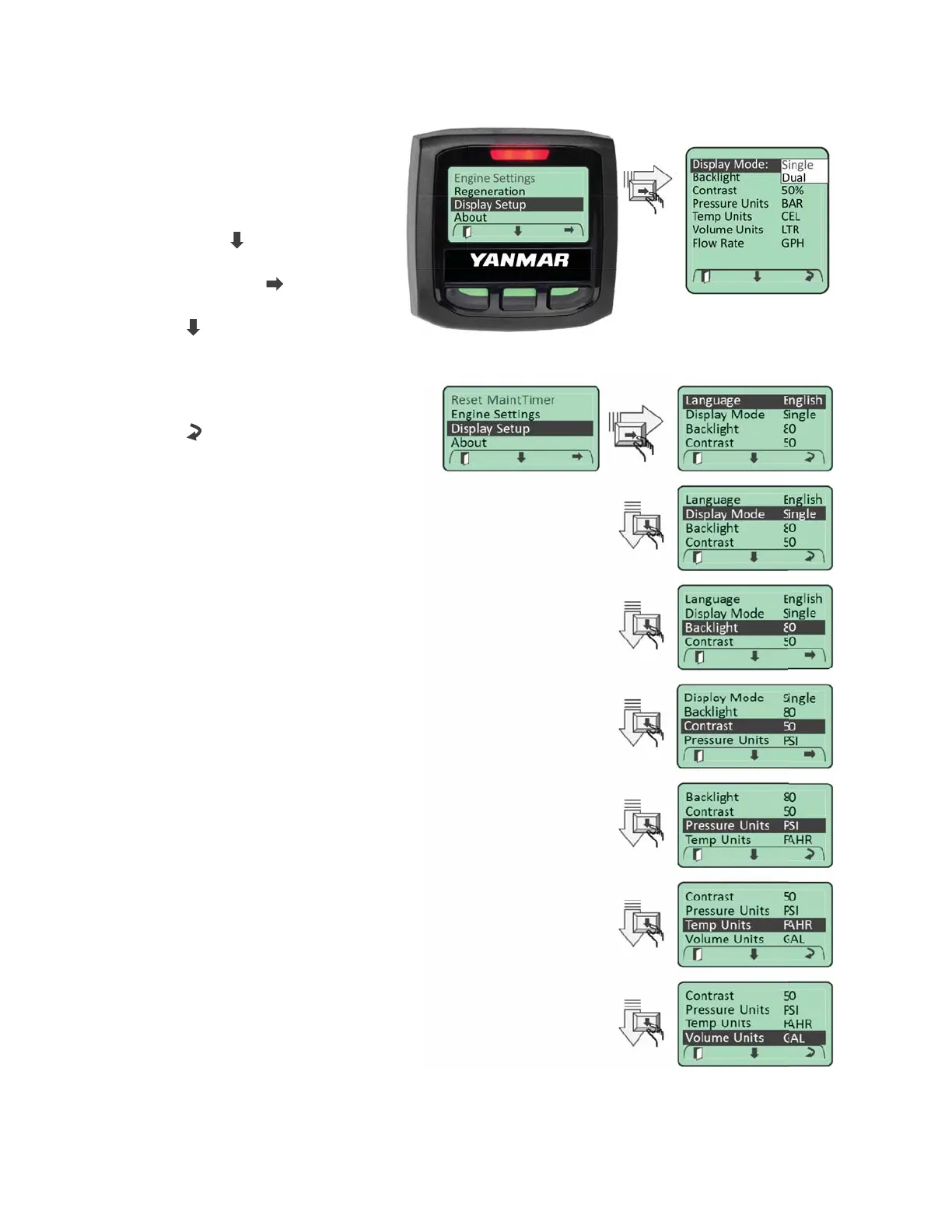
Two display formats are available:
“Single” display and “Dual” display
formats. To access the display
format setting, enter the Main Menu.
Navigate to the “Display Setup”
menu entry using “
” softkey. When
highlighted, enter the Display Setup
menu by selecting the “
” softkey.
Navigate through the “Display Setup”
menu using “
” softkey until the
“Display Mode” entry is highlighted.
Choose the desired display mode setting
by cycling through the list of choices using
the Change “
” softkey.
DEFAULT DISPLAY
To configure a particular display as the
default startup display, access the desired
display and leave active for 5 minutes.
The system will automatically set this
display as the default startup display.



 To Next Page