OPERATING INSTRUCTIONS 23
-
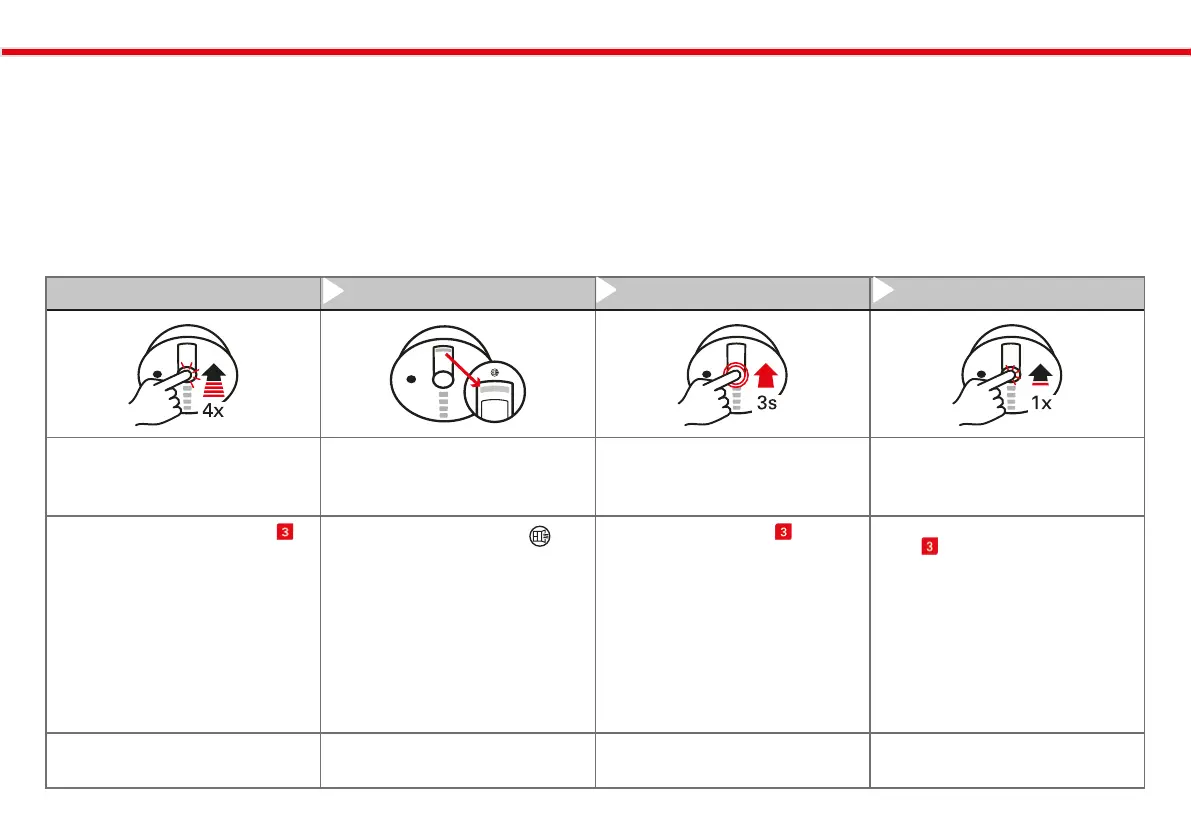
Step 1 Step 2 Step 3 (if necessary) Step 4
` Start
configuration mode
` Start
ventilation advice
` Adjust
ventilation advice
` Maintain settings for
ventilation advice
` Double-click the user button
on the device twice briefly.
` You are now in:Configuration
mode: Turn the ventilation advi-
ce LED on/off for the ventilation
advice.
` The orange LED with the
-symbol flashes for 0.5 seconds
to indicate that the ventilation
advice is turned on.
` A brief flash of 0.1 seconds indi-
cates that it is NOT disabled.
` The LED signaling repeats once
per second.
` Hold the user button for 3
seconds to toggle between
„On“ and „Off.“
` A short click on the user but-
ton will retain your current
setting.
` if no action is taken, you will
automatically exit the configu-
ration mode after 60 seconds,
and your last setting will be
maintained.
` NOTE: The configuration can be
repeated at any time.
Activating the ventilation advice LED (on/o) for the ventilation
advice:
The Multisensor Plus features a ventilation advice LED display for venti-
lation advice. It provides guidance to help you achieve an optimal indoor
climate for your well-being through targeted ventilation.
NOTE:
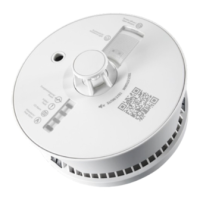
Ì For product description, see page 5.
Ì Further details on the next page.



 To Next Page