53
8.11 Removal of the Temperature Sensor
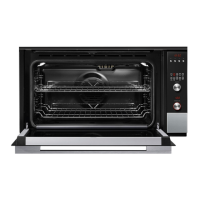
1. Ensure the product is isolated from the power
supply.
2. Remove the oven doors and shelves.
3. Remove the fan shroud, refer 8.9.
4. Remove the 2 screws securing the temperature
sensor, and pull forward to release. The harness
connection is a tight fit, but will come through
the cavity access hole.
5. Unplug the harness to release the sensor.
6. To test the temp sensor, refer to resistance
chart on page 12.
7. Reassemble in reverse order.
8.10 Removal of the Fan Shroud
1. Ensure the product is isolated from the power
supply.
2. Remove the oven door and shelves.
3. Remove the two screws on either side at the
top of the fan shroud.
4. Pull the shroud up slightly to remove the
lower tabs from the cavity liner.
5. Reassemble in reverse order.
harness
connection


 To Next Page
 Loading...