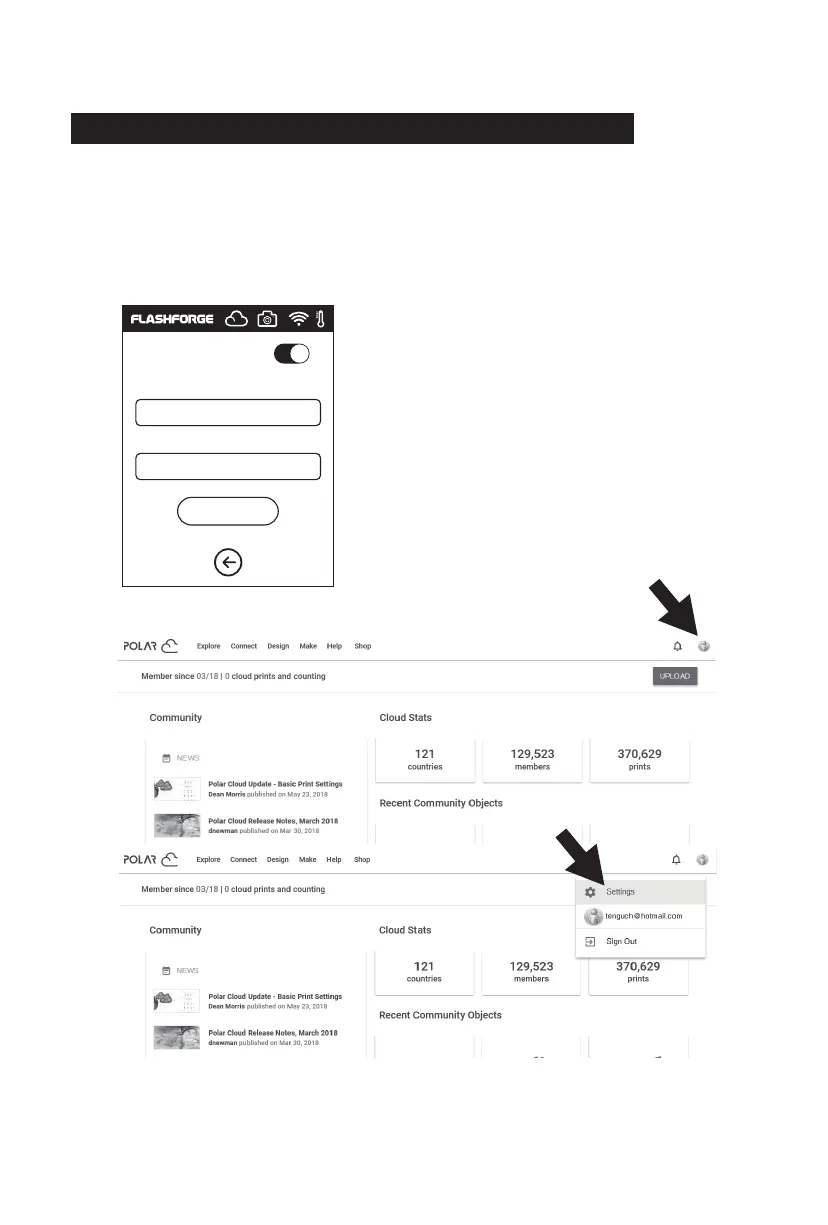
[1]. After registering Polar cloud and log in Polar cloud website, click the upper
right arrow, click [Settings].
1. Connect to Polar Cloud
The user can turn on or turn off the camera through Polar Cloud. Click Tools->
Communication -> Cloud Connect -> Polar Cloud, enter the settings page of Polar Cloud,
click the input boxes of account number and PIN, enter the account number and PIN,
click the ‘Start’ button to connect to Polar Cloud. The account number is the mailbox
used for sign-up with Polar Cloud; for the acquisition of PIN.
2.5.3 The switching can be controlled through the Cloud
The guide of getting a Polar could account.
The way of getting PIN code
The Polar could account is the register email account.
Polar cloud website: www.polar3D.com.
PolarCloud
Account:
PIN:
Save
43















 To Next Page