Finder2.0 User Guide |
www.flashforge.com
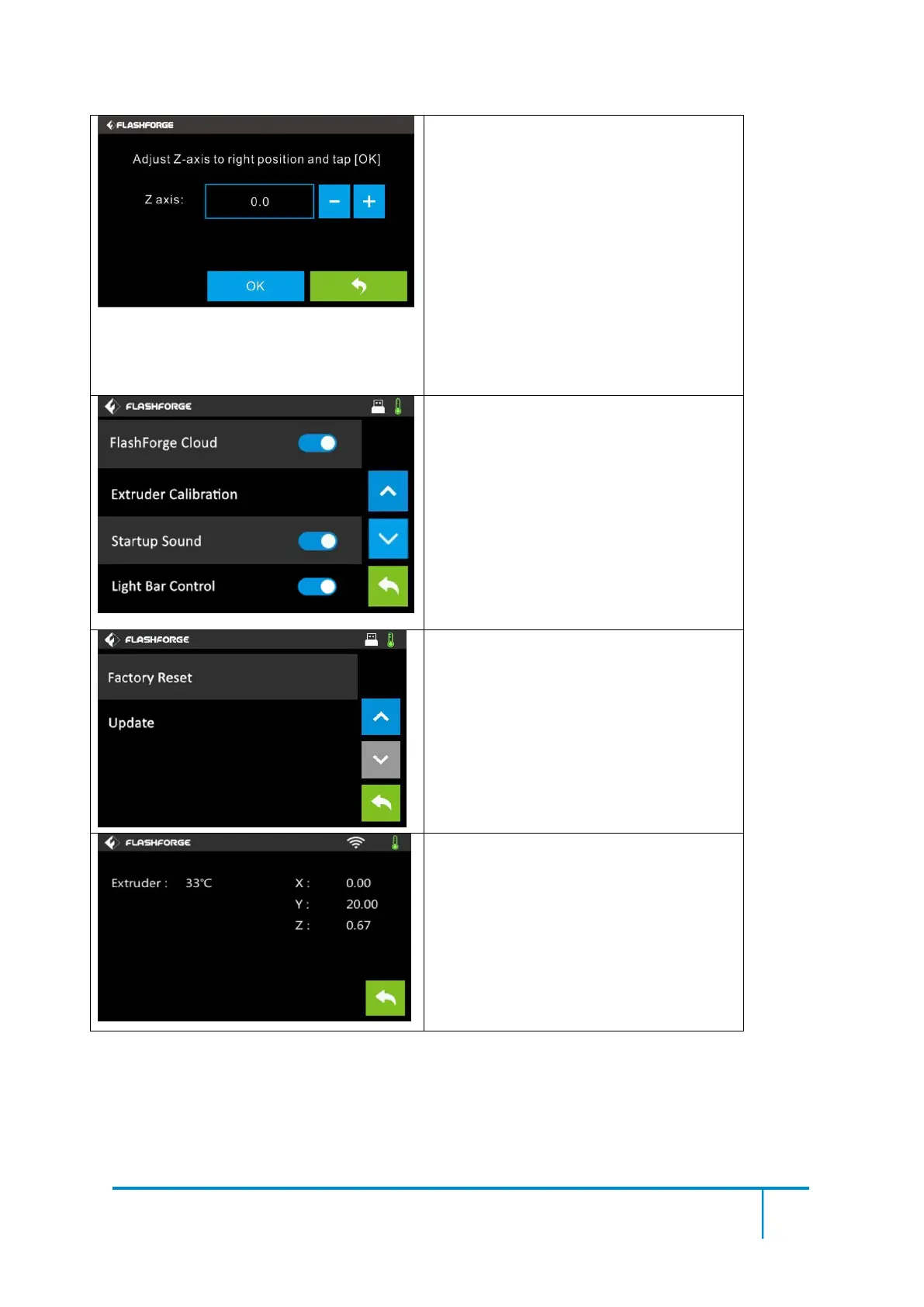
Extruder Calibration
Adjust Z-axis to the right position and tap
[OK]
+: The build plate elevates.
-: The build plate descends.
OK: To save the setting and back to setting
menus.
Back
The proper distance may be one ordinary
paper’s thickness.
Note: Please do this operation after
contacting with our after-sale engineer.
Turn on/off [FlashForge Cloud]:
Tap to turn on/off the FlashForge Cloud
Connection.
Turn on/off [Startup Sound]:
Tap to turn on/off the sound when restart the
printer.
Turn on/off [Light Bar Control]:
Tap to turn on/off the light bar when restart
the printer.
Factory Reset
:
Return to factory setting.
Update: To update the firmware version.
Back
Status:
It displays the real-time status of the
extruder temperature and
XYZ coordinates.















 To Next Page