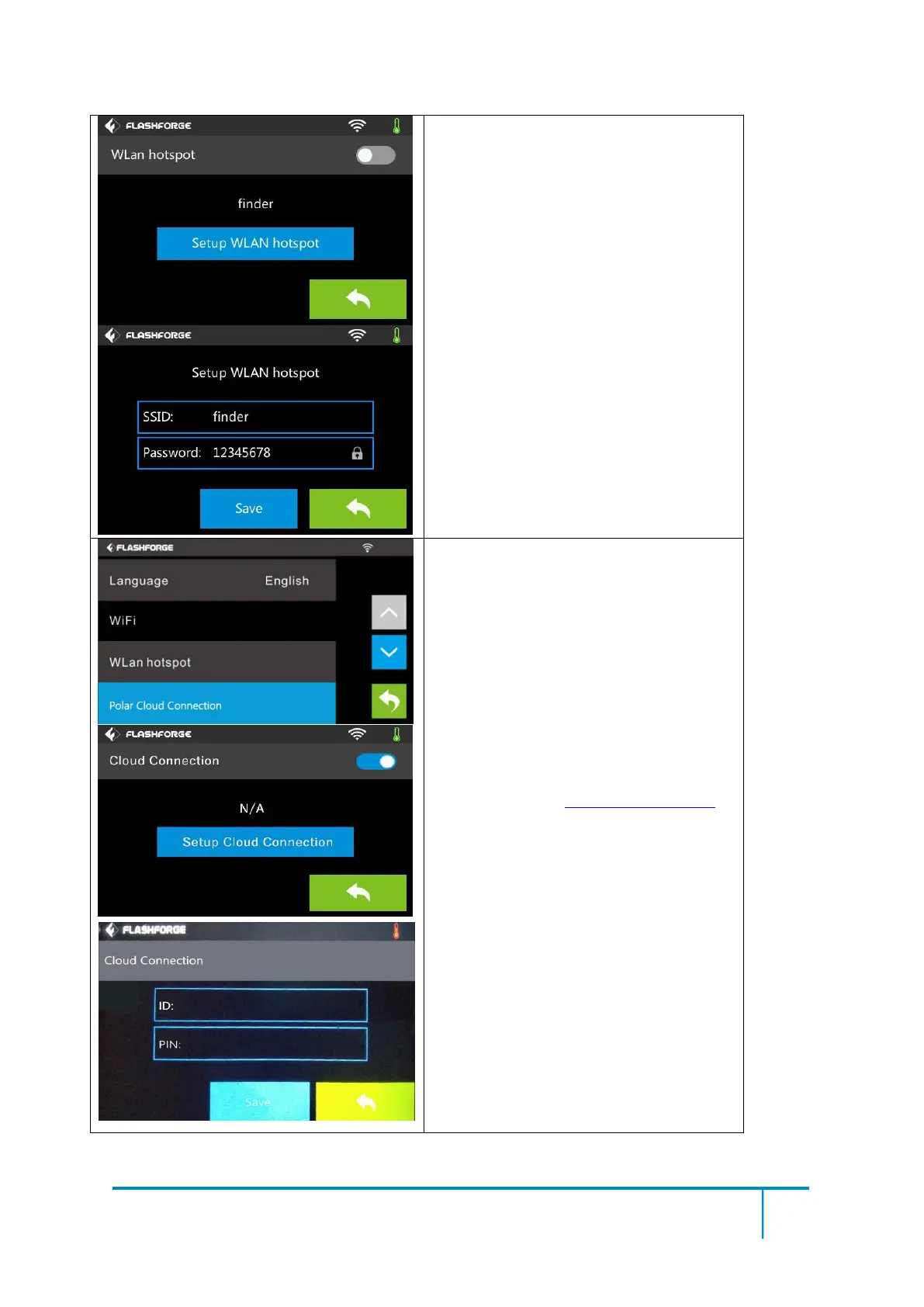
WLan hotspot
OFF/On: To turn on/off the Wlan hotspot.
Setup Wlan hotspot:To set the SSID and
password.
SSID:The name of hotspot.
Password: The password of hotspot.
Save: To save the setting.
Back
Polar Cloud Connection:
Cloud Connection: To turn on/off the polar
cloud connection.
Setup Cloud Connection: To set cloud
connection ID and PIN which have already
been registered on: https://polar3d.com
ID: The email address of your Cloud
account.
PIN: The PIN code of your Cloud account.
Save: To save the setting.
Back
(Note: To use polar cloud printing function,
you need to connect the printer to internet
with WiFi )















 To Next Page