Finder2.0 User Guide |
www.flashforge.com
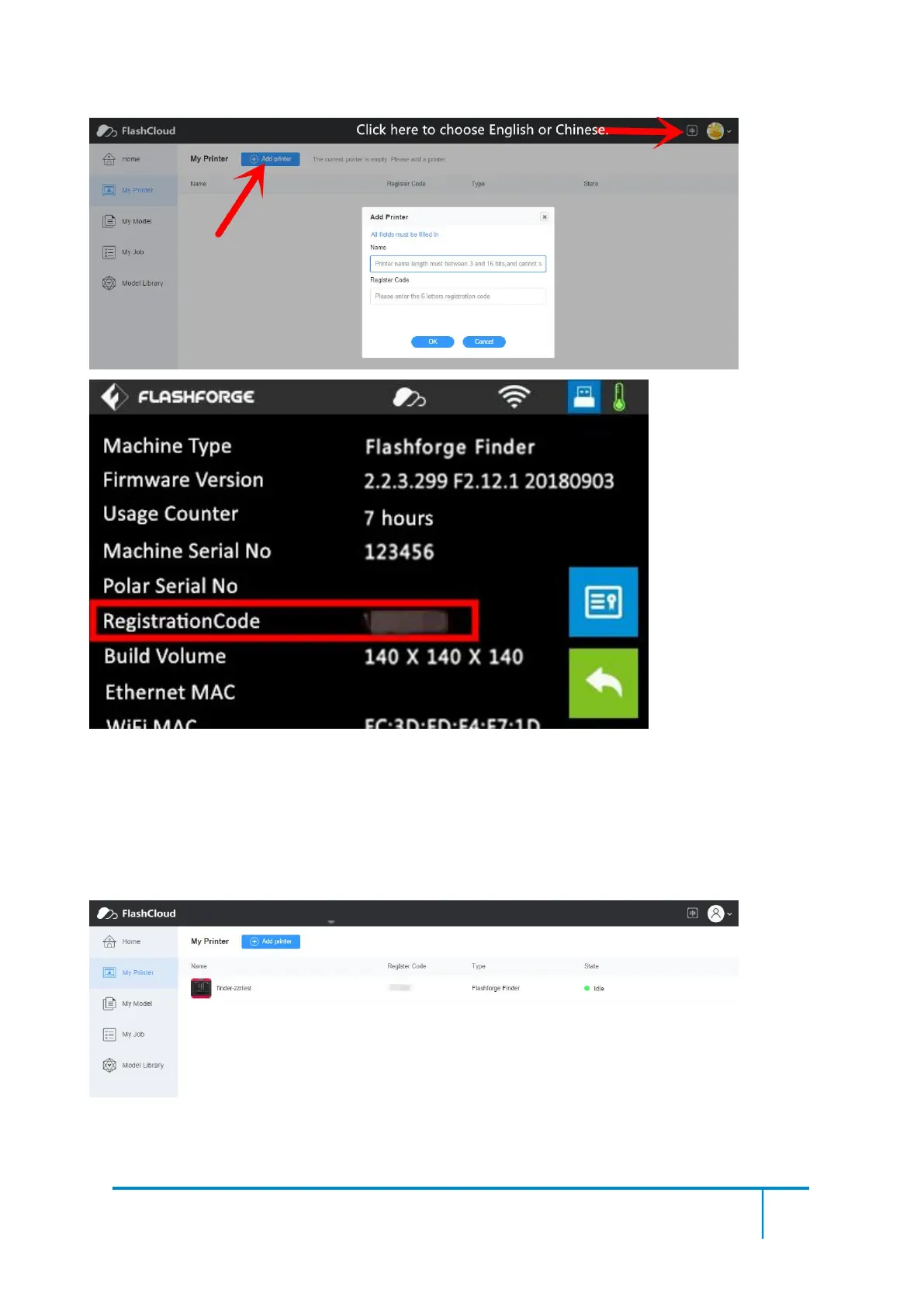
5) Add a printer completed as showed in the picture below.
More than one of the Flashforge printers can be added to a FlashForge Cloud account,
Flashforge Finder2.0, InventorII/InventorIIS, Adventurer3 printers all support FlashForge Cloud
connection. Using FlashForge Cloud connection to print, printers and print jobs management can
be done in batches.
6) Choose a model from cloud model library or upload your own model(stl file), click[Print],
enter the edit model interface to edit model.















 To Next Page