EasyManua.ls Logo

Flashforge Hunter - 4.3 Screen

Flashforge Hunter
53 pages
Print Icon
To Next Page IconTo Next Page
To Previous Page IconTo Previous Page
Loading...
Hunter User Guide | www.FlashForge.com 400-699-1063
22
4.3 Screen
4.3.1 Print
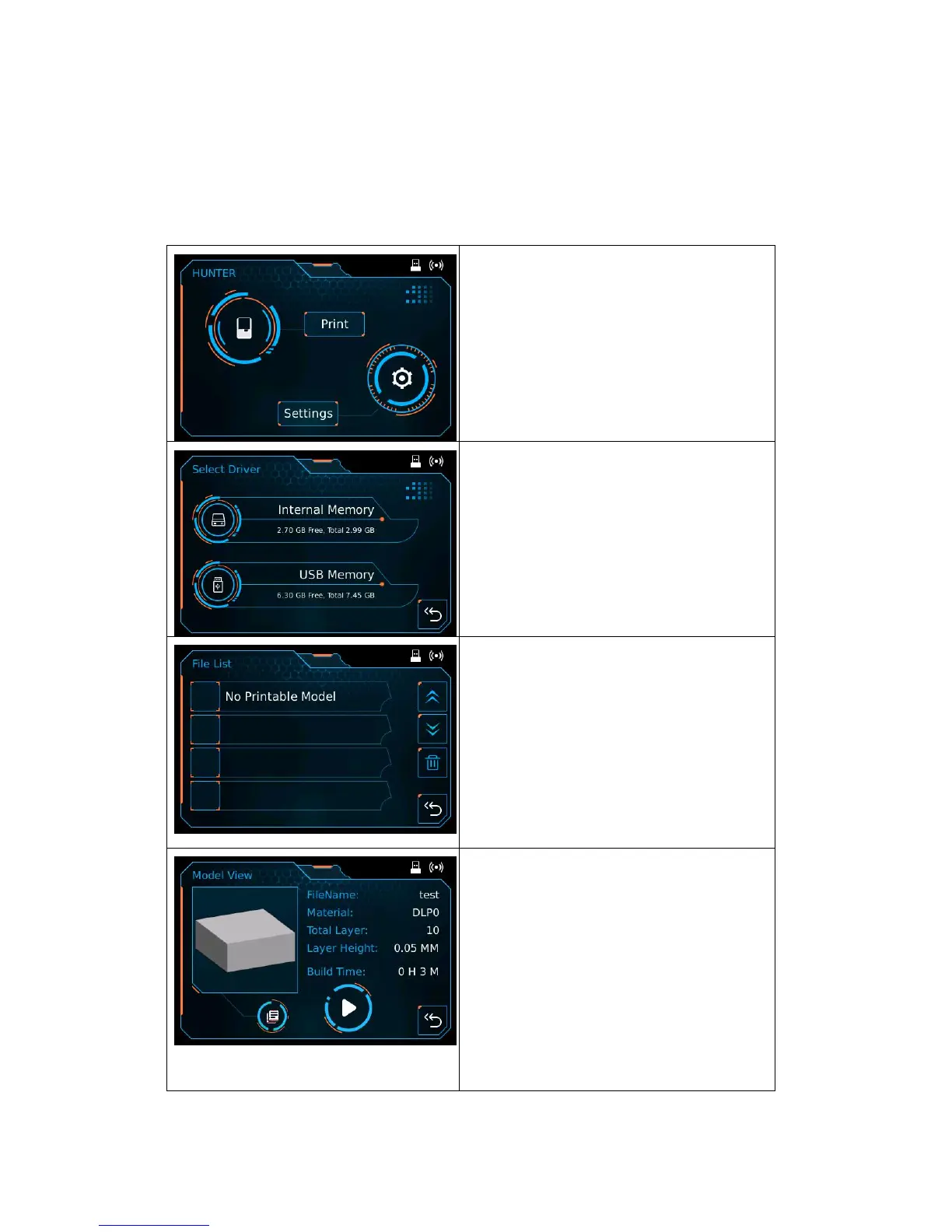
Print: Enter into print interface;
Settings: Enter into setting interface.
Internal Memory;
USB Memory.
File List: It can preview models that
stored in memory, tap the model to start
printing;
Page up;
Page down;
Delete model;
Back.
Model View: To show the 3D preview of
the model, and it shows the file name,
material, total layer, layer height and build
time;
Copy: To copy the files to the local
memory card from the USB stick.
Start: start to print this model;
Back.


Other manuals for Flashforge Hunter

Related product manuals